
Best-in-Class
Coding-Free
Easy-to-Use
Booking.com Reviews widget for website
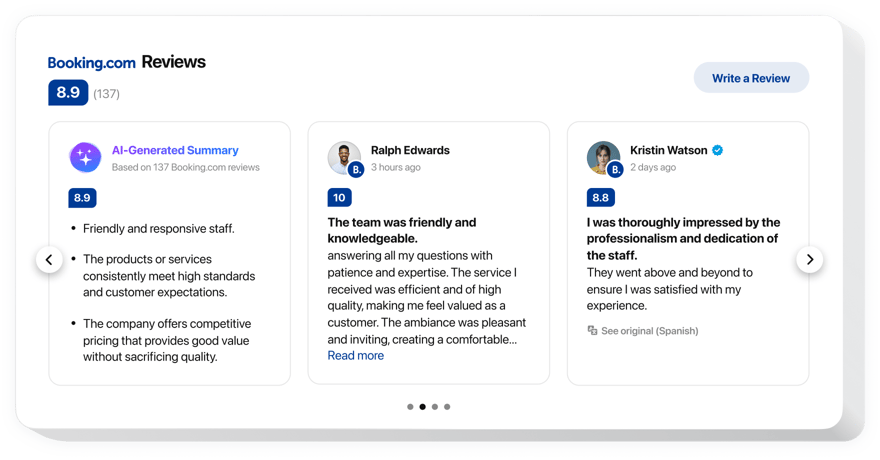
Showcase guest reviews from Booking.com to increase credibility and give travelers insight into comfort, cleanliness, and overall stay satisfaction.
Create Widget for Free
No credit card needed
Trusted by over 3,000,000 small business, agencies and top global brands worldwide
Create your Booking Reviews widget
Configure your widget and add it to your website for free!
Why do I need Elfsight Booking.com Reviews?
Authentic reviews. Stringer trust. More stays.
Build trust with genuine reviews from Booking.com guests
Display feedback from travelers who actually stayed at your property to build credibility.
Increase bookings by +45%
Strong Booking.com ratings help visitors feel confident choosing your accommodation faster.
Get more positive Booking.com reviews
Satisfied guests who leave new feedback help boost your visibility and attract future reservations.
99.9%
websites support
1000+
hours of development invested
1 min
to start using the widget
97%
customer satisfaction rate
Join 3,000,000 customers already using Elfsight Apps
You can start with creating your first Elfsight Booking.com Reviews widget for free.




















What makes Elfsight Booking.com Reviews special?
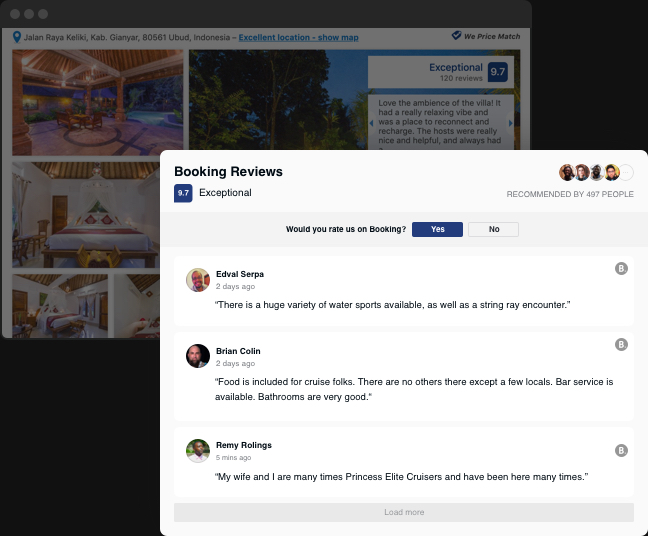
Show Booking.com reviews
Show what your guests say on your website
Let more audience see that your guests are happy with your services. Elfsight Booking Reviews widget will help you embed detailed recommendation with author’s name, picture and a link to your Booking account. That’s a handy way to show your brand trustworthiness! You can sort out reviews to reveal only the best of them, change text settings, show ratings and much more. Automatic updates will ensure no new review is missing on the website.
Header settings
Design the header your way
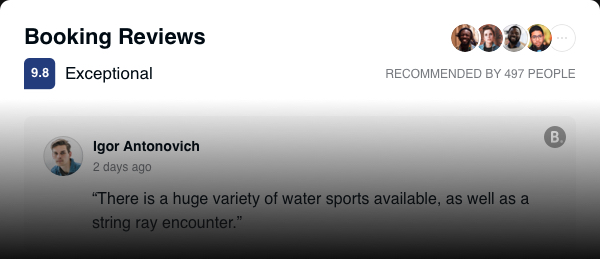
With the help of Elfsight widget, you’ve got everything to prove to your website visitors that you are a reliable partner. The header of the widget features a star rating - one of the most trusted kinds. It also shows the total number of clients, who recommended your place with their picture, and these elements are active and redirect a user to your Booking page. Increase customer trust showing full transparency.
Active button
Collect new reviews with the help of the widget
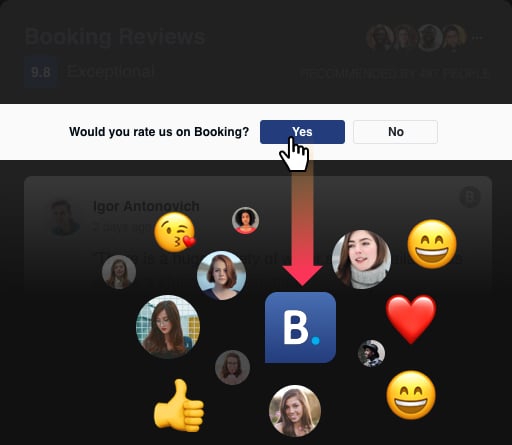
Using a compelling call-to-action button, you can attract even more guests to add their comments about staying at your place. Elfsight Booking Reviews includes an active button, which offers each viewer to leave their own impression on Booking.com. Pressing “Yes” , a user will be redirected to your Booking page, and pressing No, they will get a message from you.
Templates + layouts
Configure the look of the reviews
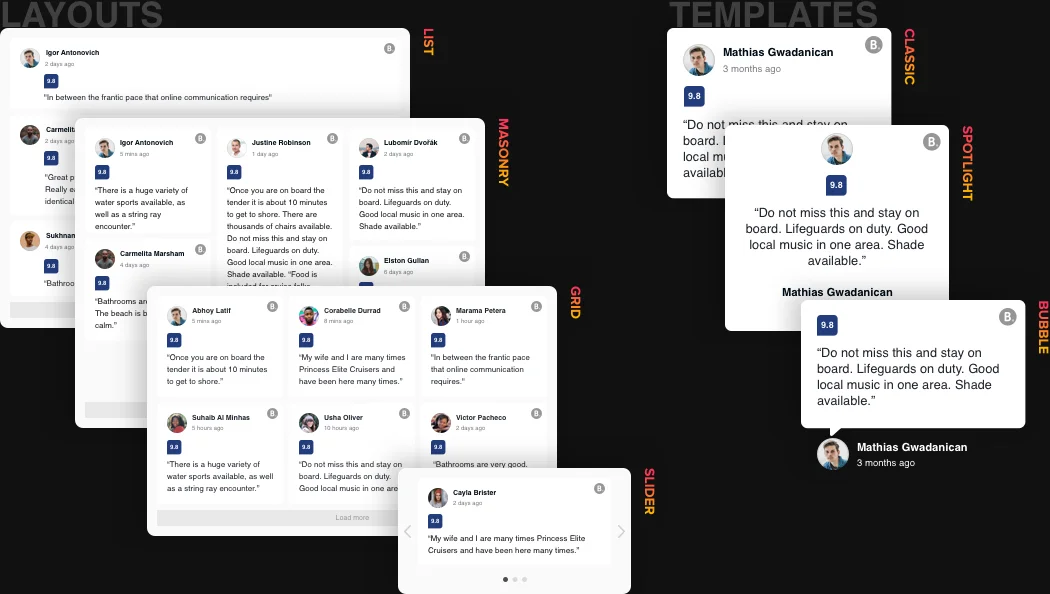
Using Elfsight Booking Reviews tool, you will prove your visitors that you are a reliable partner. The header of the widget demonstrates a star rating and shows the total number of reviews for your business. Write a review option that redirects visitors to your account on the review website. Our tool also offers 6 variants of layout so that you could situate it at the most suiting position on your web page.
Style settings
Adjust style options
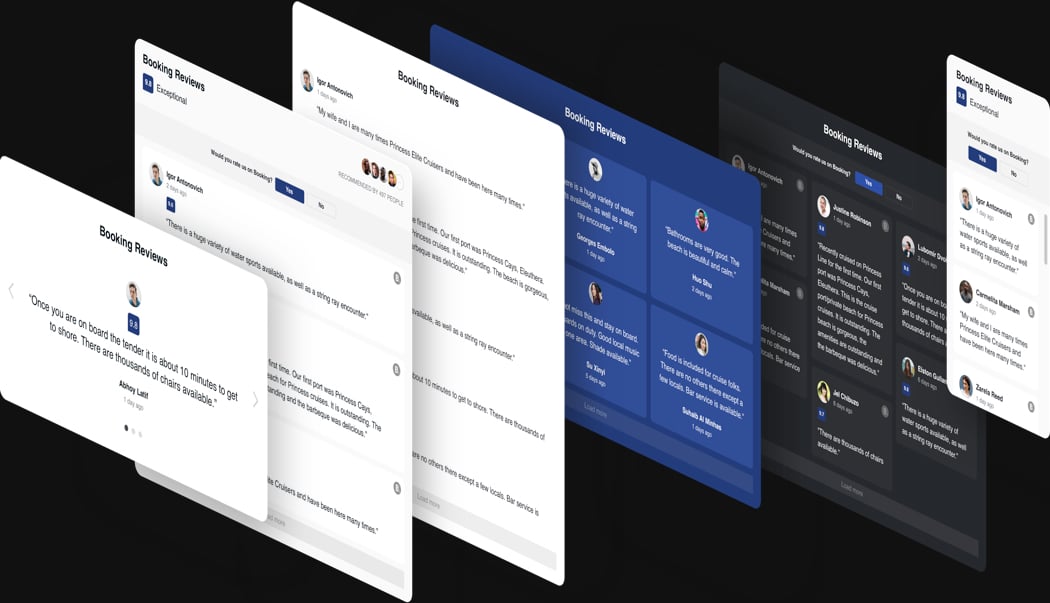
Try a widget that will be a perfect match for your site in terms of colors and style. Elfsight Booking Reviews, enables you to select colors and set fonts of the widget. You have five paintable elements, and an option to adapt font size of the title and text. Transform the widget yourself to make it really unique without a lot of effort!
AI REVIEW SUMMARY
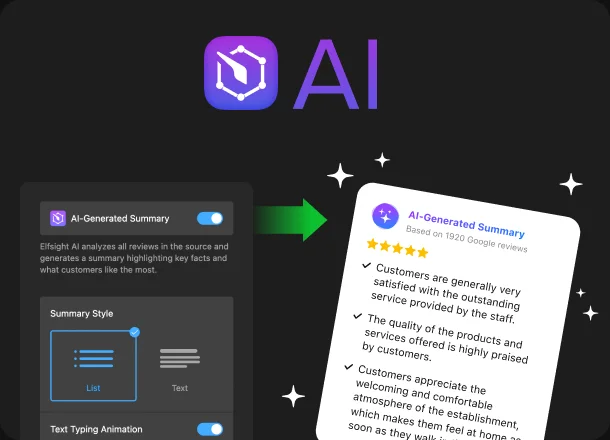
Maximize the Impact of Your Booking.com Reviews with AI-Powered Summaries
Amplify the emotions and experiences of your satisfied guests to maximize the impact of your Booking.com reviews. Our AI Summary Card provides powerful summaries that highlight the genuine benefits of your property. By leveraging the collective input from your esteemed customers, you can showcase your property's strengths and drive business success.
Learn more
Usage examples
See a selection of real examples to explore the full potential of Booking.com Reviews for your website.
See in action
Live demo
Try all the features of Booking.com Reviews in live demo now. No fees. No registration. No coding.
Try now
Why Elfsight widget of all others?
There’s much more than a variety of features. To give your website all it needs, we are always available with helpful support in any sort of query and the freshest updates.
Convenient live panel
No programming, no need for a developer - our live editor is easy-to-manage and intuitive, to save your time and money.

Qualified Elfsight team
Excellent help and free setup service will give you only positive user experience.

Fantastic Elfsight Apps service
Cloud solutions for constant automatic updates, instant bug fixes and high loading speed in any location.
What our customers say ❤️

Elfsight widget is fascinating, and their customer support is real quick and kind. Relevant and reliable widget, I recommend Elfsight!

Elfsight apps gorgeous, solid, clear, and easy to customize. I'm so pleased and fascinated with their Booking plugin and support.

Impressive plugin, easy to personalize and in case of any problem, you will receive competent assistance. I am strongly thinking about using almost all their apps.

Effective widget for a very affordable price. Flexible, easy-to-use and the Elfsight customer service is super- friendly and professional. Great user experience!

Elfsight guys incredibly quickly helped me with an issue I was experiencing with their Booking testimonials. I need to test their other plugins now!

The widget is well working and responsive interface. Super customizable and setup is a breeze. Customer service was greatly practical and useful.
Frequently Asked Questions
How does the widget connect to my Booking property?
Elfsight connects by using your Booking.com property link. Once you add the link in the widget editor, it collects and displays reviews from that listing automatically.
Do I need a Booking.com API key to display reviews?
No API key or account authorization is required. You simply add the link to your Booking.com property, and the widget retrieves the available reviews.
What filtering options are available for the reviews?
You can show all reviews or only positive ones, limit how many are displayed, and show or hide specific reviews using keyword or author-based filters. You can also filter out rating-only feedback.
What information from Booking.com reviews can be displayed?
Reviews can include the guest’s name, photo, date, rating, recommendation level, and full review text.
How can I get website visitors to leave their reviews, too?
You can use review-request button and invite website visitors to leave their reviews on your Booking page. The button will redirect them right there. If a user doesn’t want to do so, then they will see a message from you.
Is it compatible with all website platforms?
Elfsight works on any website or builder that supports embedding custom HTML and will be installed to any of them in seconds. Please check the list below: BigCommerce, Blogger, Drupal, Facebook Page, Elementor, Joomla, jQuery, iFrame, Magento, HTML, OpenCart, Shopify, Squarespace, Webflow, Webnode, Weebly, Wix, WordPress, WooCommerce, Google Sites, GoDaddy, Jimdo, PrestaShop.
How can I install Reviews from Booking.com to my website
Embedding reviews on your website is simple and doesn’t require technical knowledge:
- Start with selecting a template in the Elfsight editor.
- Add the link to your Booking.com property as the review source.
- Adjust filters, language, and display settings.
- Copy the embed code and place it into your website’s HTML.
Your reviews will appear instantly and stay updated automatically as new feedback is published.
If you encounter any issues during setup or customization, reach out to our Support team.
Is multilingual support available?
To translate review text, enable the “Auto-translate Reviews” option in Settings (available on Pro plan and higher). Interface texts follow the selected language on all plans.
Join 3,000,000 customers already using Elfsight Apps
Get the taste of 90+ powerful apps by Elfsight. No credit card. Joining is free!
Get started
Get 20% discount now!