
Best-in-Class
Coding-Free
Easy-to-Use
QR Code Generator for website
Generate QR codes for links, contacts, files, coupons, and more to give visitors a fast, mobile-friendly way to access your key content in one scan.
Create Widget for Free
No credit card needed
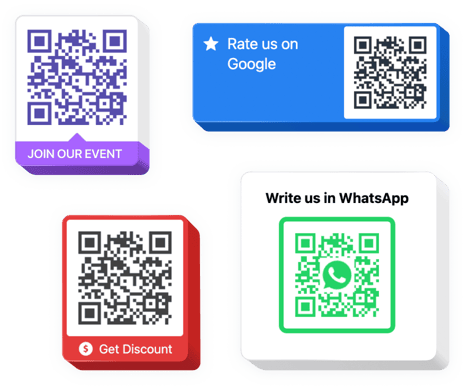
Trusted by over 3,000,000 small business, agencies and top global brands worldwide
Create your QR Code widget
Configure your widget and add it to your website for free!
Why do I need QR Code widget?
Scan fast. Act instantly.
Make your online-to-offline actions effortless
Let visitors scan your QR code and quickly access locations, events, products, or real-world instructions.
Increase conversions by +30%
QR codes remove friction and help users act faster – whether buying, booking, or signing up.
Connect users to the right content anywhere
QR codes give quick access from print, packaging, storefronts, or events straight to your digital content.
0%
websites support
0+
hours of development invested
1 min
to start using the widget
0%
customer satisfaction rate
Join 2,078,753 customers already using Elfsight Apps
You can start with creating your first website QR Code generator for free.





















Bring users directly where you want them to be
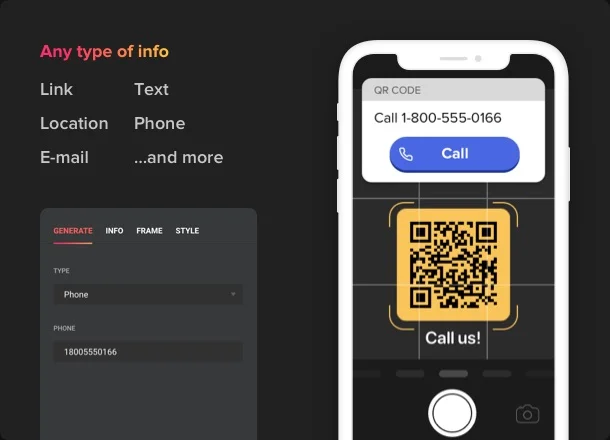
GENERATION
Instant access in a click
Applying Elfsight QR Code widget, you can make it easier for users to contact you, upload files, find locations and many more. Redirect them to any websites, share your email and phone number, social media profiles, messengers data and Wi-Fi profiles in just a few clicks. Simply choose the type of info you want to share and fill in all the necessary data!
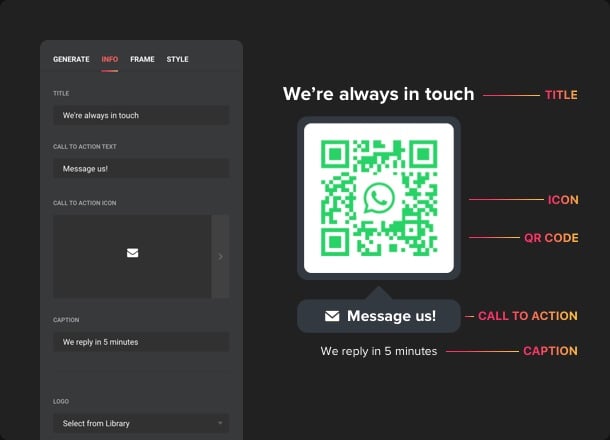
INFO
Create a highly informative feature
There are lots of details you can add to your website QR Code widget like texts, icons or logos. Attach a caption and title to keep your audience informed about the info they’re going to get. There are eight logos available so that users could see which social media or messenger they are redirected to. And to make the feature look more alluring, you can always include an attractive switchable icon, choosing it from our collection.
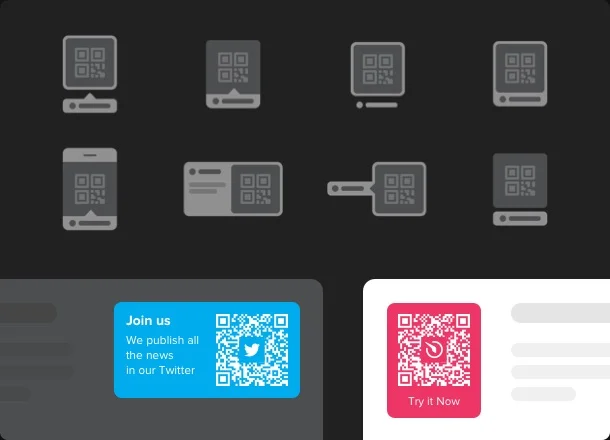
FRAMES
Find the frame that suits you best
We offer you eight frames for your QR widget. They are used to present your information the most telling way and attract the users’ attention. All you’ve got to do is to choose the frame that complements your website the best.
STYLE
Mix it seamlessly with your website design
All the widget’s parts are highly customizable. Recolor all the elements like background, foreground, texts, determine the title font size, the text size and decide upon the title font weight. The size of the QR Code is adjustable as well so you can be sure the feature will fit in perfectly.
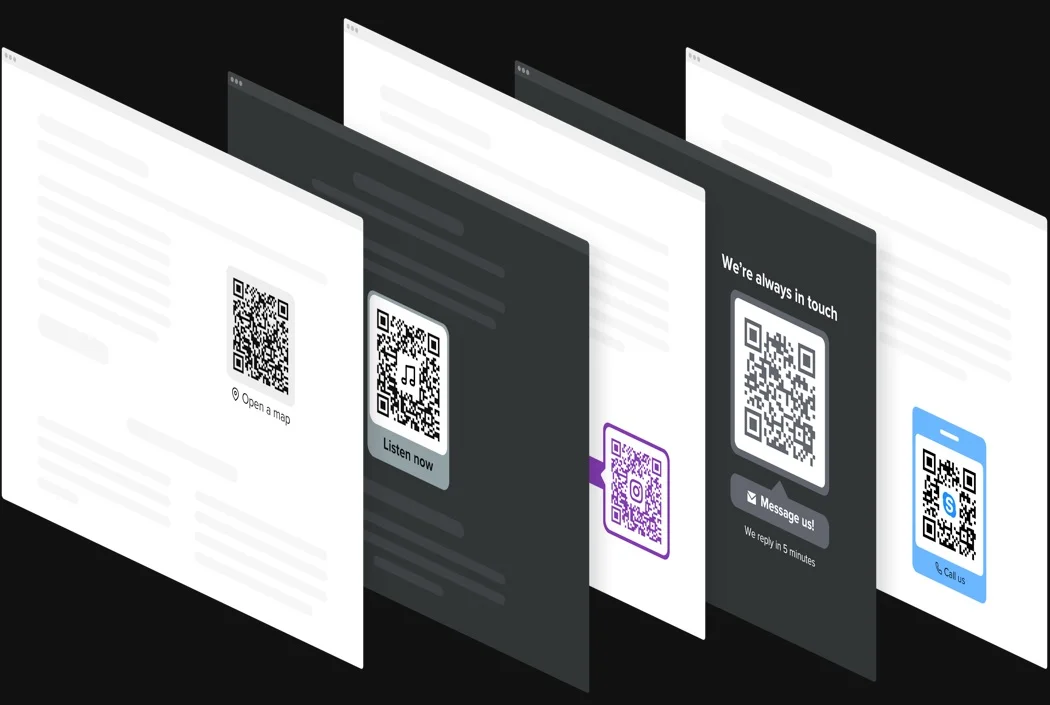
Usage examples
See a selection of real examples to explore the full potential of QR Code Generator for your website.
See in action
Live demo
Try all the features of QR Code widget in live demo now. No fees. No registration. No coding.
Try now
Why Elfsight widget of all others?
We will equip you with a broad spectrum of tools to choose from. From today onward you won’t have to worry about your website functioning. Our cloud-based tools are provided with a plethora of features you can handle the way you like. And if you confront any questions, our strong support personnel is always eager to aid!

Interactive easy-to-use board
By means of our handy dashboard you’ll be capable of configuring and integrating any plugin into your website with no effort! No more need to hire an experienced developer or learn coding.

Experienced Elfsight team
Your smooth experience is laid upon our competent team. We will stay in nonstop contact to help you implement plugins on your web page.

Great Elfsight Apps service
You will invariably get the freshest constant version. Cloud solutions will ensure immediate problem fixes and great loading speed.
What our customers say ❤️

Very flexible and customizable website QR plugin that displays beautifully. It doesn't break or slow down my website, which is also great!

Had to move the plugin to another domain and had a couple custom CSS queries. GREAT support and GREAT plugin! So thanks Elfsight!

Great app! Elfsight answered all our questions quickly, friendly and competently, so finally we managed to install without problems.

Super-easy widget to set up, it took me less than 5 minutes to enter my code to the website. Absolutely recommended!

I loved this widget from the first moment in terms of design. It is easy to use and the customer support team is always there to provide support at any time. Thank you for this!

The first QR Code Generator I've embedded for 3 years that actually does the job. And does it really efficient at that. I had a bug on my website, and they got it resolved swiftly.
Frequently Asked Questions
What kind of data can I turn into a QR code?
The generator supports links, plain text, phone numbers, emails, Wi-Fi access details, and other ready-made data types for quick sharing.
Does the QR code change automatically if I edit the content?
Any update you make in the settings refreshes the QR code instantly, so scans always lead to the latest data without reprinting or reloading.
Can I customize the look of the QR code without breaking it?
You can safely adjust colors, shapes, frames, and styles while keeping the code fully scannable on phones and standard QR readers.
Can I place my logo inside the QR code?
A logo or icon can be embedded in the center of the code, with smart contrast handling to preserve reliable scanning.
Can the QR Code widget be used on any website platform?
Yes, it works on any website that supports custom HTML embeds, including BigCommerce, Blogger, Drupal, Facebook Page, Joomla, jQuery, iFrame, Magento, Elementor, HTML, ModX, OpenCart, Shopify, Squarespace, Webflow, Webnode, Weebly, Wix, WordPress, WooCommerce, Jumpseller, Google Sites, GoDaddy, Jimdo, PrestaShop.
How can I embed a QR Code on my website?
To add the widget to your website, follow these simple steps:
- In the editor Choose the template that matches your design best and choose the data type you need.
- Customize its design, colors, and optional logo.
- Copy the embed code and paste it into your website’s HTML.
Your QR code will appear instantly and update automatically when you make changes. If you need help, our Support team is always ready to assist.
Join 2,078,753 customers already using Elfsight Apps
Get the taste of 80+ powerful apps by Elfsight. No credit card. Joining is free!
Get started
Get 20% discount now!