
10+ HTML Audio Player Templates for Websites

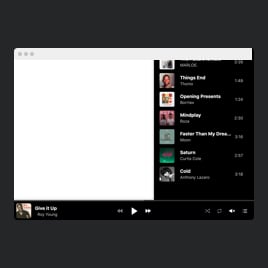

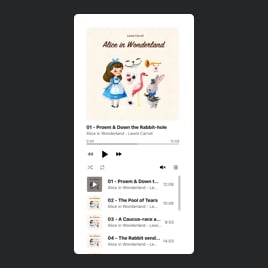
What Is Audio Player Template?
It’s a pre-built, customizable player for adding audio tracks to your website. Just pick a template, upload your files, customize the appearance, and embed the template on your website in a few clicks. No audio editing or programming required.
Whether you’re presenting a podcast series, a music collection, a spoken guide, or sound effects, you can begin with a polished layout and tailor it to fit your style.
Top Audio Player Template Features
The Audio Player templates include a rich set of features for styling your playlist. Here’s what you can adjust:
- Add unlimited audio tracks.
There are a few ways that go hand in hand to upload tracks. You can use your device, link, or a popular platform like YouTube Music or SoundCloud. That gives you full flexibility in how you deliver your audio and in which format. - Show detailed track info.
Make your content more informative to the website users. Include track info, such as title, artist, and cover artwork, to turn the mundane curiosity into constant streaming. - Include Call-to-Action buttons.
Place customizable CTAs for each track to promote purchases, streaming numbers, and downloads. Our live configurator in the templates supports all the possible options, including a completely custom button. - Configure player settings.
The template comes with basic settings, but they are changeable, as each case has something unique. Meaning, you can set the initial volume, turn on autoplay, choose to save track progress, and even have shuffle by default. - Customize colors and fonts.
In the Style tab, you get to do a little bit more customization. Personalize backgrounds, fonts, and accent colors to align perfectly with your website’s design. - Advanced editing options.
If you know CSS or JavaScript, tap into the built-in editors for fine-tuned styling. But if it is not the case for you, all settings are editable visually; no coding is needed.
How to Add Audio Player Template to Website?
You need to take only four simple steps:
- Choose a template. Explore the collection and select a design that matches your project. Also consider the specifics of a website!
- Add your audio files. Upload episodes, songs, or recordings, adjust their order, and fill in track details.
- Copy the installation code. Click “Add to your website for free” to generate a ready-to-embed HTML code for your website.
- Embed it on your website. Open your website editor, select the page or block, and paste the code where the player should appear.
If you encounter any issues, our support resources, Help Center articles, Community, and dedicated team are here to help.
FAQ
Can I use a template for free?
Yes, the audio player templates are available at no cost. Choose any design, customize it, and publish it on your website without upgrading.
The Free plan includes core features like unlimited audio uploads, layout choices, and basic design settings.
Can I change an audio player template’s design?
Yes, every template supports color changes, font adjustments, layout selection, and tracklist formatting. Every update is reflected instantly in the live preview.
Do I need to edit my website’s HTML to use a player template?
No, you only need to paste a small embed code into the page where you want the audio player to appear. No structural HTML website changes required.
What are the best examples of using music player templates?
Audio Player templates can serve a variety of purposes depending on your website and content type. Here are some common use cases:
- Musicians & Bands. Showcase songs, albums, or live performance recordings with customizable playlists and album art.
- Podcasts. Stream full episodes, offer download options, and organize shows into series with tracklists for easy navigation.
- Online Courses & Tutorials. Embed lecture recordings, language lessons, or audio guides so learners can follow content directly on your website.
- Media & News Websites. Share audio interviews, news reports, or commentary tracks that visitors can play or download.
- Business & Marketing. Feature product demos, promotional audio, or guided instructions for services to engage website visitors.
This is just a selection of ways audio player templates can be applied. If your project has a unique audio setup, the template’s customization options allow you to adapt it perfectly to your needs. Or you can always visit our Community to leave a request in the Wishlist.
Can I create my version of an audio player using templates?
Yes, our live editor offers multiple customization elements and features to personalize each template for various business goals. If the ready-made template still doesn’t work for you, you can use a blank one to create something unique.
Can I use a template for multiple audio sources at once?
Yes, our audio player templates allow you to combine multiple audio sources, giving you the flexibility to create diverse playlists, podcasts, or music collections.
