
25+ HTML File Embed Templates for Websites




What Is File Embed Template?
It is a pre-made file viewer that lets you showcase documents directly on your website. Choose a template, upload your files, and design the preview to match your branding. No coding or technical knowledge is needed.
Start today and choose to display any document you like: guides, menus, reports, portfolios, or worksheets. Our templates give you a ready structure that you simply fill with!
Top File Embed Template Features
Our templates come packed with features that make showcasing documents user-friendly. Here’s what you can configure:
- Upload your files.
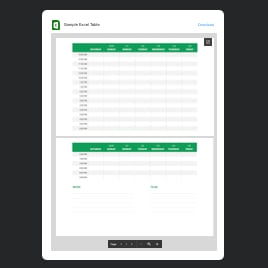
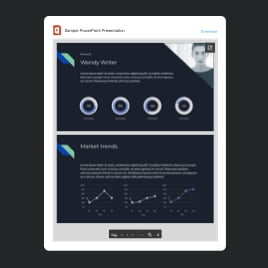
Templates support over 20 file formats; feel free to upload PDFs, DOCXs, PPTXs, XLSXs, images, and many more. Just pick a preferred method: import from your device or add via URL. - Set custom preview images and titles.
If you want a branded or more visually engaging cover, replace the auto-generated preview with your own image. Also, rename the file to highlight important documents with catchy titles. - Display file icons.
Help website users understand what type of document they are viewing. Get each file its own recognizable icon for instant visual clarity. - Let others download.
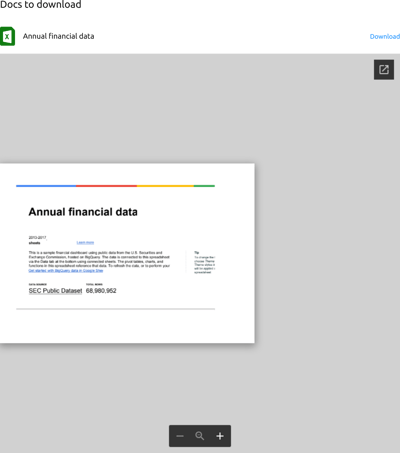
You can not only share the file online but also let users download the original documents in a single click. You are in control of whether this option is available or hidden. - Advanced design customization.
Every template comes with a full set of design settings that are preset. But you can change it. Adjust fonts, colors, borders, and background options to match your website’s style. - Explore advanced options.
Customize everything visually with the built-in, coding-free editor. If you’re more advanced, use the integrated CSS and JavaScript editors for fine-tuning.
How to Add File Embed Template to Website?
You only need to complete four steps:
- Select the template. Browse our collection to pick the design that best fits your document type.
- Upload your files. Add documents, customize preview images, change the title, and apply your preferred layout style.
- Generate your installation code. Click “Add to your website for free” to get the automatically created embedding code.
- Add it to your website. Paste the code into the desired area of your HTML-based website.
Need help? Visit our Help Center, ask questions in the Elfsight Community, or contact our support agents. We’re always happy to assist.
FAQ
Can I use a template for free?
Yes, all File Embed templates are available for free. Pick any design, upload your files, and publish it on your website without limitations or hidden costs. The Free plan includes all core features you need.
Can I change a file embed template’s design?
Yes, you can customize colors, fonts, backgrounds, borders, preview images, and layout styles. The visual editor gives you full control, while advanced users can apply their own CSS for deeper styling.
Do I need to edit my website’s HTML to use a file viewer template?
No major edits are required. All you need to do is paste a small piece of embed code into your HTML page; the rest of your website structure stays untouched.
What are the best examples of using templates?
Here are some popular cases where File Embed templates work perfectly:
- Online courses and education. Embed syllabi, worksheets, lesson materials, and assignments in a clean document viewer.
- Restaurants and cafes. Upload menus, wine lists, allergen guides, or event brochures.
- Business websites. Share reports, case studies, price lists, whitepapers, and policies.
- Portfolios. Designers, photographers, and artists can showcase multi-page projects in a tidy preview format.
- Event pages. Display programs, schedules, rules, or downloadable PDFs for attendees.
And many more. If you need a template for a specific use case, feel free to add your suggestion to our Community Wishlist.
Can I create my version of a file embed with templates?
Yes, you can build your own version based on any template. Upload your files, adjust the layout, personalize the preview, and fine-tune the design. You can also start with a blank template to create a fully custom configuration.
How many projects can I display in a single template?
Showcase as many files as you need: from a few key documents to an entire library.
Can I mix different file formats in one template?
Yes, our templates let you display PDFs, images, spreadsheets, and more together, giving you complete flexibility to present all your files in one place.
