
Trusted by over 3,000,000 small business, agencies and top global brands worldwide
Explore 90+ Free Widgets for your Website
While the Telegram Feed widget is still on its way, don’t wait—enhance your website with one of our popular no-coding, free widgets!
Why do I need Elfsight Telegram Feed?
More updates. Better engagement. Stronger community.
Keep visitors updated instantly
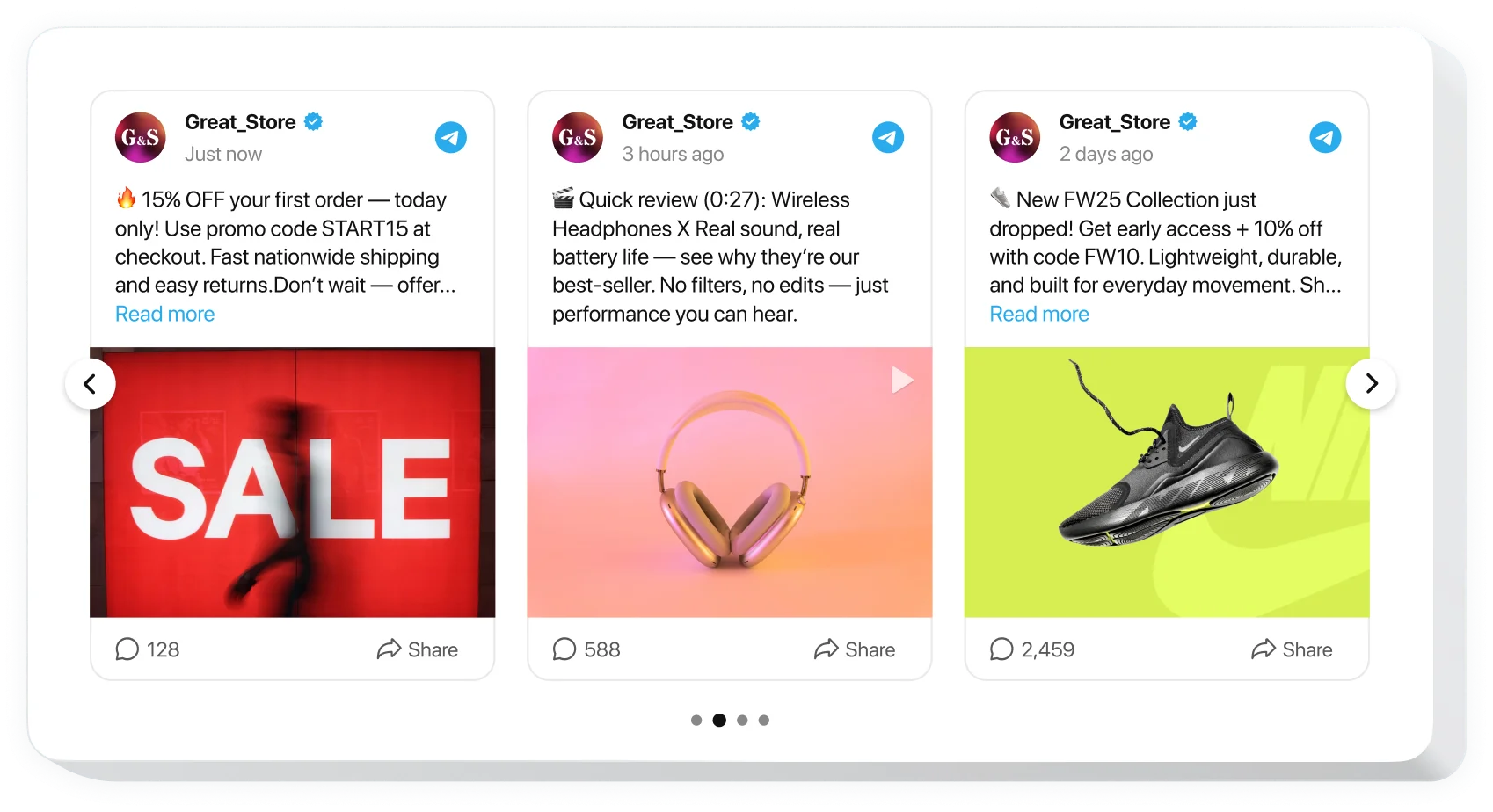
Show the latest Telegram posts on your website so visitors always see fresh news, offers, launches, and announcements.
Turn channel activity into trust
Bring active Telegram content to your website to prove your brand is present, responsive, and worth following.
Grow your Telegram audience
Use website traffic to promote your Telegram channel and give visitors a clear reason to join your community.
99.9%
websites support
1000+
hours of development invested
1 min
to start using the widget
97%
customer satisfaction rate
Join 3,000,000 customers already using Elfsight Apps
You can start with creating your first Elfsight Telegram Feed widget for free.




















What makes Elfsight Telegram Feed special?

SOURCE
Connect your Telegram channel in minutes
Use the Elfsight configurator to turn a Telegram channel link into a website feed without coding. Add the source, preview the result, and publish a live widget that brings channel posts, media, links, and announcements to your pages. Reuse the content you already share on Telegram and make it visible to every website visitor without extra manual updates.
CONTENT
Broadcast fresh updates from Telegram
Keep your website aligned with your channel by displaying recent posts, images, videos, links, and announcements. Choose how much content visitors see, focus attention on important updates, and make your Telegram activity easy to follow. Use the feed to highlight company news, product updates, offers, community messages, or any content that helps visitors stay connected with your brand.


LAYOUT
Place the feed anywhere it fits
Add Telegram Feed as a full content section, compact update block, or sidebar-style feed. Choose a layout that matches your page goal, whether you want to highlight news, support updates, offers, or community posts.
STYLE
Customize the widget to match branding
Start from clean templates and adjust colors, spacing, cards, header elements, and post appearance. The responsive design keeps your Telegram content clear and polished across desktop and mobile screens. Shape the feed around your website design so it feels native, supports your visual identity, and presents every post in a consistent, professional way.

Usage examples
See a selection of real examples to explore the full potential of Telegram Feed for your website.
See in action
Live demo
Try all the features of Telegram Channel Feed widget in live demo now. No fees. No registration. No coding.
Try now
What our customers say ❤️

We wanted a simple way to display our Telegram updates on our website without copying every post manually. Telegram Feed was exactly what we needed. Setup took just a few minutes, and everything has been updating automatically ever since. The support team also answered my questions incredibly fast.

This widget helped us keep our website fresh without any extra work. We post news in Telegram first, and now it automatically appears on our homepage. Visitors always see the latest updates, which has made the website feel much more active.

We've tried a few different social feed widgets before, and this one was the easiest to configure. Plenty of customization options, responsive layouts, and excellent support whenever assistance was needed. Definitely recommended.

Exactly what I was looking for. We use Telegram as our primary communication channel, so displaying the feed on our website made perfect sense. The widget looks professional, loads quickly, and blends naturally with the rest of the page.

The Elfsight configurator is intuitive, and the whole process of embedding widgets is super easy and fast. No coding, no complicated setup, just a polished widget that works and doesn't affect our website performance!

Beautiful design, flexible layouts, and reliable performance. We needed a few small customizations, and the support team went above and beyond to help us get exactly the look we wanted. Couldn't ask for a better experience.
Frequently Asked Questions
Do I need a Telegram API key to use the widget?
No, you don't need a Telegram API key or any programming knowledge. Simply connect your public Telegram channel through the Elfsight configurator, customize the widget, and embed it on your website.
What types of Telegram content can be displayed?
Elfsight supports the content published in your channel, including text posts, images, videos, links, and other media shared with your audience. The widget automatically displays new content in a clean, website-friendly format.
Can I choose how many posts appear in the feed?
Yes, you can control how many Telegram posts are displayed to keep the feed compact or create a richer content section. This helps you balance fresh updates with the overall layout of your website.
Can I hide or show specific post elements?
Yes, in the Elfsight editor you can configure which elements are visible to visitors to create a cleaner appearance that matches your design and content strategy.
Does the widget update automatically when I publish new posts?
Yes, the Elfsight Telegram Feed automatically synchronizes with your connected channel, so newly published posts appear on your website without manual updates. This helps keep your content fresh with minimal effort.
Can I customize the widget to match my website design?
Absolutely. You can choose from ready-made templates and customize colors, layouts, spacing, cards, header elements, and other design settings. This allows the widget to blend naturally with your website branding.
Is Telegram Feed compatible with any website platform?
Yes, Elfsight widgets work seamlessly with almost every popular website platform, including WordPress, Shopify, Wix, Squarespace, Webflow, HTML websites, and many others. You only need to add a small embed code to display the widget.
How do I embed Telegram Feed on my website?
- Open the Elfsight editor and choose a template that meets your needs.
- Customize the appearance and settings of the feed.
- Copy automatically generated embed code.
- Then paste it into your website wherever you want the Telegram Feed to appear.
Can I manually refresh the Telegram Feed?
The automatic cache cycle cannot be manually overridden. Synchronization occurs on schedule to maintain consistent performance and server efficiency across all widgets.
Can I filter which Telegram posts are displayed?
You can filter the feed to display or hide posts by keyword, hashtag, specific post, or publication date. This gives you full control over the content shown on your website.
Join 3,000,000 customers already using Elfsight Apps
Get the taste of 90+ powerful apps by Elfsight. No credit card. Joining is free!
Get started
Get 20% discount now!