
Wix Business Hours app
Create your Business Hours app
Embed Business Hours on Wix with an Elfsight app
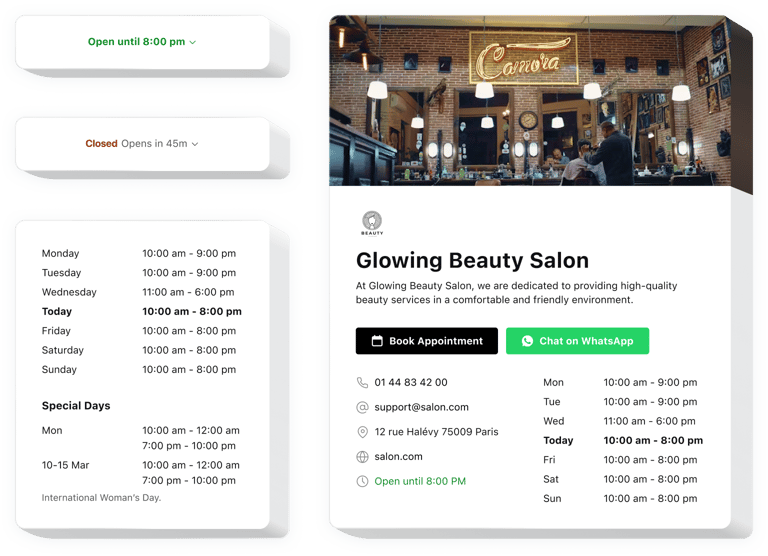
Elfsight Business Hours for Wix is a simple no-code widget allowing you to construct a nice business card having the most important moments concerning your activity. You can share information on your operating status and provide contacts for your customers. The widget empowers you to form user-friendly designs, so that the visitors could quickly explore all the needed data in brief or in more detail.
The wonderful widget includes a number of templates, so that you are able to select the best option for your website. Each template contains settings to let you form a custom widget with necessary elements that grow sales. Integrating the operation hours and your company’s details into website is easy with Elfsight offering easy-to-follow tutorials and guides. Any website editor can form and add the widget for free
Add business details to your website to boost sales and client loyalty. Share important information on your working activity clearly.
With this widget embedded into your Wix website, you cinform customers on your business and get regular sales. Explore a number of the top benefits for your website when adding the free working hours widget to it.
- Help the customers be always in good time. Enhance sales, being constantly in touch in the indicated working hours. Your visitors will notice your activity hours and get more confident to make a purchase when they need to.
- Avoid misunderstanding concerning your working hours. Displaying your straightforward operation hours to the customers will make them more loyal to your company because they will be able to plan an order on the website or a visit to you.
- Provide contact data in a visible way. Adding the contact data to your no-code Business Hours widget enables you to form better communication with your clients and make sales faster. Demonstrate that you are working and ready to answer their inquiries about your products and services ending in more loyalty and approbation.
Explore the list of the most important features:
- Showcase your business’s current working status
- Simple timetable adjustment
- Special occasions configuration
- Current company’s state
- Insertable Business Hours chart or space-efficient status
How can I embed Business Hours into my Squarespace website?
Just follow the instructions below to embed the plugin.
- Launch our editor and start creating your customized activity hours plugin.
Specify the custom look and functional traits of the plugin and make desired corrections. - Copy the personal code embed which appears in the special form on Elfsight Apps.
Right after the creation of your plugin is done, copy the individual code in the appeared window and save it for future need. - Begin using the added app on your website.
Enter the code that you received before in your Squarespace homepage and save the corrections. - Done! The setup of your no-code Business Hours is fully accomplished.
Go to your website to see in action the performance of the plugin attracting customers and sales.
Supposing you challenge any complications with this Squarespace widget, please address our support team. Our consultants will be delighted to help you with all the difficulties you might have with the widget.
