Google reviews help you rank in Google Maps and the local pack, the map results at the top of a local search. For your website’s regular rankings, Google has said they don’t directly count. On 7 of 16 small-business websites we checked, Google showed star ratings from our reviews widget. Their biggest payoff comes after people find you, when they read your reviews to decide whether to call, book or buy.
Ask how to get more customers from Google, and someone will tell you to collect reviews because they “help SEO.” But SEO covers two places you can show up: the map listings for local searches, and the website links below them. So do Google reviews help SEO in both? They count differently in each, and that decides where your effort pays off.
To see what Google does with reviews you show on your own website, we checked 45 websites that display reviews with a widget: 18 with ours and 27 with two other popular review widgets. Google read and indexed reviews only days old, and showed star ratings next to some pages but not others, depending on the widget and the page.
- Reviews count for Google Maps and the local pack: Google lists them as part of how well-known a business is.
- On the websites we checked, Google read and indexed reviews shown by a reviews widget; star ratings next to your page in search are its call.
- The payoff comes after people find you: they compare ratings, want recent reviews and expect replies.
- Ask every customer with a direct link, reply to each review, and show your reviews where people decide.
Where Google reviews count: Maps vs. your website
Search for “hairdresser near me,” and Google shows a map with three businesses and their star ratings above the website links. That’s the local pack, and its listings and ratings come from each business’s Google Business Profile, the same ones you see in Google Maps. The blue website links below it are the regular results.
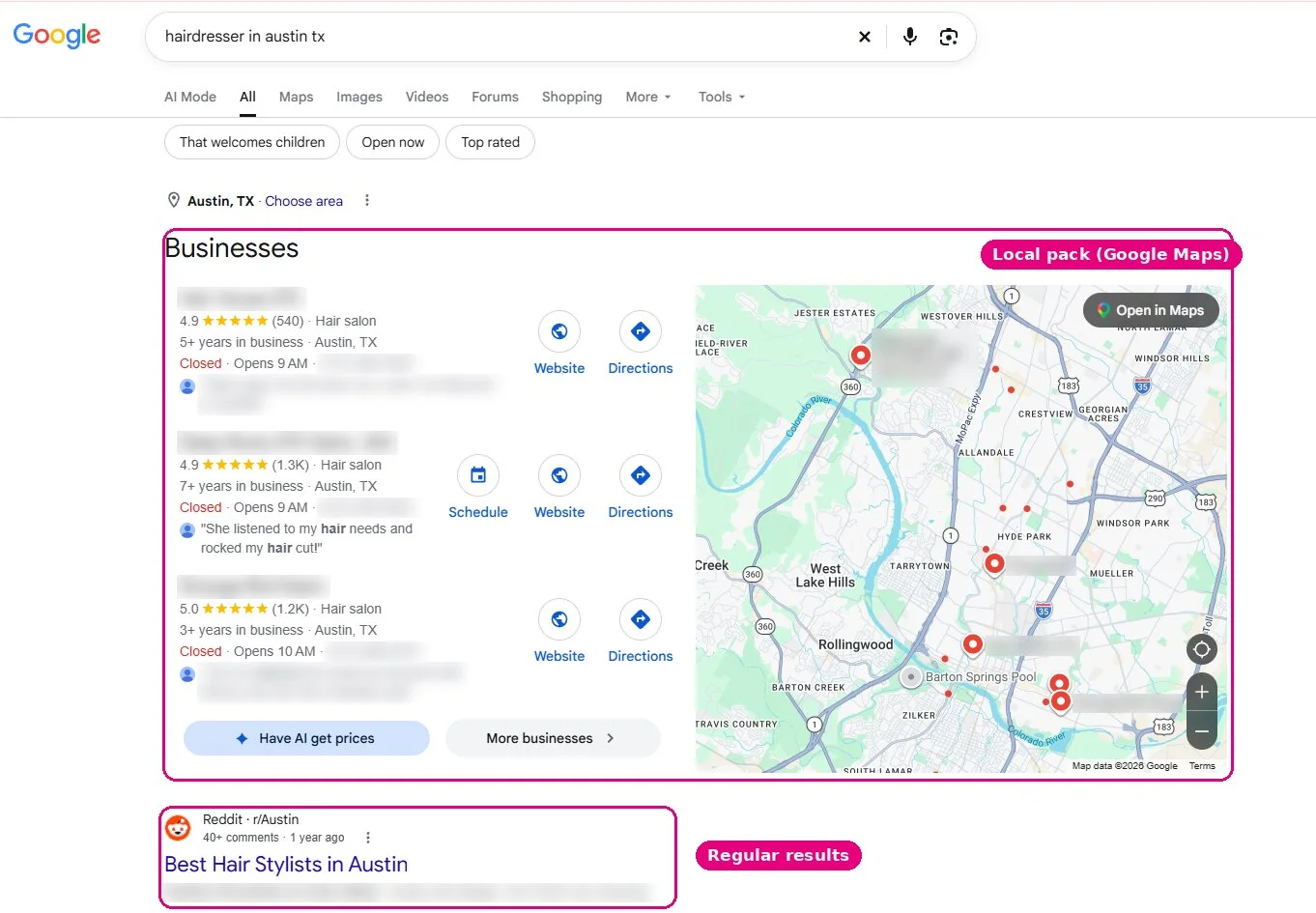
That’s where Google reviews and SEO clearly connect: reviews are part of how Google ranks businesses on the map. For your website in the regular results, the answer is “not directly.” Here’s where reviews count, and on whose word:
| Where you show up | Do reviews help you rank there? | On whose word |
|---|---|---|
| Google Maps and the local pack | Yes, as part of how well-known the business is | Google’s Business Profile help |
| Your website in regular results | Not directly | John Mueller, Google’s Search Advocate, “as far as I know” |
| Stars next to your website in regular results | No; stars are a display feature, possible but never promised | Google’s review-star rules and our own check |
| AI answers (AI Mode, AI Overviews) | Unknown | No source either way |
Google said in May 2025 that its AI Mode shows ratings and reviews for local places such as restaurants, salons and stores, but nothing Google has published indicates whether reviews decide which businesses its AI answers recommend. The map is where reviews clearly count, so that’s where the details matter first.
How Google reviews help your ranking in Maps and the local pack
Do Google reviews help ranking on the map? Yes, and Google says so itself. Its Business Profile Help page names three main factors for local results: relevance, distance, and prominence. Relevance is how well your profile matches the search, and distance is how far you are from the person searching.
Reviews sit in the third. Prominence is how well-known a business is, partly based on its number of reviews. Google says more reviews and positive ratings can help your local ranking. There’s no way to pay for a better local ranking, and Google keeps the details confidential, so nobody can tell you how many reviews it takes to rank.
Which reviews experts say move you: steady, recent and detailed
Local SEO experts surveyed by Whitespark rank review factors among the strongest in the local pack: high Google ratings come 6th, the number of Google reviews with text 9th, recency 11th, and a steady flow of reviews over time 14th, out of 187 factors. Mind that it’s an opinion survey of local SEO practitioners, none of whom has special access to Google’s algorithm.
If the experts are right, a burst of reviews followed by months of silence counts for less than a steady trickle. That makes getting more reviews part of finishing every job rather than a one-off campaign: ask every customer, and make it one tap: Google recommends a review link or QR code.
Replies: for the people reading, not for the ranking
Google lists replying among its tips for local ranking, but all it says about replies is that positive reviews and helpful replies can help a business stand out. On Google’s own Business Profile forum, a volunteer Product Expert answered the question directly: replies don’t help you rank – they help you convert.
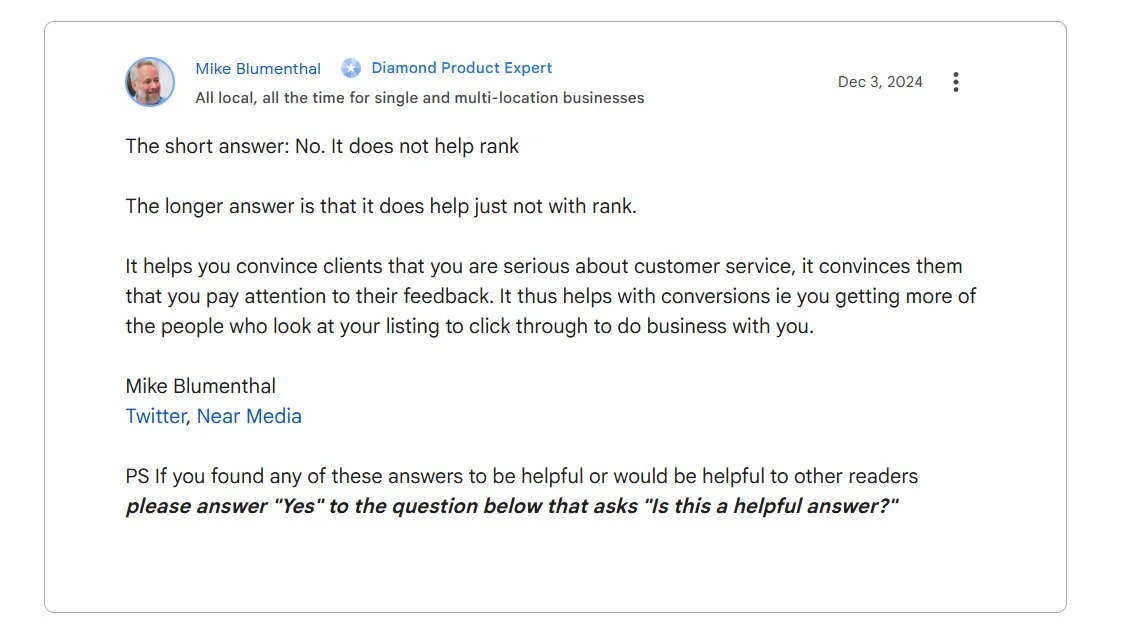
The Whitespark experts rate replies low for ranking too, placing owner responses at #122 of 187 local pack factors. That doesn’t make replies pointless: people choosing between you and a competitor read them, so reply to reviews for them – not for the map.
What gets reviews removed
Shortcuts don’t last. Google’s Maps policy removes paid reviews and bans discouraging negative reviews or favoring happy reviews only, a practice often called review gating. Reviews from current or former employees aren’t allowed either (fake reviews others leave about you are a separate problem).
In the US, the FTC’s rule on fake reviews has been in force since October 21, 2024, and courts can impose civil penalties for knowing violations. What lasts is a steady stream of reviews from real customers. For the map, then, reviews are a clear yes; for your website, the answer gets murkier.
Do Google reviews help your website rank?
Not directly. No Google document says customer reviews rank a website in regular results, and Google’s John Mueller said in 2021 that, as far as he knew, Google doesn’t use reviews for web search ranking, though the Business Profile side may take them into account more.
Two related-sounding things don’t change that:
- Google’s “reviews system,” one of its ranking systems, rewards review content such as product reviews and analysis articles, not customer reviews of a business.
- Review markup on your pages doesn’t help either. Markup, or structured data, is code that describes the page to Google; in 2025, Mueller wrote that structured data won’t make a website rank better and is used to display search features.
Practitioners see it the same way. The Whitespark experts who put review factors near the top for map rankings rank the same factors far down for the regular results of local searches: high ratings at #81, reviews with text at #104, and recency at #105 of 187.
Some review software vendors argue that reviews help indirectly, because positive reviews drive more website clicks and those clicks signal to Google your business is relevant. That’s an opinion, and no measured source shows it.
Reviews on Google are one case – reviews you put on your own website are another.
What Google does with reviews on your own website
Google can read and index the reviews a widget shows on your website, as it did on both websites we checked. That doesn’t affect the page’s rank, and stars next to it in search results are Google’s call.
Google can read reviews on your website
We checked on November 5, 2026, on two live websites running our review widgets: a local moving company’s, and our own website elfsight.com. Google’s Rich Results Test found the review markup valid; the review text was in the code Google sees when it loads the page; and Google had indexed reviews about a week old, showing them as the text under the link. Even the moving company’s widget, which loads only once a visitor scrolls, was read and indexed.
Review stars in search: possible, never promised
Review stars are the rating Google can show next to a page in regular results, built from that structured data. Even valid markup doesn’t guarantee them. They’re separate from the stars on your Business Profile: when Google changed these rules in 2019, it said Business Profiles weren’t affected.
Google’s rules point against stars for a business’s own reviews. Pages marked up as a local business or organization aren’t eligible when the reviews are about the business itself, including reviews shown through an embedded Google reviews widget. Stars for a product need a page dedicated to that product, and ratings mustn’t be gathered from other websites.
What we saw didn’t match those rules. Google showed stars built from our widget’s markup next to the moving company’s reviews page (4.9 from 528 reviews) and elfsight.com pricing pages (4.8), but not next to either homepage, which carry the same markup.
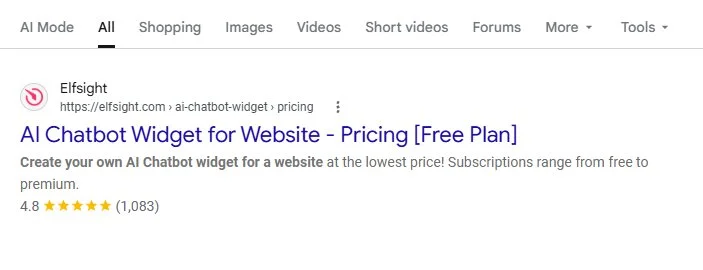
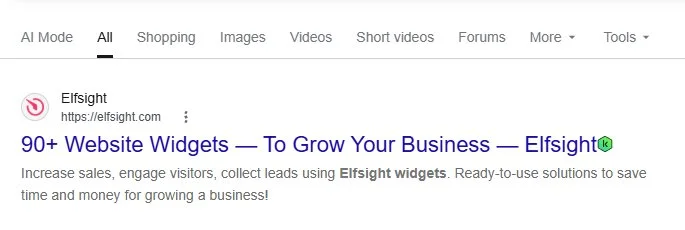
We then ran the same check on more small-business websites, using our reviews widgets and two other popular review widgets:
| Review widget | How it adds rating markup | Stars in Google |
|---|---|---|
| Ours (16 websites) | By default, from the widget | On 7, always an inner page, never the homepage |
| Widget A (12 websites) | A separate script, found on 4 | None |
| Widget B (13 websites) | Only if the owner pastes the vendor’s schema code | On the 5 where the owner had |
So stars depend on whether rating markup is on the page, and even then they’re Google’s call: don’t expect them on your homepage.
Our reviews widgets add this markup by default (Settings → Schema.org), and you can leave it on: Google said in 2019 that businesses don’t need to remove review markup about themselves and won’t get a manual action just for having it, and whether stars appear is its call.
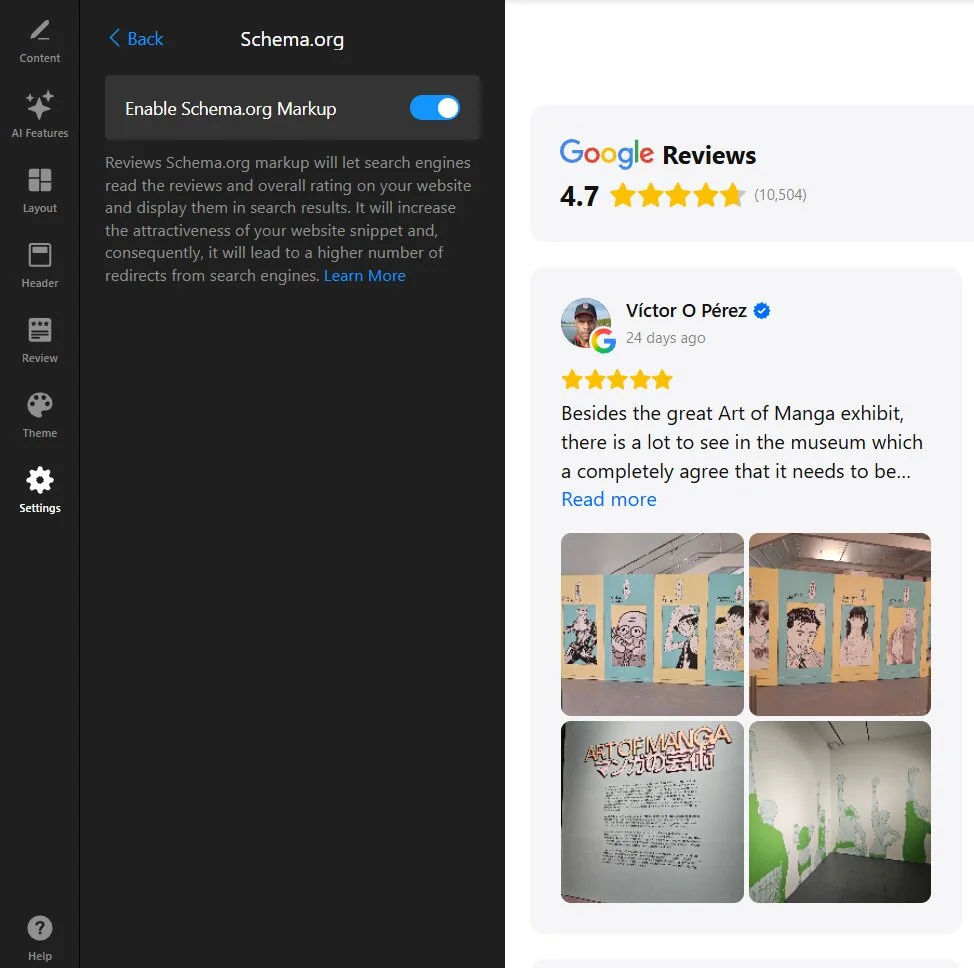
Put reviews on your website for the people who read them, and treat stars as a bonus.
Where reviews pay off: after people find you
The biggest payoff comes after the search, when people compare you with the other businesses on the map and decide whether to call, book or buy. That’s where the importance of Google reviews is easiest to see: your rating, how recent your reviews are, and how you reply all feed that decision.
What people check before they call or book
People compare you on more than your star average. BrightLocal’s 2026 survey of US consumers, run by a review-software vendor, shows what they look at before they choose:
- Your rating: 68% only use businesses with four stars or more, but only 10% insist on five. A few lower ratings are normal, and Google says a mix of positive and negative often feels more trustworthy.
- How recent your reviews are: 74% only pay attention to reviews from the last three months, so a steady flow matters to readers as much as to the map.
- Your replies: 89% expect owners to respond, and generic or templated replies put off half of people, so reply in your own words.
Put your reviews where buyers decide
After reading positive reviews, 54% of US consumers go on to the business’s website (BrightLocal). That makes your website the second place they decide, so the reviews that convinced them on Google belong there too: next to your call, booking, or quote button, not on a page they have to look for.
You can do that in two ways. Copy a few reviews onto the page by hand, which is free, but they don’t update, and the rating you quote drifts away from the one on Google. Or show them with a widget that pulls them directly from Google.
For collecting reviews, your Business Profile and a free review link are enough. A widget is for showing them. With the Google Reviews widget, that takes three steps:
- Connect the widget to your Google Business Profile.
- Let new reviews arrive on their own, usually within 72 hours of being posted.
- Set the layout and look in the editor, and place it next to your main button.
Show your Google reviews on your website ↓
Frequently asked questions
How many 5-star reviews does it take to raise my Google rating?
How many Google reviews does a business need?
Can I offer a discount or a freebie for a Google review?
Do Yelp or Facebook reviews help my Google ranking?
Should I ask customers to mention keywords in their reviews?
Where to start this week
Reviews move you on the map rather than in your website’s regular rankings, and they do their biggest work when people decide. One routine serves both: send a direct review link to every customer after the job, reply to each new review in your own words, and put your Google reviews next to the button people use to call or book.
Key references
- Tips to improve your local ranking on Google, Google Business Profile Help
- Review snippet (Review, AggregateRating) structured data, Google Search Central, September 2026