If your approach to getting more Google reviews still relies on asking at the register, running a staff leaderboard, or offering a small perk, it’s out of date. Google banned on-premises solicitation and incentivized reviews earlier this year, the FTC is issuing five-figure fines for review manipulation, and consumers now expect a 4.5-star minimum before they’ll even consider you. The old playbook doesn’t just underperform — parts of it are now policy violations.
This guide builds a compliant review system from scratch: trigger points, automated follow-ups, response habits, and a display layer that compounds everything. Review signals account for roughly 16–20% of the local pack ranking weight and rank first among all local factors in terms of conversion impact. The system below is how you earn them.
- A 4-step workflow for generating Google reviews compliantly
- The consumer expectation thresholds your review profile needs to clear
- How many reviews you actually need to move the needle on rankings and trust
- How embedding reviews on your website drives more reviews over time
- Which common tactics are now banned — and what’s still allowed
What Consumers Expect From Google Reviews
“We’ve moved past the era where reviews were just a nice-to-have ‘marketing tactic’. They’ve become an essential piece of evidence that your business is active, reliable.” — Myles Anderson, Co-founder and CEO, BrightLocal
Consumer standards for Google reviews have tightened across all dimensions that matter: star ratings, volume, and recency. BrightLocal’s Local Consumer Review Survey found that 31% of consumers now require a 4.5-star rating or higher before considering a business — nearly double the prior year. 68% require at least 4 stars, and 47% won’t engage with a business that has fewer than 20 reviews.
Recency is the most underappreciated dimension. 74% of consumers care only about reviews from the last 3 months, and 32% look specifically for reviews from the last 2 weeks. A business with 200 reviews but nothing recent loses to a competitor with 40 fresh ones.
Whitespark names review recency one of the top five most important local ranking factors, and practitioners tracking algorithm behavior document visibility drops for businesses that go more than two to three weeks without new reviews.
| Consumer Metric | Current Threshold | Previous Year | Change |
|---|---|---|---|
| Require 4.5+ stars | 31% | 17% | Nearly doubled |
| Require 4+ stars minimum | 68% | 55% | +13 points |
| Only trust reviews from the last 3 months | 74% | — | Dominant expectation |
| Only trust reviews from last 2 weeks | 32% | 20% | +12 points |
| Won’t use business with <20 reviews | 47% | — | Volume floor rising |
The revenue impact is equally direct. 93% of consumers have made a purchase decision based on reviews, and 85% say positive reviews make them more likely to choose a business.
Do Google reviews increase sales? Across every data set available, yes — provided you maintain the volume, rating, and recency that consumers now demand. The system below is designed to maintain all three.
How to Get More Google Reviews: The 4-Step System
The difference between businesses that steadily accumulate reviews and those that don’t isn’t effort — it’s structure. A review generation system has four components and each step builds on the previous one.
Step 1: Claim and optimize your Google Business Profile
This is table stakes, but it’s where the review link lives, so it needs to be right. Verify your Google Business Profile if you haven’t already, then complete every field. Fill in business hours, categories, description, photos, services, and service area. An incomplete profile undermines credibility before a reviewer even starts writing.
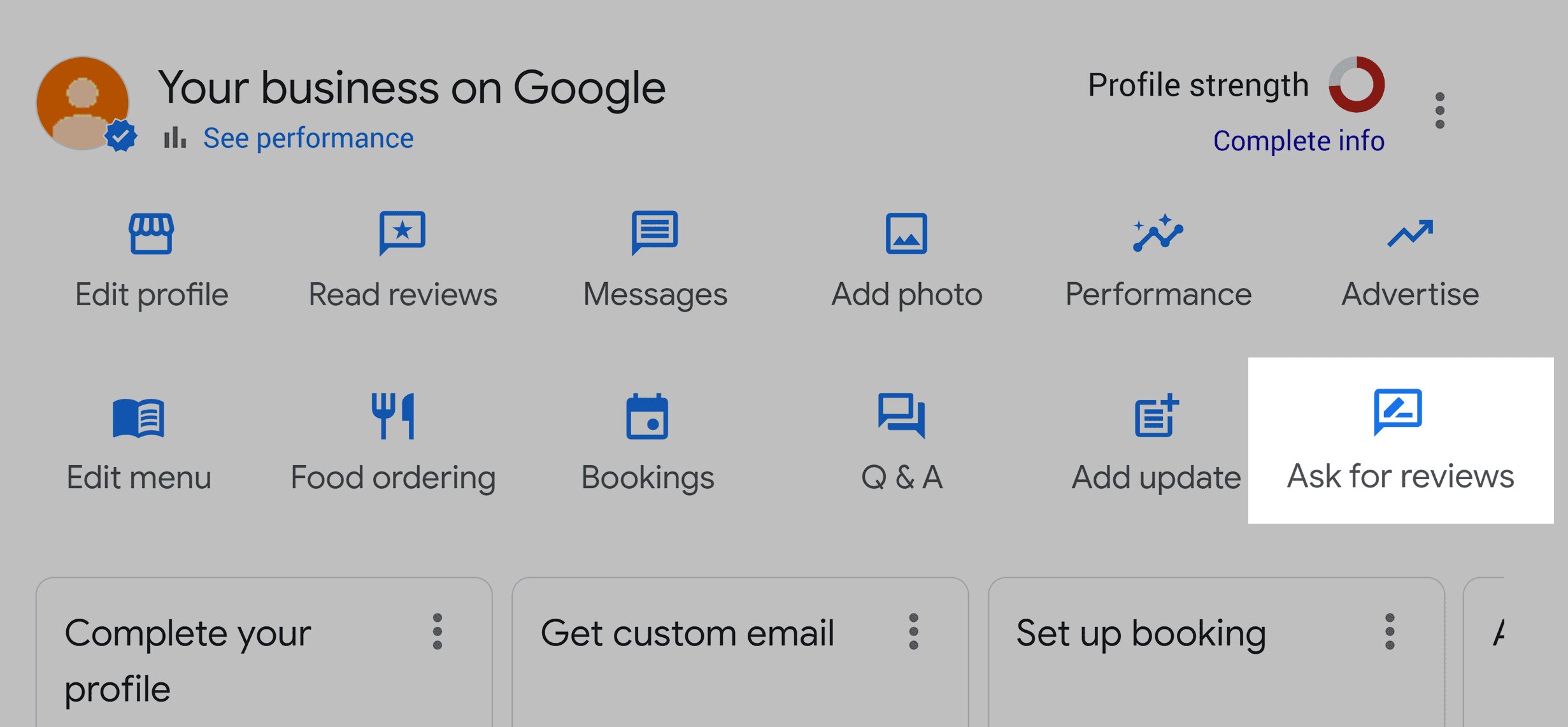
The critical action here is generating your direct review link. In your GBP dashboard, find the “Ask for Reviews” button — it generates a short URL that takes customers straight to the review form, bypassing all navigation. Save this link. Every channel and touchpoint in your system will use it.
Step 2: Identify your trigger points
A trigger point is the moment when a customer is most likely to say yes to a review request — typically when satisfaction is highest, and the experience is still vivid. Generic calendar-based reminders perform poorly because they’re disconnected from the customer’s experience.
The right trigger depends on your business type:
- Service businesses: immediately after successful delivery or resolution, when the outcome is tangible, and satisfaction is at its peak.
- E-commerce: after the customer has received and used the product, not just after shipping confirmation.
- Professional services: after a milestone or measurable result that the client can attribute to your work
- Restaurants: same evening or next morning for dine-in or within a couple of hours for delivery orders
The key is that the trigger is a real event, not an arbitrary date.
Step 3: Build the ask into your workflow
The ask should be a standard part of your operating procedure, not something that happens when someone remembers. This means embedding it into the moments that already exist in your customer interaction flow — and then automating the follow-up so it fires consistently.
In-person mention
In person, the approach has changed under Google’s updated rules. You can no longer hand someone a tablet or ask them to review while they’re still on your premises — that’s now a policy violation.
What you can do is mention reviews naturally during a positive interaction (“If you’re happy with how everything turned out, a Google review really helps us”) and then follow up after they’ve left with the direct link via SMS, email, or a printed card with a QR code.
Automated follow-up
This is where scale comes in. After the trigger point, a message goes out with a brief, personalized note and the direct review link. One click, no friction. SMS within 24–48 hours of service completion produces the highest conversion rates, with email as a secondary touchpoint for customers who don’t respond to the text. Auto repair shops can automate this entirely — auto repair software sends post-service follow-up SMS with a Google review link, triggered automatically after each completed job.
Step 4: Close the loop with responses
Responding to every review, positive or negative, serves three purposes:
- Encourage new reviews: Signal to future reviewers that their feedback will be acknowledged, lowering the psychological barrier to writing one.
- Generate new content: Each response adds indexed content and fresh activity signals to your Google Business Profile listing.
- Increase performance: Businesses responding to 80%+ of reviews show measurably better ranking performance per Whitespark’s panel
For positive reviews, thank the customer specifically and reinforce what they mentioned. A response that says “Thanks for the kind words about the tile work — we’re glad you love how it turned out” is vastly more effective than “Thanks for your review!”
For negative reviews, acknowledge the issue without arguing, and offer to resolve it offline. BrightLocal’s data shows that 37% of consumers consider whether the business owner has responded when evaluating reviews — your response to a negative review often matters more to future customers than the complaint itself.
Asking the Right Way: Channels, Timing, and Compliance
The system above defines what to do. The execution details — which channel to use, when to send the ask, and what’s now banned under Google’s updated policies and the FTC’s Consumer Review Rule — determine whether it actually works. Here’s the condensed version:
Channels: SMS first, email second
Birdeye’s State of Online Reviews report shows the gap clearly: SMS open rates run 90–98% versus 20–32% for email, with response rates of 45% versus 6%. For review generation specifically, SMS follow-ups sent within 24–48 hours of service completion achieve significantly higher conversion rates than email alone. The practical approach is SMS as the primary ask, email as the follow-up for non-responders.
Timing: match the trigger, not the calendar
An American Marketing Association study found that asking too early can reduce review quality. The optimal window varies — 24 hours post-completion for service businesses, 3–7 days post-delivery for e-commerce, same evening for restaurants — but the principle is consistent: close enough that the experience is vivid, far enough that the customer doesn’t feel pressured. For email specifically, Tuesday through Thursday between 10 am and noon performs best; for SMS, mid-afternoon sends outperform morning ones.
Physical touchpoints: QR Codes and NFC
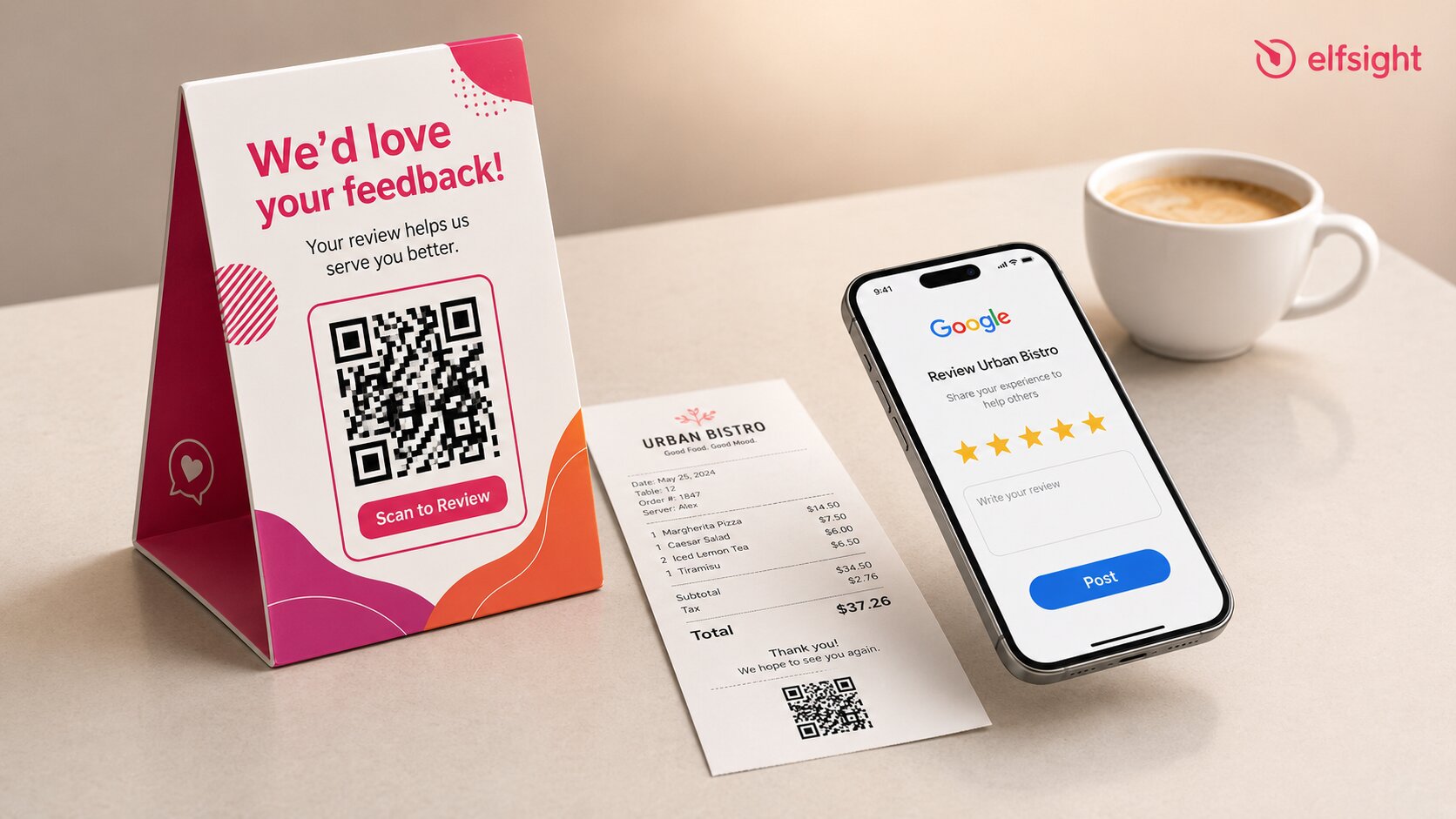
Use a link QR code generator to turn your direct Google review URL into a scannable code, then print it on receipts, business cards, table tents, invoices, packaging inserts, or “thank you” cards that customers take home. The key under updated rules is that these work after the customer leaves — they’re not an on-premises solicitation device. NFC tap-to-review cards are an emerging alternative that removes the scanning step entirely.
Compliance: the short version
Google’s recent policy updates explicitly banned on-premises review solicitation, staff review quotas, requests for specific content or staff mentions, review gating, incentivized reviews, and AI-generated review content. Google blocked or removed over 292 million policy-violating reviews in the past year using Gemini-powered moderation. The FTC’s Consumer Review Rule adds federal penalties of up to $53,088 per violation for fake reviews, review suppression, and incentivized sentiment.
How Many Reviews to Increase Google Rating
Google’s star rating is a straightforward average: every rating counts equally, and the displayed number rounds to the nearest tenth. There’s no weighting by recency, review length, or reviewer authority. A 1-star review counts the same as a 5-star review in the calculation.
Volume thresholds that matter
BrightLocal’s data provides the clearest benchmarks: 47% of consumers won’t use a business with fewer than 20 reviews, and only 9% will engage with a business with five or fewer reviews. Sterling Sky’s testing suggests a measurable ranking boost when businesses cross the 10-review threshold — though this comes from a small sample and should be treated as a useful benchmark rather than a guarantee.
Why velocity matters more than count
A business with 200 reviews but nothing from the last two months is less trusted, by both consumers and Google’s algorithm, than a competitor with 50 recent, high-quality reviews. The practical targets work in stages: 10 reviews as the minimum trigger for local search visibility, 20+ as the consumer trust floor, and then a shift in focus from raw count to velocity — aiming for a steady stream of new reviews each month rather than chasing a single number.
The Display Loop: How Showing Reviews Generates More
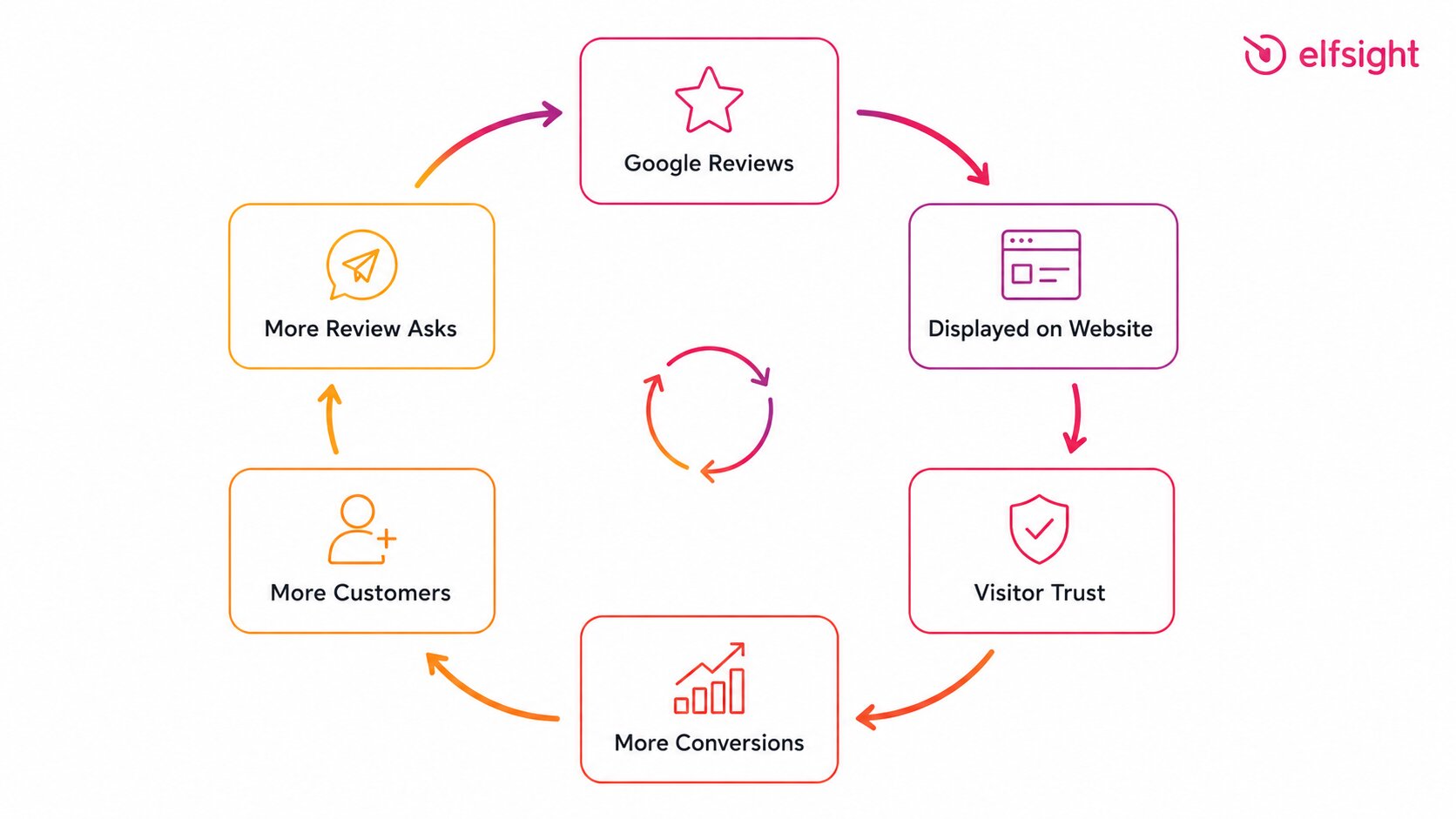
Most guides on how to increase Google reviews for business focus entirely on the generation side. But there’s a compounding mechanism that gets almost no coverage: displaying your existing reviews on your website creates a feedback loop that drives more reviews over time.
Positive herding
The underlying psychology is well-established. Social influence research demonstrates that displaying positive social signals creates accumulating positive herding — people are more likely to contribute when they see others have already done so. Trustpilot’s data shows a 23% lift in website conversions when reviews are displayed, and VWO case studies document up to 34% improvement from testimonials on landing pages. BrightLocal found that 54% of consumers visit a business’s website after reading positive Google reviews.
How the feedback loop works
The logical chain connects these data points: embedding reviews on your website builds trust with visitors, which increases conversion. More customers means a larger pool of people you can ask for reviews. And the visible presence of reviews on your site — the social proof that “this is a business where people leave feedback” — normalizes the act of reviewing, lowering the psychological barrier for new customers to contribute their own.
The mechanism is well-supported, even though no controlled study has isolated the exact causal link between displaying a review widget and specifically increasing Google review submissions.
Embedding Google Reviews on your website
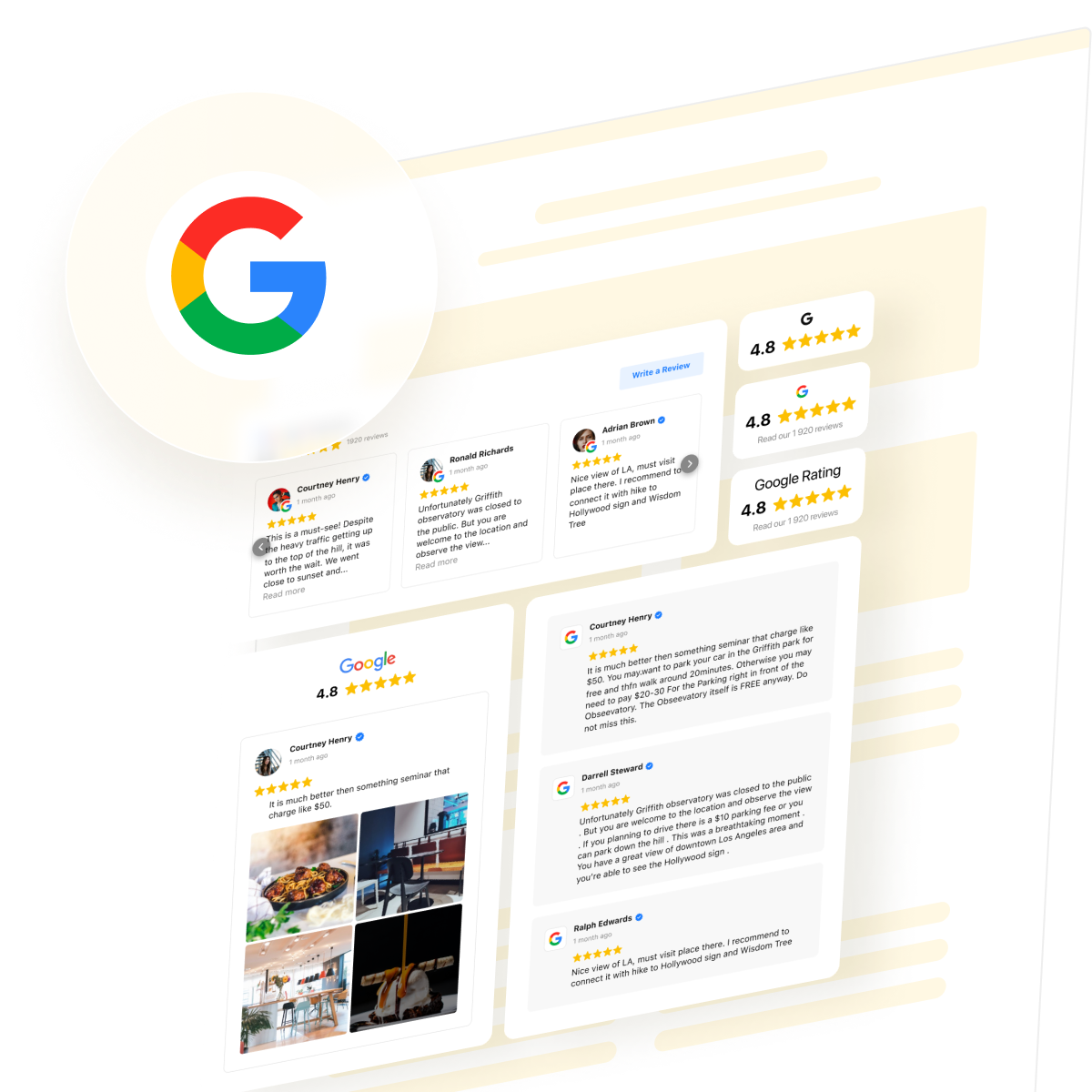
The practical step is straightforward: embed a Google Reviews widget on your website so visitors see real customer feedback on your key pages — homepage, service pages, and landing pages. The widget pulls your reviews and displays them in a customizable layout on any website platform, with no coding required.
Features that matter for the display-loop strategy
- Auto-updating feed: new reviews sync from your Google Business Profile
- “Write a Review” button: a built-in CTA links visitors directly to your Google review page
- Filtering by rating and keywords: control exactly which reviews appear and hide spam
- AI summary card: auto-generates a short highlight of your reviews – instant trust summarized
- Schema.org markup: enables rich snippets in Google search results
See how it works in the interactive editor ↓
To be clear about what this tool does and doesn’t do: the widget won’t send review requests, manage responses, or monitor review sites. Its role in the review ecosystem is as the social proof layer — showing visitors that real customers trust your business, thereby strengthening the conversion-to-review pipeline described above.
For the generation and management side (sending automated review requests, monitoring new reviews across platforms, tracking sentiment), dedicated review management tools like NiceJob, Birdeye, or Podium serve that function.
Frequently Asked Questions
How do I get a Google review link to share with customers?
Can I offer discounts or incentives for Google reviews?
How do I handle negative Google reviews?
Do Google reviews affect local search rankings?
How often should I ask customers for reviews?
Can I ask customers to edit or remove a negative review?
Building a Review System That Runs Itself
Getting more Google reviews isn’t a marketing tactic – it’s a system. The foundation is simple: a claimed profile with a direct review link, trigger points tied to real customer moments, automated follow-ups sent when satisfaction is highest, and consistent response habits that show customers you value feedback. Add a review display loop (embedding reviews on your website), and reviews become a byproduct of running your business, not a separate campaign.
Start with trigger points and automated follow-ups. Those two habits alone drive more consistent review growth than most campaigns. Then add response routines, embed your reviews on your site, and track monthly review velocity instead of total count. Businesses with strong review profiles aren’t the ones that pushed hardest once – they’re the ones that built a system and kept it running.
Key sources
- BrightLocal — Local Consumer Review Survey (February 2026)
https://www.brightlocal.com/research/local-consumer-review-survey/ - Google — Business Profile Help: Tips to Get More Reviews
https://support.google.com/business/answer/3474122 - Google — Trust and Safety Report / Maps Protection Announcement (April 2026)
https://blog.google/products-and-platforms/products/maps/new-ways-were-protecting-businesses-on-maps/ - Whitespark — Local Search Ranking Factors Report
https://whitespark.ca/local-search-ranking-factors/ - Sterling Sky — Does the Number of Google Reviews Impact Ranking? (February 2026)
https://www.sterlingsky.ca/number-of-reviews-impact-ranking/ - Birdeye — State of Online Reviews (May 2025)
https://birdeye.com/blog/sms-vs-email-review-requests-2025/ - Trustpilot — The Critical Role of Reviews in Internet Trust
https://business.trustpilot.com/guides-reports/build-trusted-brand/the-critical-role-of-reviews-in-internet-trust