Customers are more inclined to leave reviews than ever: the share who say they’ll always write one on request has nearly doubled in a year. Knowing how to ask for reviews on Google is one of the highest-leverage actions a local business can take, so the real question isn’t whether to ask — it’s how to ask for Google reviews in a way that earns genuine feedback from willing customers without violating Google’s policies.
In this guide, we get into the practical side: what you can and can’t say under the current rules, the one link every request needs to point to, and a library of copy-paste templates by channel and customer type, each one safe under the latest policy.
- A direct ask is your single biggest lever for more reviews.
- Google bans incentives for any review; the FTC – only sentiment-tied ones.
- Now off-limits: gating, on-site kiosks, staff quotas, naming staff.
- Keep prompts open-ended — never steer the rating or content.
- Showing reviews you earn publicly invites more.
Why Asking for Reviews Still Works
“Reviews are stable, sticky, and more important than ever.” — Myles Anderson, Co-founder & CEO, BrightLocal
Asking is the highest-converting move available for building reviews. When a business requests one, most customers follow through, and a few details about what reviewers actually want can make that request land even better.
Most customers say yes when asked
BrightLocal’s consumer research shows that consumers are broadly open to reviewing: 94% say they’re willing, and 69% left at least one review in the past year. The request is what turns that openness into action – 78% of people were asked for a review in the last 12 months, and 83% of them went on to write one, so a request succeeds far more often than it fails.
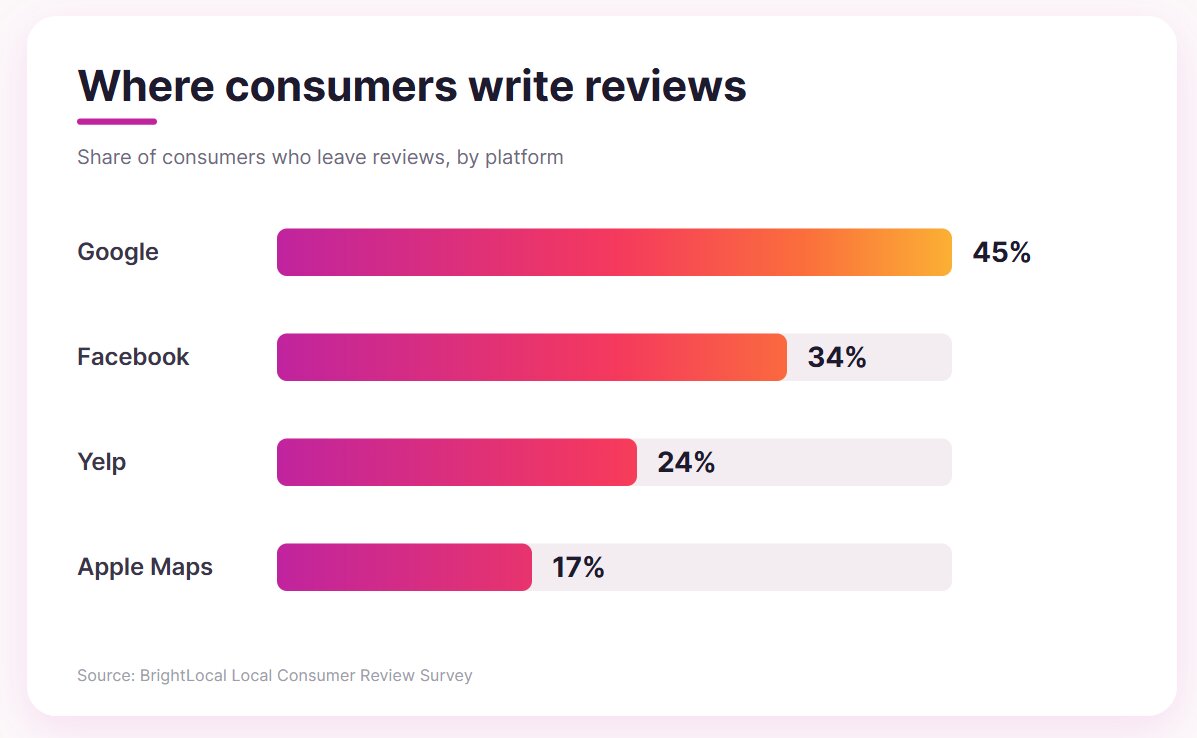
Reviews don’t spread evenly across platforms, either. Google is the most common destination by a wide margin, which is why a Google-specific ask is worth prioritizing over a vague “review us online.”
Make it easy to complete
One finding runs counter to a common instinct: among the factors that make a review useful to readers, length matters least, with only 26% valuing long, detailed write-ups.
Most customers aren’t holding back because they have nothing to say — they’re put off by the perceived time cost. Telling people the review takes under a minute, and that a single sentence is plenty, removes the main barrier to a “yes”. Every template later in this guide is worded with that in mind.
Recency is what readers trust
Reviews have a short shelf life in a shopper’s mind. Roughly 74% of consumers only pay attention to reviews from the last three months, so a single burst of requests fades quickly while a steady stream keeps your profile credible.
Asking continuously also works with a natural tilt in behavior: people are about twice as likely to write about a positive experience (60%) as a negative one (29%), so making the ask a habit with every satisfied customer builds a fresh, favorable profile on its own.
The channels and timing that perform best vary from one business to the next, and our guide to getting more Google reviews covers the full system for scaling it.
Google Review Request Templates by Channel
Every template here points to the same place: your direct review link — a short URL that drops customers straight onto your Google review form. You generate it once from your Business Profile’s “Ask for reviews” control and reuse it everywhere.
The templates below are written to be compliant by default: open-ended, free of incentives, and neutral on sentiment. Copy them, swap in your details, and you have a request you can send without second-guessing the policy.
Email, SMS, and Chat
The simplest place to start is the channels you already use to reach customers. Each one lands privately and lets the customer act when it suits them, with no pressure and no timing tricks.
Email is the workhorse: it gives you room to personalize and automates cleanly into a post-purchase sequence. If you only set up one how to ask for Google reviews template, make it this one.
Subject: How was your experience with [Business]?

Hi [Name], thanks for choosing [Business]. If you have a moment, we'd really value an honest review of your experience on Google — it helps other people find us and helps us keep improving. It only takes a minute: [review link]. Thank you, [Your name]
Texts are opened fast and read almost immediately, so they suit a short, low-friction nudge. Keep the message brief and lead with the link.
Hi [Name], thanks for visiting [Business]! If you'd like to share your honest feedback, here's a quick link to leave a Google review: [review link]. It takes about 30 seconds — even a sentence helps.When a conversation has just wrapped up on chat or WhatsApp, goodwill is at its peak, making the moment right after a helpful exchange a natural time to ask.
Thanks for chatting with us today! If you found this helpful, we'd appreciate an honest review of your experience on Google whenever it's convenient: [review link].In-person and on-premises requests
You can also ask face-to-face or with printed materials, and this is where Google’s limits on on-premises pressure matter most. The guiding rule is that the customer should leave and act on their own, never feel cornered into reviewing on the spot.
A spoken request stays compliant when it’s offered to every customer, not just the ones who seem pleased, and when it points them to a link for later instead of a tablet before they go.
We're always working to improve, so if you have a moment later, an honest Google review really helps us out. I'll text you the link so you can do it whenever suits you.A card the customer takes with them, or a sign they scan themselves, is explicitly allowed. The same code, mounted on a checkout tablet that staff hand over for immediate review, crosses into on-premises pressure, so keep it something people act on independently.
Enjoyed your visit? Scan to share your honest feedback on Google: [QR code linking to review link]Your own website
Your own pages can make the ask passively, catching customers at a natural high point without sending anything outbound. A thank-you or order-confirmation page reaches someone the moment a purchase completes, when satisfaction is freshest and they’re already on your site.
Thanks for your order! If you'd like to share your experience, you can leave a Google review here: [review link]. Templates by Business Type
Channel sets the format; your type of business sets the tone. The compliance principles don’t change, but the phrasing lands better when it fits the relationship you have with the person you’re asking. The examples below show how to ask customers for Google reviews across a few common business types, then how to adapt the same approach for client relationships.
Local and in-person businesses
When you serve customers in person, the best moment to ask is right after the visit or the finished job, while the experience is still fresh in their mind.
For a home or field service, the ask works best once the job is done and the result is visible:
Hi [Name], thanks for trusting [Company] with your [project]. If you'd share an honest review of how it went, it helps other homeowners choose with confidence: [review link].In hospitality, a printed card or a quick message soon after the visit catches diners while the meal is still on their mind:
We hope you enjoyed your meal at [Restaurant]. An honest Google review helps us and helps other diners decide where to go: [review link].Online and software businesses
Digital businesses can let the ask ride along with the channels customers already use, timing it to the moment the product proves its value.
For online stores, the natural moment is just after delivery, when the customer finally has the product in hand.
Your order has arrived — we hope it's exactly what you wanted. If you'd like to leave an honest review of your experience, here's the link: [review link].A software product can ask in-app or by email once the customer has had time to see real results from it.
Glad to have you with [Product]. If you'd like to share how [Product] has worked for your team, an honest Google review helps others evaluate us: [review link].For relationship-driven businesses, the wording shifts from “customers” to “clients,” and the request usually lands best after a project milestone rather than a single transaction. Here’s how to ask clients for Google reviews in a professional-services context:
Client and professional services
Relationship-driven and B2B work calls for a different rhythm. The wording shifts from “customers” to “clients,” and the request usually lands best after a project milestone rather than a single transaction — which is how to ask clients for Google reviews without it feeling transactional.
Hi [Name], it's been a pleasure working with you on [engagement]. If you're open to sharing an honest review of your experience working with us, it would help other [client type] find us: [review link].Notice that none of these instruct the reviewer to mention a specific feature, service, or person. Each one references the work in the business’s own words, then leaves the content entirely to the customer — the safe side of the specific-content line discussed earlier.
What You Can and Can’t Say When You Ask
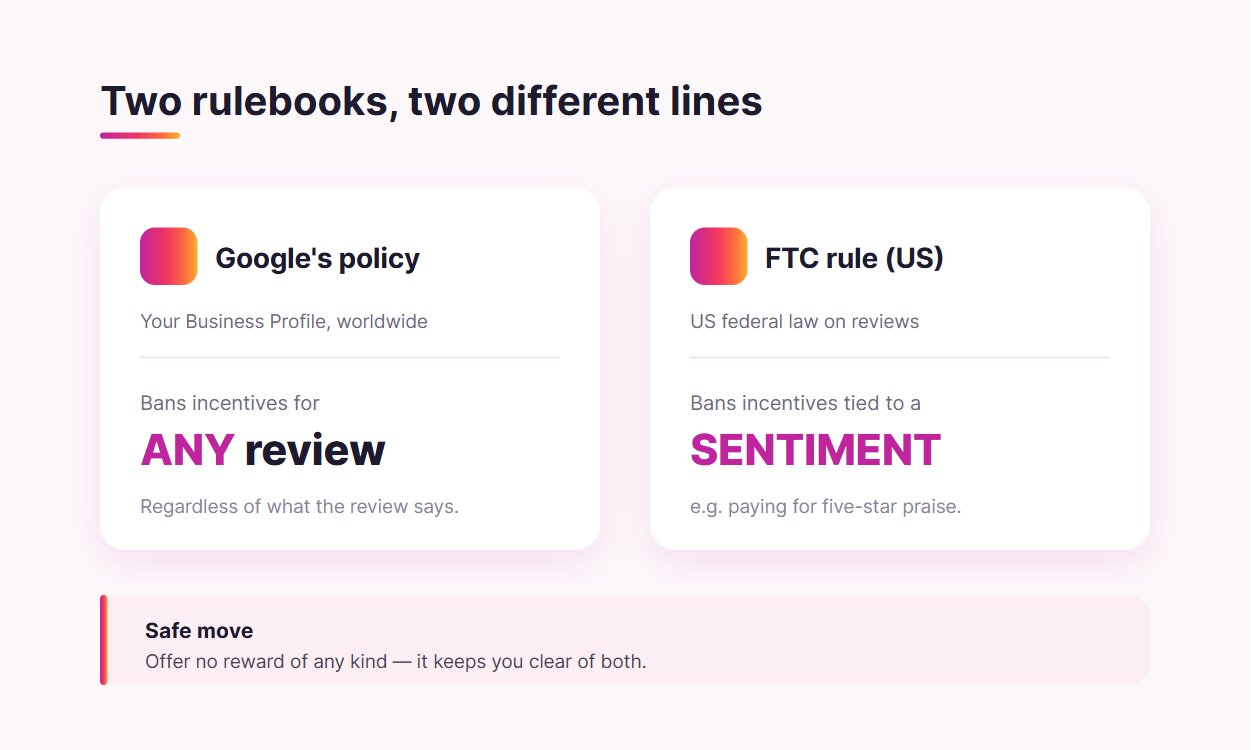
Two separate sets of rules govern how you may request reviews, and they prohibit different things. The first is Google’s review policy, which applies to your Google Business Profile worldwide. The second is the law where you operate — in the US, the FTC’s Consumer Review Rule; elsewhere, your country’s own consumer-protection equivalent.
Google’s rules for requesting reviews
Google still actively encourages businesses to collect reviews. However, their recent updates tightened the how. The clearest way to understand how to ask for Google Business reviews under the current policy is a short list of what’s now prohibited versus what remains explicitly fine.
| Tactic | Allowed? | Why |
|---|---|---|
| Following up by email or SMS with your review link | Yes | A direct, honest request the customer acts on themselves |
| A “leave us a review” card in the bag or on a receipt | Yes | Printed material the customer takes and uses later |
| A sign or QR code customers can scan on their own | Yes | No pressure, the customer chooses when to act |
| Offering a discount, freebie, or payment for a review | No | Incentivizing any review violates Google policy |
| Asking only your happy customers (screening first) | No | Review gating and selective solicitation is prohibited |
| A front-desk tablet or kiosk to capture reviews on site | No | On-premises pressure is now restricted |
| Setting a review quota for staff to hit | No | Directing staff to collect a set number is banned |
| Asking a reviewer to name a specific staff member | No | Requesting reviews with specific content is restricted |
A subtle point inside that incentive ban trips people up constantly. Google prohibits rewards for any review, not just positive ones. A “thanks for your honest feedback, here’s 10% off” offer might feel even-handed, but it still breaks Google’s policy and can get your reviews stripped and your profile restricted.
The legal layer: incentives and fake reviews
Google’s policy is the wider platform rule, but above it sits the law. The two target different things, and a request that satisfies one can still break the other, so it’s worth knowing where each draws its line.
In the US, the FTC’s Consumer Review Rule targets fake reviews, undisclosed insider reviews, and conditioning any reward on the reviewer expressing a particular sentiment. Paying for a five-star review is squarely prohibited. This is where the two regimes pull apart, and understanding the gap protects you on both fronts:
Google bans incentives for any review, regardless of what it says.
The FTC bans incentives tied to a specific sentiment, like requiring praise in exchange for a discount.
So “a discount for honest feedback” could technically clear the FTC’s sentiment test while still violating Google’s broader ban. For anyone collecting Google reviews, the practical move is to hold yourself to the stricter standard and offer no reward of any kind. That keeps you clean under both.
The “specific content” gray zone
A recent Google update restricted asking for reviews that include specific content, with one explicit example: you can’t ask a reviewer to name a particular staff member. The clearly banned cases are narrow — naming staff and setting review quotas for your team.
How far “specific content” reaches beyond that is unsettled. Local-SEO analyst Miriam Ellis has publicly noted that the wording could be read broadly enough to cover any product- or service-specific prompt, which would call into question a common personalization tip — “ask them to mention the kitchen remodel.” Google hasn’t clarified, so treat broad specificity as a risk rather than a settled ban.
The safe path is to keep prompts open-ended. The line is whether you’re telling the reviewer what to write about:
| Open prompt (safe) | Steering prompt (risky) |
|---|---|
| “How was your experience with us?” | “Mention how the kitchen remodel turned out” |
| “Share your honest feedback” | “Tell everyone how helpful [name] was” |
| “Tell others what you thought” | “Say how fast our delivery was” |
Compliance Check Before You Send
Before any request goes out — a new email sequence, a reworded card, a script you’re handing to staff — run it through five quick checks. If every answer is yes, your ask is on solid ground:
- Are you asking everyone, rather than screening for satisfied customers first?
- Is the request free of any reward, discount, or freebie?
- Is the wording open-ended (“share your honest experience”) rather than steering toward a rating or specific praise?
- Have you avoided naming a staff member or setting a review count for your team?
- Can the customer act on their own time, off your premises, with no pressure?
A “no” anywhere is easy to fix at the wording stage and expensive to fix after Google removes a batch of reviews. Building the check into how you draft requests keeps the whole program low-risk.
Show the Reviews You Earn
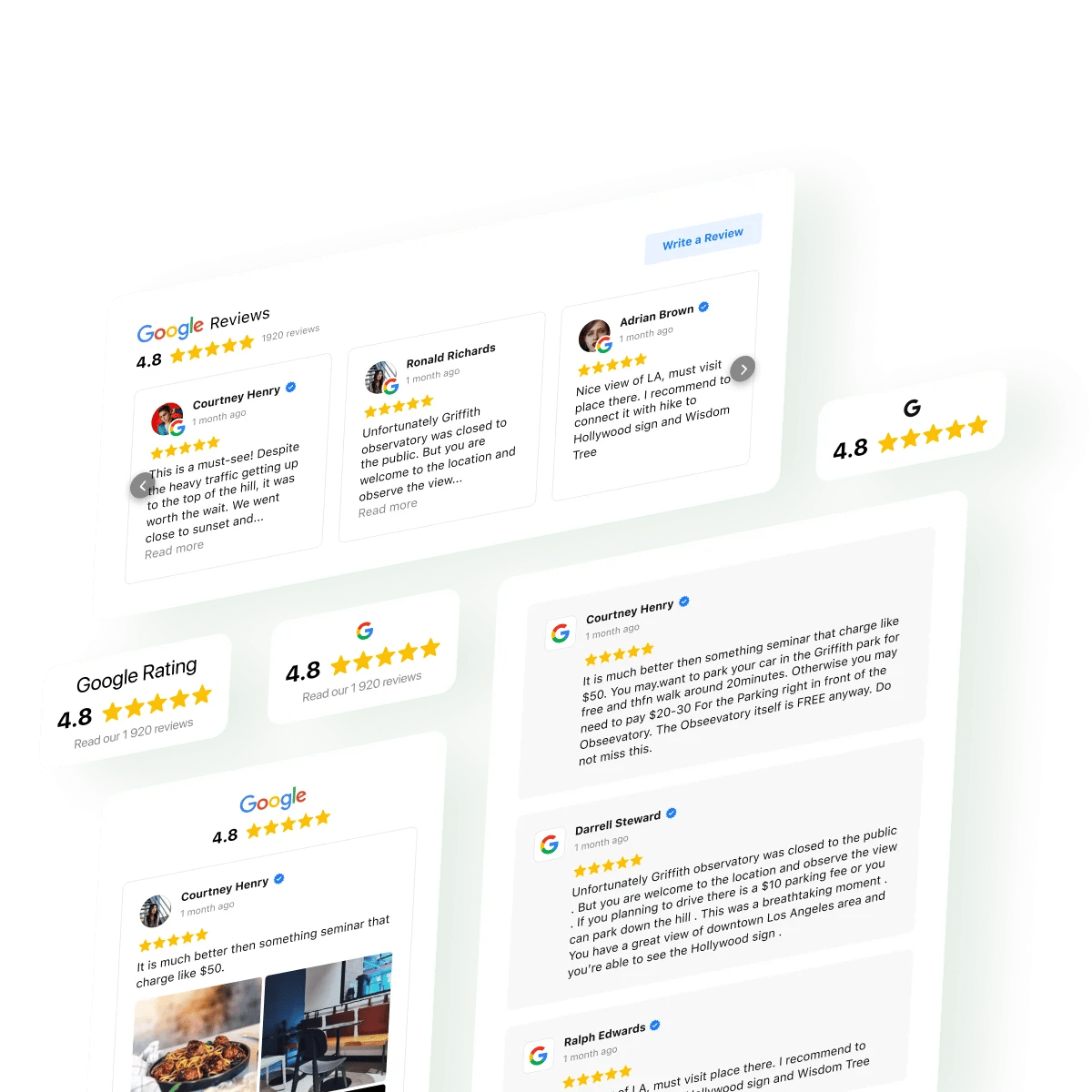
Asking your customers to provide feedback is the input. Displaying them on your website is what turns earned reviews into ongoing proof — and into a gentle, policy-safe prompt for the next customer to contribute. When visitors see real reviews on your site or social media, with a clear way to add their own, they often act without any direct request at all.
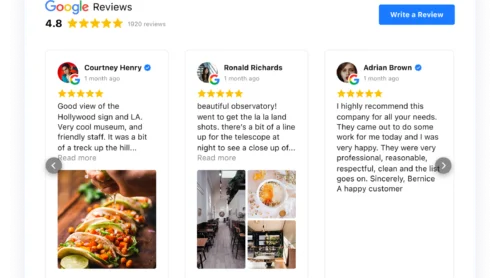
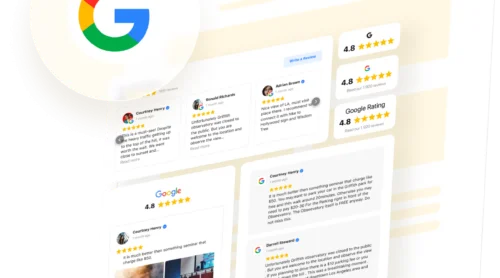
Elfsight’s Google Reviews widget closes that loop and handles the display layer. It pulls your existing Google reviews onto any website and includes a “Write a Review” button that links directly to your review page, so the invitation sits naturally alongside the social proof.
Build your Google Reviews widget in the interactive editor ↓
For setting up the on-site display, see our guide to embedding Google reviews on your website.
Frequently Asked Questions
Can I offer a discount or freebie for a Google review?
What should I do if I get a negative review after asking?
Can I send a follow-up reminder if someone hasn't left a review yet?
Do customers need a Google account to leave a review?
Can I ask for reviews on platforms other than Google?
What happens if I break Google's review rules?
Next Steps
The willingness to leave a review is rising, making the request itself more powerful now than it has been in years. The lever you control is the wording, and the businesses that win here are simply the ones whose feedback requests are open, honest, and free of the tactics that recent policy changes turned into liabilities. Get the words right once, build them into your everyday flow, and the reviews accumulate on their own.
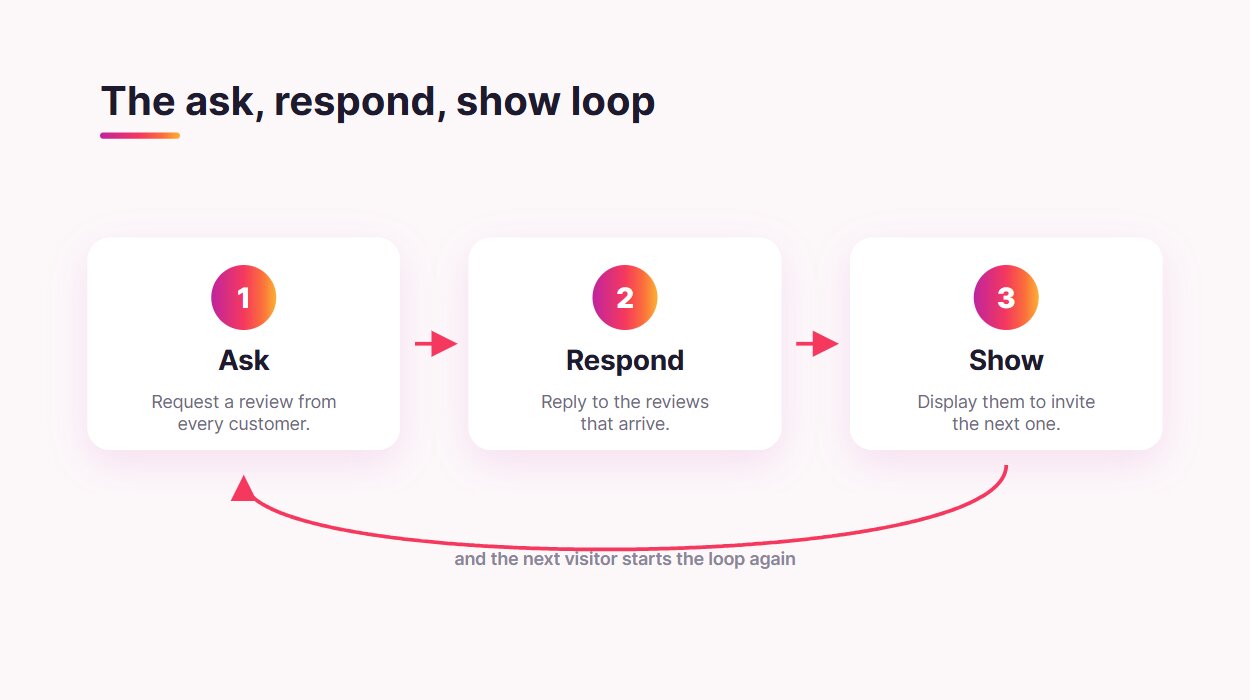
From there, the work compounds. Keep asking every satisfied customer, respond to the reviews that come in, and put them on display where the next visitor can see them and add their own. That loop — ask, respond, show — is what a healthy review presence looks like, and it starts with a single well-worded request.