
WordPress Testimonials Slider widget
Display testimonials on your WordPress website in a rotating slider with photos, quotes, and star ratings to highlight positive experiences in an engaging format.
Create Widget for Free
No credit card needed

Trusted by over 3,000,000 small business, agencies and top global brands worldwide
Create your Testimonials Slider plugin
Configure your Testimonials Slider and add it to your WordPress website for free!
Screenshots
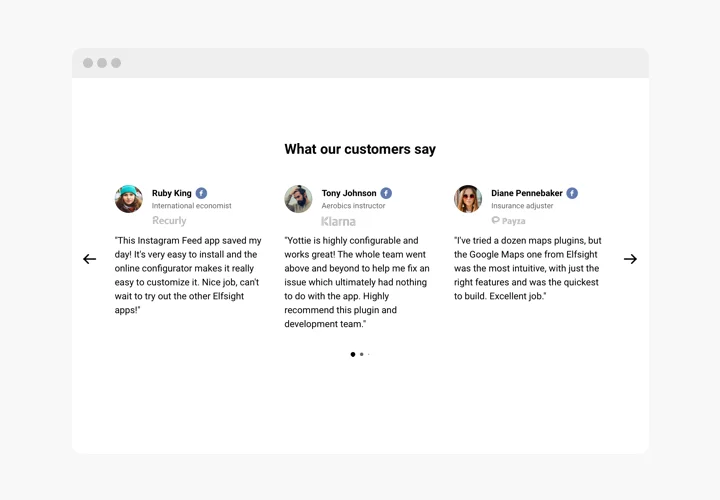




Embed Testimonials Slider on WordPress with the Elfsight widget
Testimonials slider is a simple plugin for demonstrating feedback of your clients on your own website. You are free to use different types of social proof to make the reviews trustworthy: author’s name, photo, logo of the business, and even a link to the website.
Level up confidence in your products by demonstrating your satisfied customers.
- Increase your conversion up to 200%.
Show real feedback and make it the main point of your message to customers. Revealing the reviews right where clients make their decision about buying from your service or registration on your website. - Loyalty of your visitors.
One of your users left a really convincing feedback about your business? Get the maximum use of it and reveal your gratefulness, showing it on the website. - Additional social proof.
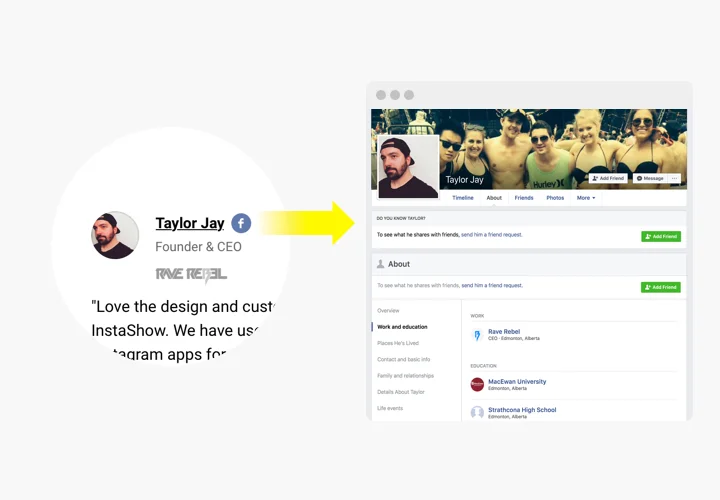
A link from feedback to Facebook, Google or the author’s website is a detail, which will contribute to higher credibility and confirm your business is trusted by real people.
Embed Testimonials Slider on WordPress with the Elfsight widget
The most valuable features, which make our customer Testimonials Slider the best plugin for any WordPress website.
- Choose one of the six ready testimonial templates;
- Use caption for company name, position and other data;
- Place a link to author’s website for more trust;
- Choose Slider or Grid layout depending on your needs.
How to add Testimonials plugin to WordPress website
Just take several steps given below to add the widget on WordPress.
- Perform our free configurator and start shaping your custom instrument.
Determine the preferred look and characteristics of the widget and save the corrections. - Get the unique code popping up in the box on Elfsight Apps.
After the configuration of your personal Testimonials plugin is finished, copy the exclusive code from the appearing popup and keep it for further usage. - Enter on using the tool on your WordPress website.
Insert the code copied recently in your website and save the corrections. - You’re done! The setup is fully accomplished.
Visit your website to take a look at how’s the tool operating.
Encounter any difficulties while adding or adjusting customer testimonials? Check a detailed tutorial on How to add Testimonials Slider plugin to WordPress or address our Support Center.
Can I add the Testimonials Slider plugin without editing theme files?
Yes, you can embed the widget using a shortcode, block editor, or a Custom HTML block.
Is the Testimonials Slider compatible with popular WordPress builders?
Elfsight works smoothly with builders like Elementor, Gutenberg, Divi, and WPBakery using blocks, shortcodes, or HTML elements.
Can I change the interface language of the plugin?
Yes, you can choose your preferred language in the settings, and interface elements such as “Read more” will adjust automatically.
Can testimonials rotate automatically on WordPress pages?
You can enable automatic sliding of testimonials, customize transition speed, and activate pause on hover for better user experience.
Can I display star ratings in testimonials?
Each testimonial can include a 1–5 star rating shown next to the review text and author details.
Can I show the submission date of a testimonial?
If you fill in the optional date field, the plugin can display the testimonial date alongside the content.
Can authors’ names link to social media profiles?
Yes, you can attach social profile URLs to each author, and clicking the icons will open the linked profiles in a new tab.
Can I add images to individual testimonials in WordPress?
You can upload a photo for every testimonial, which will appear directly in the layout or inside a popup view.
Can I automatically import reviews from external platforms?
The plugin does not sync with third-party review platforms. Testimonials must be entered manually. For synced reviews, consider using Elfsight’s dedicated Reviews widgets.
Is testimonial content indexed by search engines?
Yes, testimonials are output as HTML with structured data markup, helping search engines crawl and index the content properly.
Pricing
14-day money back guarantee. Risk-free, you can cancel at anytime.
Elfsight Apps
Platform-independent software that works on any website
from $0 / month
Unlimited domains
Fast support and well documented
Free installation service
Special offer for multiple apps
Flexible design