A one-star review lands, and your first instinct is to defend yourself. That’s the instinct to manage – because your reply isn’t really written for the person who left the review. It’s written for every future customer who reads it later, weighing whether your business is worth their time.
The hands-on part comes up front: how to reply to Google reviews of every kind, from a scathing one-star to a glowing five, with templates you can adapt in seconds. You’ll also find straight answers on whether to let AI write your replies, and what responding really does for your reputation and your search visibility.
- Why responding to all your reviews beats responding to only some
- How fast customers now expect a reply, and the window that puts you ahead
- Whether replying to reviews is actually a Google ranking factor
- Where AI and templates help, and where they quietly cost you customers
- How to turn the reviews you’ve earned into social proof on your own site
How to Respond to Negative Google Reviews
Negative reviews are what most people need help with, and for good reason: they’re the ones that keep you up at night and the ones future customers scrutinize hardest. Knowing how to respond to reviews on Google starts with where you do it. You reply from your verified Google Business Profile through Google Search or Maps, and each reply is screened against Google’s content policies before it is posted, usually within about ten minutes.
Keep it calm, brief, and offline
The guiding principle for how to respond to negative reviews on Google is that composure is the message. Readers judge how you handle criticism more than the complaint itself, so a calm, brief reply does more for your reputation than a detailed rebuttal. Acknowledge the experience, apologize for the frustration, and move the specifics to a private channel where you can actually fix the problem.
How much fault to admit in public is a judgment call. Full ownership reads well when the review is accurate, but apologizing for the frustration and resolving details offline is the safer default, since a public admission can carry legal weight and you rarely have the full picture in the moment.
One rule isn’t negotiable: never reply while you’re angry, and aim to respond within 24 to 48 hours to keep the conversation current.
A short table of habits keeps replies on track when emotions are running high:
| Do | Don’t |
|---|---|
| Thank them for the feedback and acknowledge the experience | Argue the facts or call the reviewer a liar |
| Apologize for the frustration, even if you disagree | Make excuses or blame the customer publicly |
| Offer a direct contact to continue offline | Promise outcomes you can’t guarantee |
| Keep it short, calm, and specific to their point | Copy-paste the same line under every review |
These two templates cover the situations you’ll meet most often. Treat them as reply to Google reviews examples to adapt, not scripts to paste verbatim.
Template — a specific, fair complaint
"Hi [Name], I'm sorry your experience didn't meet the standard you expected, and I appreciate you letting us know. I'd like to understand what happened and put it right. Could you reach me directly at [email or phone]? — [Your name], [Role]"Why it works: it acknowledges the customer’s frustration and offers a concrete next step without disputing the facts or admitting fault in public.
Template — a vague or thin complaint
"Thank you for the feedback, [Name]. This isn't the experience we want anyone to have, and we'd like to look into it properly. Please get in touch at [contact] so we can help."Why it works: it stays composed and moves the details offline, which future readers read as accountability rather than defensiveness.
What never to put in a reply
A reply is a public statement from your business, so a few hard limits apply. Google’s content policy can result in a response being removed, and, in some cases, a careless reply can create real liability. Keep the following out of every response:
- A customer’s personal information shared without their consent.
- Harassment, profanity, or otherwise offensive language.
- Promotion of restricted content such as alcohol, gambling, tobacco, firearms, or regulated pharmaceuticals.
Staying factual and professional keeps you clear of all three. There’s also a related rule worth knowing: Google prohibits offering incentives for reviews, discouraging negative ones, or selectively soliciting only happy customers, a practice known as review gating. You’re free to ask for reviews broadly, and our guide on getting more Google reviews covers the compliant ways to do it.
Handling suspected fake reviews
Fake and conflict-of-interest reviews are a genuine frustration, and both Google and the FTC have stepped up action against them. When you suspect a review is fake, flag it to Google first rather than firing off a reply, since engaging can complicate later removal. If it isn’t removed, respond factually and without confirming any relationship, so readers see your side.
Template — suspected fake
"We take all feedback seriously, but we don't have a record of you as a customer. If we've got that wrong, please contact us at [contact]. In the meantime, we've reported this review for Google to look into."
Why it works: it states your position for future readers without arguing or confirming a relationship that may not exist.
Reporting and removing reviews is its own process with its own rules. For the full workflow, see our guide on removing bad Google reviews, and treat this section as the responding half of the equation.
How to Respond to Positive Google Reviews
Positive reviews are the easiest to answer and the easiest to waste. A generic “Thanks for the kind words!” pasted under every five-star rating comes across as indifference, and someone who took the time to praise you deserves better. A genuine reply is what turns a one-time visit into a habit, and it signals to everyone else reading that real people run this business.
Three habits do most of the work when figuring out how to respond to positive Google reviews:
- Thank the reviewer by name,
- Echo a specific detail they mentioned,
- Invite them back without pushing.
Template — warm and specific
"Hi [Name], thank you for taking the time to share this. We're really glad [specific detail] worked out the way it did, and it made our week to read. We'd love to see you again soon."
Why it works: naming the reviewer and echoing a specific detail prove that a person read the review, not a script.
Template — service reinforcement
"[Name], this made our day. Knowing [specific service] hit the mark is exactly why we do what we do. Thank you for trusting us with it."
Why it works: it reinforces what you do well in natural language, giving the next reader useful context without sounding canned.
Neutral and star-only reviews
Plenty of reviews don’t fall cleanly into the good or bad categories, and these are where most businesses go quiet. These examples of how to respond to Google reviews handle the in-between cases.
Template — three-star review
"Thanks for the honest feedback, [Name]. It sounds like we got some things right and missed others, and we'd love to know what would have made this a five-star visit. You can reach us at [contact]."
Why it works: it treats a middling rating as a question, inviting the detail that helps you and shows readers you listen.
Star-only ratings with no text are increasingly common, and they still deserve a reply. For a five-star rating with no comment, thank the reviewer warmly without thanking them for words they never actually wrote. For a one-star rating with no text, treat it like any negative review: stay calm, and use one of the negative templates above to invite the real story in private.
Template — five stars, no text
"Thanks for the five stars, [Name], we really appreciate it. If you ever have a moment to tell us what stood out, we'd love to hear it."
Why it works: it warmly thanks the reviewer without inventing praise and gently opens the door to detail.
Should You Use AI to Respond to Reviews?
AI sits at an interesting tension in this topic. In blind testing, consumers preferred AI-written responses, with 58% choosing the AI version when shown a human-written and a machine-written reply. Yet more recent survey data finds that generic or templated replies put off 50% of consumers, who read them as a sign of weak customer care.
That looks like a contradiction but isn’t. The dividing line is personalization, not authorship. An AI draft or a saved template is a fine starting point; a reply that reads as copy-paste is what costs you half your audience. Google has confirmed that using AI to draft responses isn’t against its guidelines, and it has even begun testing a built-in reply-with-AI feature.
The workable approach is to scaffold first, then personalize:
- Start from an AI suggestion or a saved template for the structure.
- Add the reviewer’s name and one specific detail from their review.
- Adjust the wording so it sounds like you, then read it once before posting.
This matters more as AI becomes a research tool in its own right. Consumers leaning on AI assistants for local recommendations has climbed sharply, and most now read AI-generated summaries of business reputations. Your responses increasingly feed into those summaries, which is another reason to keep every reply accurate, specific, and on-brand.
Why Responding to Reviews Pays Off
With the how covered, it’s worth understanding why the effort is worth it, because the case is stronger than most owners assume.
What consumers think
The demand side is loud and consistent: a large majority of consumers expect business owners to respond, and they reward businesses that reply to everything rather than cherry-picking.
| What consumers say about responses | Share |
|---|---|
| Expect business owners to respond to reviews | 89% |
| More likely to use a business that responds to all reviews | 80% |
| Unlikely to use a business that never responds | 42% |
| Likely to use a business that responds only to positive reviews | 45% |
| Likely to use a business that responds only to negative reviews | 47% |
Responding selectively turns out to be a half-measure, and a business owner’s response now ranks as the fifth-most-important factor consumers weigh when judging reviews.
Speed is where expectations have moved fastest. The share of consumers expecting a same-day reply has more than tripled, rising to 19% from just 6% a year earlier, while 32% want a response by the next day and 81% expect to hear back within a week. A consistent one- to two-day window puts you ahead of most competitors.
The business impact
Beyond what customers say they want, the strongest evidence that responding changes outcomes comes from peer-reviewed work.
A study in the Journal of the Academy of Marketing Science analyzed more than 150,000 reviews and the responses to them, and found that customized replies to positive reviews produced the most reliable lift in future ratings and financial performance.
Responding to negatives was more complex, sometimes causing a short-term dip as more complaints surfaced while building trust over the longer run. The finding is cross-platform rather than Google-specific, so treat it as directional, but the practical lesson is clear: your happy reviewers are worth real replies, not just your unhappy ones.
Does Responding Influence Your Google Ranking?
“When you reply to customer reviews, it shows that you value their feedback. Helpful and positive replies to reviews can show that you’re responsive to your customers.” — Google Business Profile Help
Responding to reviews is not a documented Google ranking factor, and it’s worth saying so plainly, because the truth is still a good reason to respond. Google’s own guidance frames responding around customer value rather than ranking.
When Google explains what actually drives local ranking, it lists three factors:
- Relevance – how well your business matches what someone searched for.
- Distance – how close you are to the location the searcher used.
- Prominence – how well-known your business is, which your review count and ratings feed into.
The review contribution sits under prominence, and Google ties it specifically to how many reviews you have and how positive they are, not to whether you reply. Google also states that there’s no way to request or pay for a better local ranking. Replying encourages more and better reviews, and review volume and rating are what feed prominence.
Show Your Reviews on Your Own Website
The reviews you respond to live on Google, where they do their job in search. The same social proof is just as persuasive on your own website: on the homepage, product pages, and checkout, where buying decisions actually happen. Putting reviews where new visitors are already deciding whether to trust you closes the loop on all this response work.
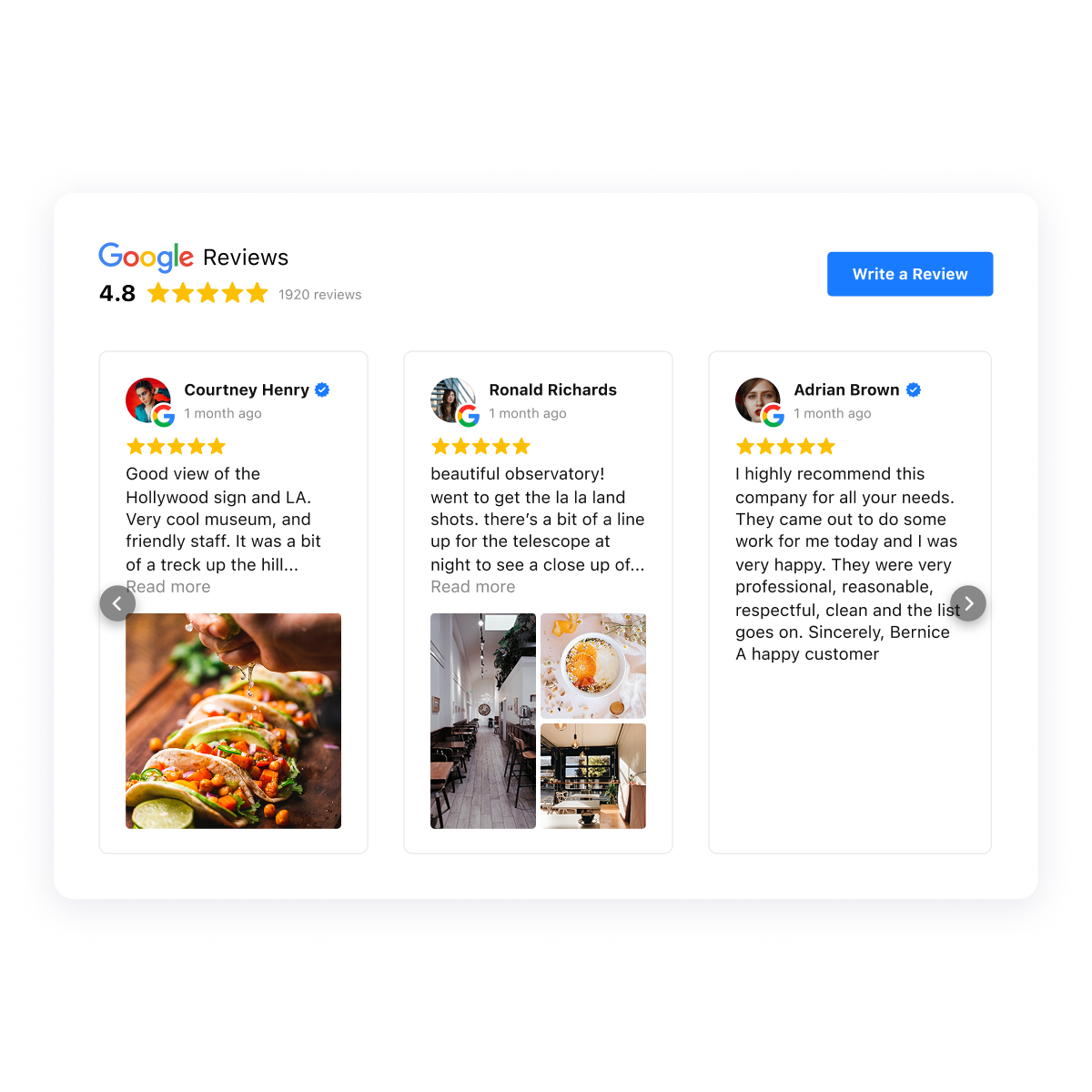
The Google Reviews widget pulls your Google reviews onto any website without code, and it can display business owner replies alongside each review, so the thoughtful responses you’ve written become part of your social proof rather than staying buried on Google.
Build your Google Reviews widget in the interactive editor ↓
Reviews refresh automatically from your profile, and you can choose layouts, filter by rating, and highlight the reviews that matter most.
The widget also supports Schema.org markup, which can help your star rating appear as a rich snippet in search results. For the full setup and pro tips, see our guide on embedding Google reviews on your website.
Frequently Asked Questions
Can you reply to Google reviews anonymously, or does your name show?
How long does it take for a Google review reply to appear?
Should you respond to every Google review or just the negative ones?
How fast should you respond to a Google review?
Can you use AI to respond to Google reviews?
What should you never say in a Google review response?
Making Responses Part of Your Routine
The thread running through all of this is that a review reply isn’t a chore to clear – it’s public-facing marketing that the next customer, and increasingly the next AI assistant, will read. Responding to everything, quickly, in a voice that sounds like a person, does more for trust than any single five-star rating, and it earns the indirect ranking benefit that comes from a healthier review profile over time.
Build it into a simple habit. Watch your reviews so nothing slips past your response window, keep a few personalized templates on hand, and edit each one before it goes live. If you want to stay on top of new reviews as they land, our guide on monitoring your Google reviews is the place to start.
Reply like the business you’d want to hire, and your responses will keep working for you long after the conversation is over.
Key references
- BrightLocal — Local Consumer Review Survey (published Feb 11, 2026; updated Apr 15, 2026): https://www.brightlocal.com/research/local-consumer-review-survey/
- BrightLocal — Local Consumer Review Survey 2024 (AI-vs-human response finding): https://www.brightlocal.com/research/local-consumer-review-survey-2024/
- Google Business Profile Help — “Tips to improve your local ranking on Google”: https://support.google.com/business/answer/7091
- Wu, Ye & Chu (2023/2024) — “Soothing the unsatisfied or pleasing the satisfied?” Journal of the Academy of Marketing Science, Vol. 52(3): https://link.springer.com/article/10.1007/s11747-024-01010-3
- Proserpio & Zervas — “Study: Replying to Customer Reviews Results in Better Ratings,” Harvard Business Review (Feb 2018; paper Marketing Science 2017): https://hbr.org/2018/02/study-replying-to-customer-reviews-results-in-better-ratings
- Search Engine Land — Google tests “Reply to reviews with AI” (Mar 20, 2026): https://searchengineland.com/google-business-profile-test-reply-to-reviews-with-ai-472167