
15+ HTML Sales Notification Templates for Websites




What Is Sales Notification Template?
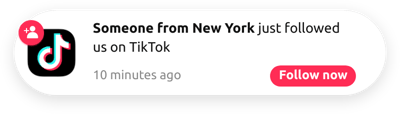
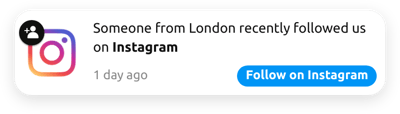
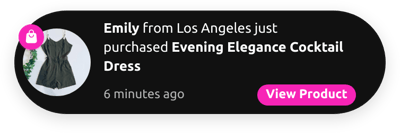
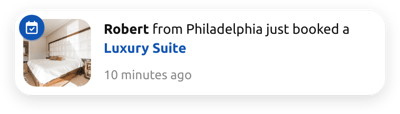
It is a ready-made notification setup designed to display activity happening on your website: recent purchases, bookings, registrations, downloads, or other engagement events. It acts as social proof, encouraging visitors to trust your brand and make decisions faster.
Simply pick a template, add your notifications, adjust the timing and appearance, and publish it to your website in a matter of minutes. No coding, no design experience, no complicated setup. Give our collection a go now!
Top Sales Notification Template Features
Our notification templates are packed with powerful customization features to help you maximize conversions and create more opportunities for bigger sales. Below are the core functionalities that you can adjust:
- Upload your notifications.
The first step after choosing a template is to upload your custom notifications. The template can handle an unlimited number of these. Highlight the activity: set message, time, image, and link. - Include expressive badges.
Add visual clues to bring instant attention and help users instantly recognize what the notification is about. It can be a custom icon and a simple text hint, like “Hot,” “Trending,” “Just purchased.” - Set a CTA button.
Enhance every popup with a call-to-action button that directs users to buy, subscribe, learn more, or sign up right from the notification. Turn social proof into conversions fast. - Configure display rules and triggers.
Decide when, where, and for how long each notification stays visible. Set the time, pages, and devices. These settings help you build a natural flow of real activity without overwhelming users. - Personalize the design.
Fine-tune every visual detail of your notification: colors, fonts, sizes, border radius, and much more. Match your exact branding, no matter what it is, minimalistic, playful, professional, or bold. - Discover advanced options.
If you want to go beyond standard customization, use the built-in editors to modify appearance, add interactive elements, or integrate the notifications with external scripts.
How to Add Sales Notification Template to Website?
Getting a template up and running takes just four steps:
- Choose your template. Browse the catalog to find a template that aligns with your industry, message type, or visual style.
- Customize your notifications. Add custom messages, upload images, choose an animation style, and set specific display rules to perfectly match the experience you want to create.
- Generate your installation code. When the setup looks great, click “Add to your website for free” to get a ready-to-install HTML code.
- Add it to your website. Paste the code into your website’s HTML or page builder, and it will instantly become active.
If you ever get stuck or want to explore more advanced setups, our Help Center, Elfsight Community, and Support Team are always available to help.
FAQ
Can I use a template for free?
Yes, every Sales Notification template in the catalog is free to use. You can customize it, install it on your website, and showcase activity without paying for basic functionality.
The Free plan includes all essential tools: unlimited notifications, animations, display rules, and full access to the visual editor.
Can I change a sales notification template’s design?
Yes, every template is fully customizable. You can adjust fonts, colors, badge styles, animations, sizes, and even upload your own image or icon.
The visual editor provides instant previews, so you’ll always know exactly how your notifications will look before publishing.
Do I need to edit my website’s HTML to use templates?
No major edits are required. You just need to paste a small embed code into your page or website settings. Once inserted, the template automatically displays notifications on top of your existing content.
Your website layout stays intact, and no technical knowledge is needed.
What are the best examples of using notification templates?
Sales Notification templates work great for many industries and goals. Here are some of the most popular ways they’re used:
- E-commerce. Show recent purchases, top sellers, and restocks to create urgency and social validation.
- Digital products & SaaS. Highlight recent downloads, course enrollments, trial sign-ups, or subscription purchases to build trust and credibility.
- Local services. Display bookings, appointment requests, or inquiries, ideal for salons, clinics, gyms, repair services, and more.
- Hospitality & travel. Promote room bookings, tour reservations, or event sign-ups to encourage visitors to book quickly.
- Real estate. Show property inquiries, tour requests, or viewing appointments to create a sense of demand and scarcity.
If you don’t see your industry in the catalog, feel free to submit your ideas to the Community Wishlist. We constantly add new template variations based on user requests.
Can I create my version of a notification using templates?
Yes, every template serves as a starting point. Simply open the live editor and adjust the content, design, timing, and behavior to create your custom notification system.
You can also start with a blank template and build your sequence from scratch for complete creative freedom.
Can I set different display timings for notifications inside a template?
Yes, each template includes customizable settings for both the notification interval and the display duration, giving you full control over how often and how long each message appears.
