
Squarespace Google Reviews widget

Create your Google Reviews widget
Screenshots
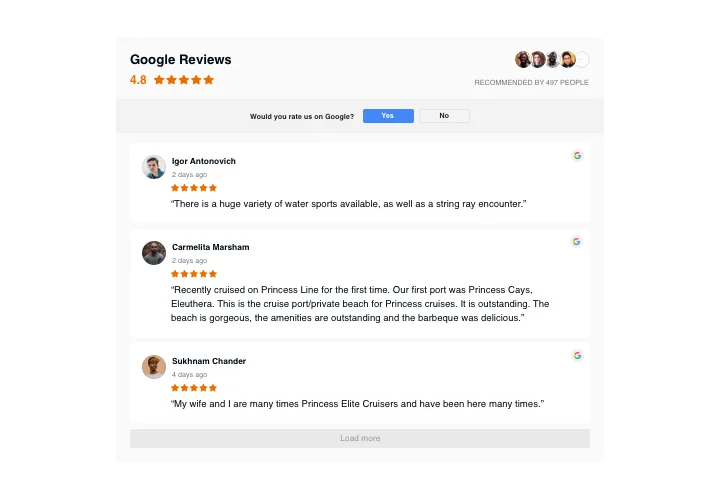

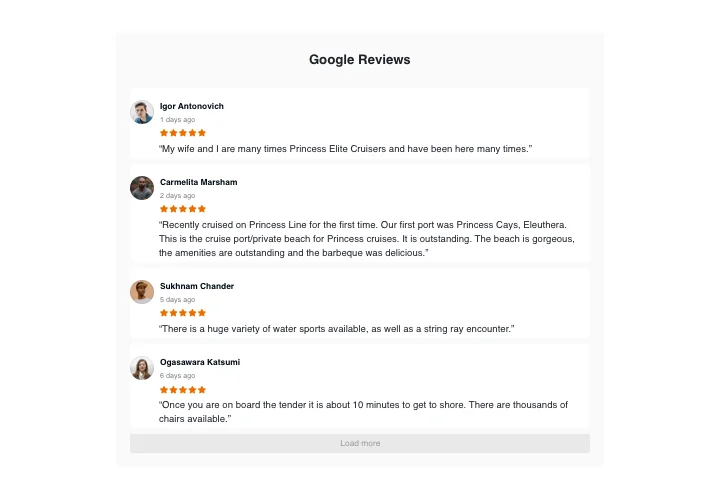



Add a Google Reviews Widget to Squarespace
Want to boost trust and engagement on your Squarespace website? Featuring Google reviews is a proven method to win customer confidence and drive conversions. The Elfsight Squarespace Google Reviews widget is a no-code solution designed for ease and efficiency.
Start using the Elfsight’s Google Reviews widget for Squarespace today to build credibility and grow your business effortlessly!
Google Reviews Widget Features
- Easy to connect reviews. You can use your Google Place ID or simply enter the name and the address of the business. Not having a physical address is not a problem either.
- Review moderation & filters. Elfsight allows you to set up numerous filters to display only relevant reviews. You can choose to showcase reviews based on ratings or ban certain authors from being seen in the widget.
- Button to attract more reviews. Add a customizable call-to-action button to your reviews block to encourage your customers to leave feedback.
- Star snippet to increase Google traffic. Stand out from your competitors by enabling star ratings in search results. This enhancement will help you increase visibility, attract clicks, and boost traffic to your Squarespace website.
- Advanced design customization. Select from various layouts available in the Google Reviews widget for Squarespace – Slider, Grid, Carousel, Floating Badge, and more. Modify such elements as titles, badges, names, and star ratings to align with your website’s design.
To discover more features, see the intuitive editor
Benefits of the Squarespace Google Reviews Plugin
Displaying real customer feedback on your website can greatly influence how potential customers view your business. Adding Google reviews to your Squarespace website is not just about building trust – it also boosts brand awareness and enhances the user experience on your site. Here’s why the Elfsight plugin is a strategic tool to grow your online presence:
- Builds trust and credibility. Show real customer feedback that resonates with potential clients. Authentic reviews make your business more reliable and encourage visitors to choose your services
- Boosts SEO performance and brand awareness. The Google Reviews widget for Squarespace continuously adds fresh, keyword-rich content to your site, helping improve its search engine ranking. Positive reviews also emphasize your strengths, further increasing brand awareness.
- Enhances user experience. A Squarespace Google Reviews widget makes it simple for visitors to read reviews and make informed decisions. This encourages longer site visits and increases the likelihood of them making a purchase or inquiry.
How to embed Google Reviews into Squarespace
Follow this quick guide to embed the Squarespace Google Reviews widget on your website. It is only going to take a couple of minutes and requires no coding.
- Create your unique Google Reviews widget
Start with choosing a template from the editor, upload your customer reviews, and customize the plugin with the preferred style and functions to fit your website. - Get your individual embed code
After configuring your widget, you’ll receive a unique embed code. Copy this code – it holds all your plugin’s settings. - Add the widget to your Squarespace website
Navigate to the section where you want to display the widget, paste the code, and save the changes.
Done! Your Google Reviews widget is now live on your Squarespace site.
Still experiencing issues when embedding Google reviews on a Squarespace website? Read our step-by-step guide how to add Google Reviews to your Squarespace website.