
Webflow Business Hours widget
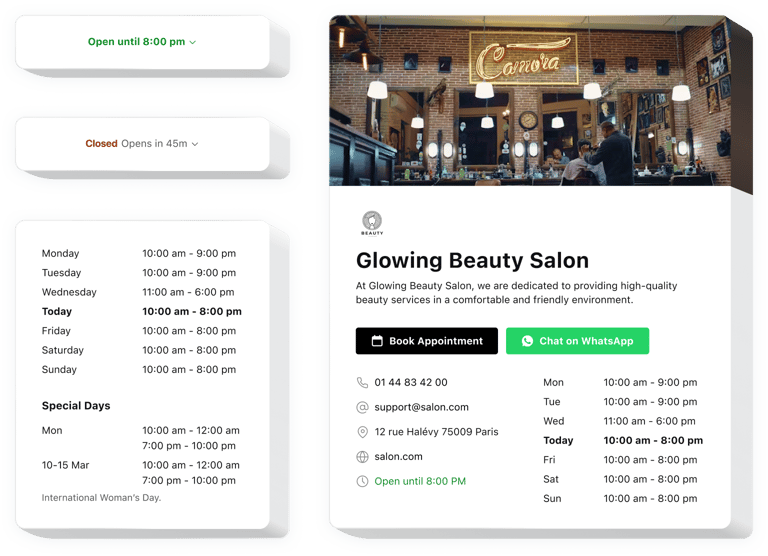
Create your Business Hours widget
Embed Business Hours on Webflow with an Elfsight widget
Elfsight Business Hours for Webflow is a simple no-code widget which enables you to construct a nice business card having the key information about your work. You can share information on your availability status and enable contacts for your audience. The widget lets you invent convenient designs, so that the customers could quickly find all the required data briefly or in more detail.
The great widget offers a range of templates, so that you are free to pick the most efficient option for your website. Each template has various settings to let you form a personal widget with necessary options such as reservation and booking buttons that boost sales. Integrating the working hours and your contact data into your pages is totally easy with Elfsight due to clear tutorials and guidelines. Any website editor can form and add the no-code Business Hours widget for free
Put business details on your website to boost sales and client credibility. Display key information on your working activity effortlessly.
With this widget added to your Webflow website, you can make your customers more aware of your business processes and get more sales. Explore some of the top advantages for your website after adding the no-code working hours widget to it.
- Let your clients be always on time. Increase sales, while being surely there in the indicated working hours. Your website visitors will notice your activity hours and be more confident to commit a successful purchase when needed.
- Avoid misunderstanding about your working hours. Showing your clear operation hours to the visitors on the website will make them more devoted to your company since they will be able to plan an order or a visit to you.
- Share contact information in a visible manner. Adding the contacts to your no-code operation hours widget lets you build communication with your clients and make sales better. Show that you are ready to respond to their questions about your business’s products and services resulting in more loyalty.
We offer useful and easy features, check some of them:
- Showcase your organization’s current status
- Simple timetable adjustment
- Special occasions configuration
- Current state status
- Insertable chart or space-efficient status
How do I embed Business Hours into my Webflow website?
Just perform the guidelines below to insert the plugin with your working periods.
- Perform our editor and start building your custom-made plugin.
Find the suitable form and characteristics of the app and save the edits. - Acquire your personal code embed revealed in the special form on Elfsight Apps.
After the customization of your app is done, copy the exclusive code embed from the appeared window and save it for future usage. - Begin using the plugin on the Webflow website.
Paste the code copied before into your page and apply the adjustments. - You’re done! The setup of your no-code Business Hours is successfully accomplished.
Go to your website to review how the added operation hours app is functioning.
Supposing you experience some complications, please seek assistance from our customer service team. Our consultants are longing to help you with all the difficulties you might have with the plugin for Webflow.