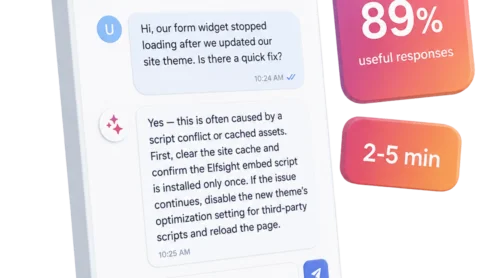
Customers constantly reach for self-service via FAQ chatbots, but in many cases, these chatbots underdeliver. A Gartner survey found that among those who turn to website AI, only 14% have their issues fully resolved. The wall isn’t the format: 43% simply don’t get content relevant to their problem through the bot.
That’s the real test for any FAQ chatbot — not whether it beats a static page, but whether its answers are complete, context-aware, and match the visitor’s query. This guide shows how to build an FAQ chatbot that will successfully deflect common questions rather than frustrate your customers.
- A chatbot only beats static FAQ when its knowledge base is fresh and complete.
- A single FAQ chatbot should cap at about 20 topics and 100 FAQs for best results.
- Scope boundaries matter as much as answers — decide what the bot won’t answer.
- Plan the handoff early: decide when and where it passes visitors to a human.
FAQ chatbot vs. a static FAQ page
“Customers feel frustrated by self-service journeys that feel too rigid to deal with the complexities of their service issues.” — Eric Keller, Senior Director, Gartner Customer Service & Support Practice
An FAQ chatbot is a conversational layer over your existing answers: it takes a question in plain language, determines its intent, and returns the relevant answer from a knowledge base you control. It belongs to the broader family of AI chatbots, but it’s pointed at one job: your website’s repetitive visitor queries. A static FAQ page chases the same goal a different way, and neither wins by default.
The rigidity of a static FAQ is the gap a chatbot is built to close. A page can only show what you wrote, in the order you wrote it. A chatbot can take the question as your visitor phrases it, respond, nudge the user in the right direction, and follow up when they’re idle.
How they actually differ
The contrast is clearest side by side. The table below maps the two formats against what a visitor experiences when they need an answer.
| Static FAQ page | FAQ chatbot | |
|---|---|---|
| Finding the answer | Visitor scrolls and scans pre-written information | Visitor asks the chatbot in their own words |
| Handling phrasing | Has to match your wording | Interprets intent, typos, synonyms |
| Availability | Visible if not buried deep | Always on, answers on demand |
| When it can’t help | Dead end | Hands off or captures a contact |
| What it needs to work | Clear, up-to-date content | The same content, plus scope and instructions |
Both formats live or die on the same thing — the quality of the content behind them. A chatbot adds intent matching, conversation, and escalation on top of that content, but it can’t compensate for missing or out-of-date content.
Simple setup or an advanced AI chatbot?
Not every website needs the most capable option. The distinction worth understanding is between a basic Q&A bot that returns fixed answers and an advanced AI chatbot that interprets intent and goes beyond answering questions.
| Basic Q&A bot | Advanced FAQ chatbot | |
|---|---|---|
| Answer style | Fixed question-and-answer matches | Intent-based and conversational |
| Beyond answering | None | Product recommendations and suggestions |
| Lead capture | None | Built-in contact form |
| Handoff | None | Configurable escalation to a human |
| Languages | One at a time | Multilingual |
| Best for | A small, stable set of questions | Higher volume and sales-adjacent questions |
A small site with a few stable questions does fine with a well-kept static page or a basic Q&A match. Once questions repeat at volume or arrive after hours, an intent-based chatbot starts to earn its place. Our rundown of the best AI chatbot for a website compares specific tools to help you weigh your options.
How an FAQ chatbot works
You don’t need to understand the model architecture to run a good bot, but it helps to know where its answers come from and what it does when a conversation gets tricky. Both come down to a few moving parts you can actually configure.
The knowledge base behind every answer
When a visitor asks a question, a modern bot doesn’t invent a reply — it retrieves the most relevant passage from the content you’ve given it, then generates an answer based on that. This approach, retrieval-augmented generation, keeps responses grounded in your material and limits the bot’s tendency to make things up.
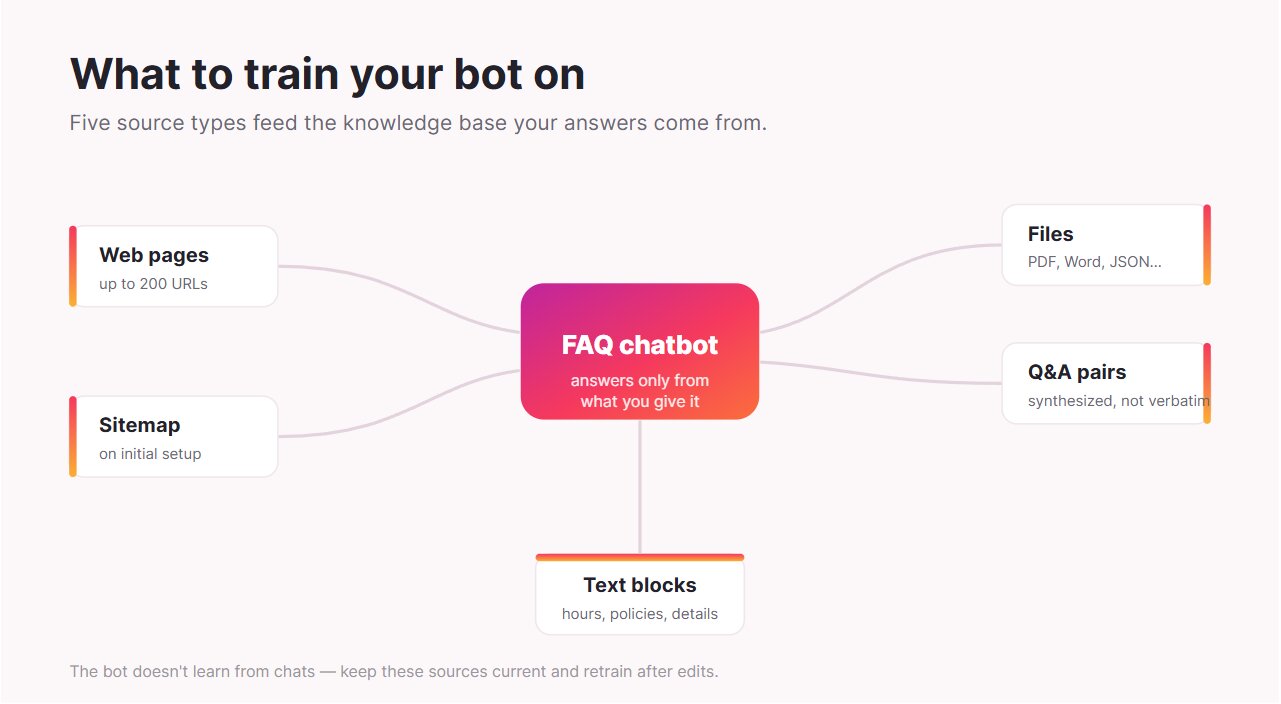
With the Elfsight AI Chatbot, that content comes from several source types you assemble during setup:
- Web pages: up to 200 URLs added manually (automatic sitemap training during setup)
- Files: PDF, Word, text, JSON, and other common formats
- Q&A pairs: the model synthesizes answers from these
- Text blocks: free text for hours, policies, product details, and anything else
What happens during a conversation
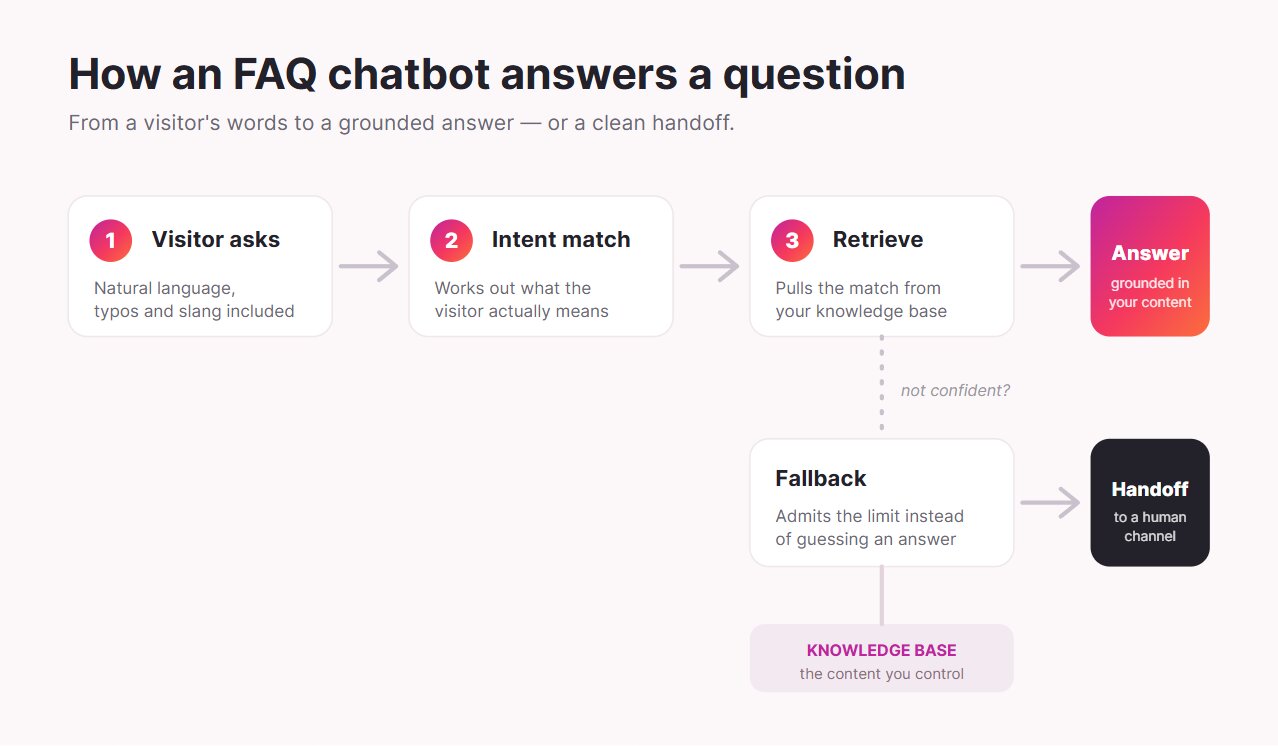
Once the knowledge base is in place, the visitor-facing behavior follows a predictable path. Three things determine whether a conversation feels helpful or frustrating: how the bot reads the question, what it does when it’s unsure, and how it connects someone to a person.
Understanding the question
Intent matching is what separates modern FAQ chatbots from old keyword systems. The visitor can mistype, use slang, or phrase a request in a way you never anticipated, and the bot still works out what they mean and maps it to the right content. This is why a conversational chatbot can outperform a page that only responds to exact wording.
When it doesn’t know the answer
A good FAQ chatbot has a defined fallback for low-confidence moments rather than guessing. Instead of inventing a policy or a price, it admits the limit and offers a next step. Deliberately setting that behavior stops a bot from confidently giving wrong answers, which is worse than giving none.
Reaching a human
When the bot can’t resolve something, it should route the visitor to the next step. Elfsight’s Contact Human feature redirects people to external channels (email, WhatsApp, phone, or a URL) rather than dropping a live agent into the same chat window. Knowing that distinction up front lets you set the right expectations and design the handoff around how your team actually responds.
How to build an FAQ chatbot
Setting up a chatbot is quick. Making one that genuinely deflects questions takes a handful of decisions most setups rush past. The build itself follows five steps, and the value lives in how you handle the first three:
- Start with your real top questions.
- Load and structure your knowledge base.
- Set the bot’s scope and boundaries.
- Design the human handoff.
- Deploy, test, and iterate.
Step 1: Start with your real top questions
Resist the urge to cover everything on day one. Pull the roughly 50 questions your team answers most often from support tickets, chat logs, and emails, and build the first version around those. A useful rule of thumb is to cap a single FAQ bot at about 20 topics and 100 FAQs. Narrow and correct beats broad and vague.
If the same question arrives in different wording, group the underlying need while keeping the original messages. Support Chats to Better FAQs shows how to turn completed conversations into clearer FAQ entries, with worked examples and a copyable review template.
Step 2: Load and structure your knowledge base
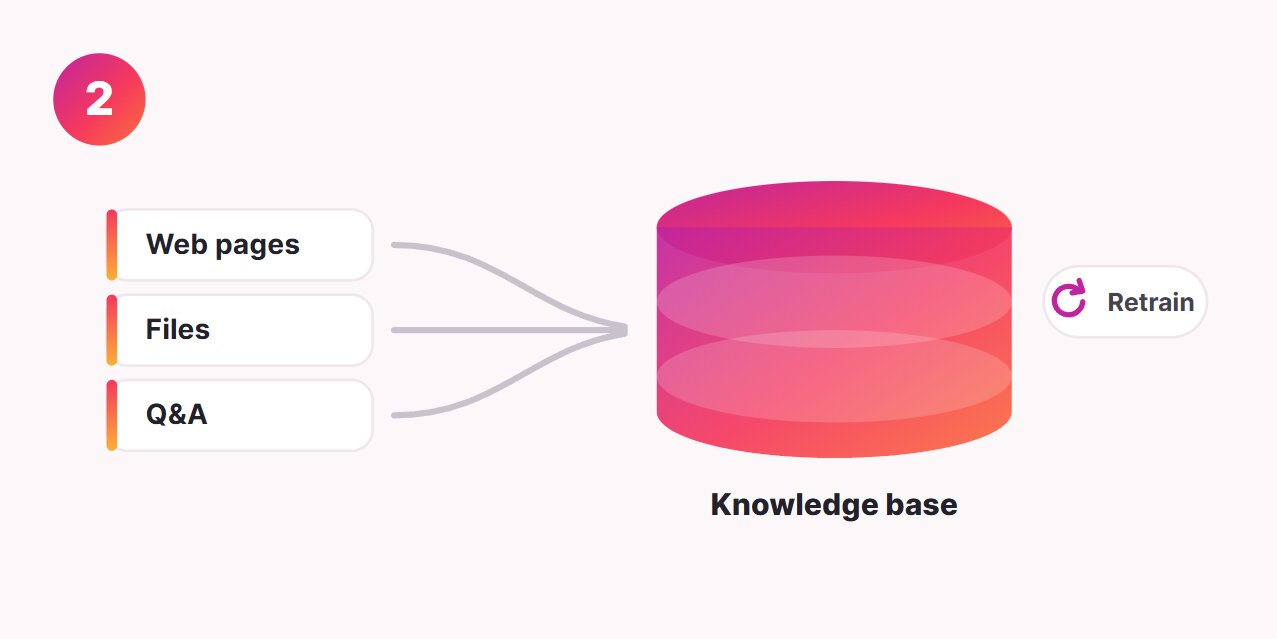
Feed the chatbot the sources that contain your real answers, and keep them up to date. This is where many setups quietly fail later: in Elfsight, web-page training doesn’t auto-update, so when you change pricing, hours, or a policy, you edit the source and click Retrain to refresh the bot. Treat that as part of your normal content routine, and the answers stay correct.
Before loading those answers, check the facts they depend on. The Website Facts Sheet helps you record the primary source, pricing or availability conditions, conflicting wording and the next review trigger.
Step 3: Set the bot’s scope and boundaries
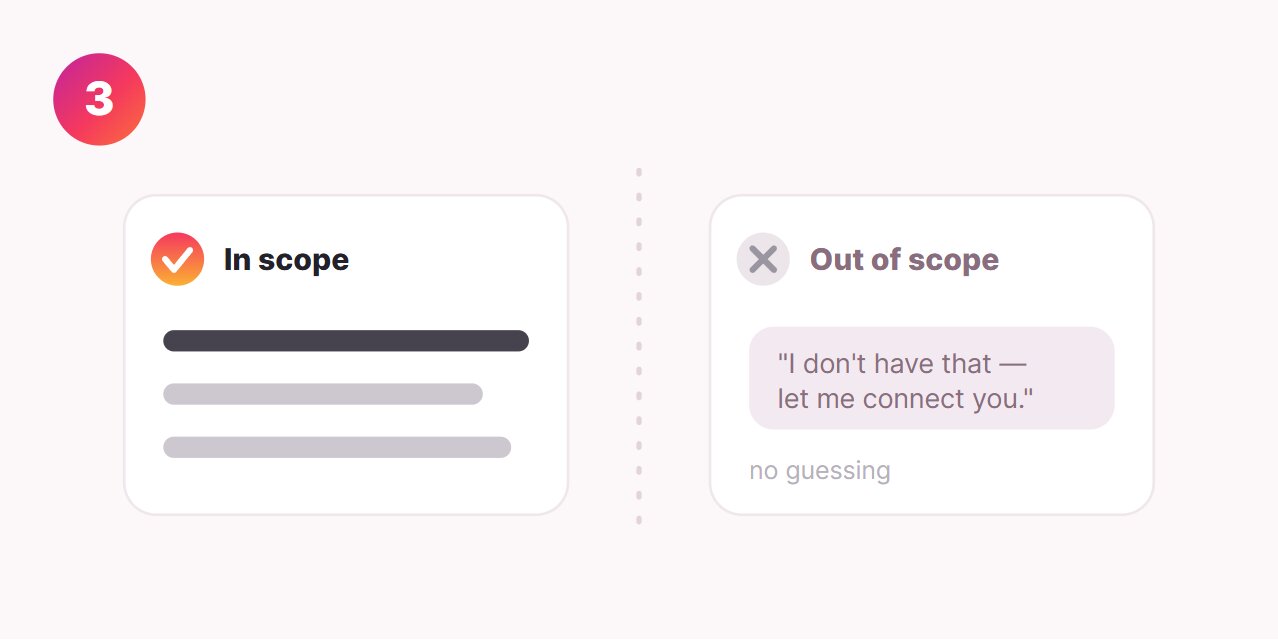
This is the step that separates a reliable bot from a liability. Write clear assistant instructions defining the bot’s role, tone, and what it should do when a question falls outside its content — for the most consistent results, author these in English even if the bot replies to visitors in other languages.
The goal is a bot that says “I don’t have that, let me connect you” instead of guessing. A good FAQ chatbot is defined as much by what it declines to answer as by what it answers.
Step 4: Design the handoff
Decide in advance when the bot should step aside for a person. Elfsight’s Contact Human trigger can fire on several conditions, so escalation happens at the right moment rather than after the visitor gives up:
- The visitor asks to speak with someone.
- The bot can’t provide an answer.
- Certain keywords appear, such as “help” or “issue.”
- The visitor dislikes an answer.
- The visitor goes inactive for a while.
Because the handoff redirects to external channels rather than a live in-chat agent, point each trigger at the channel your team actually monitors so nobody lands in a dead end.
Step 5: Deploy, test, and iterate
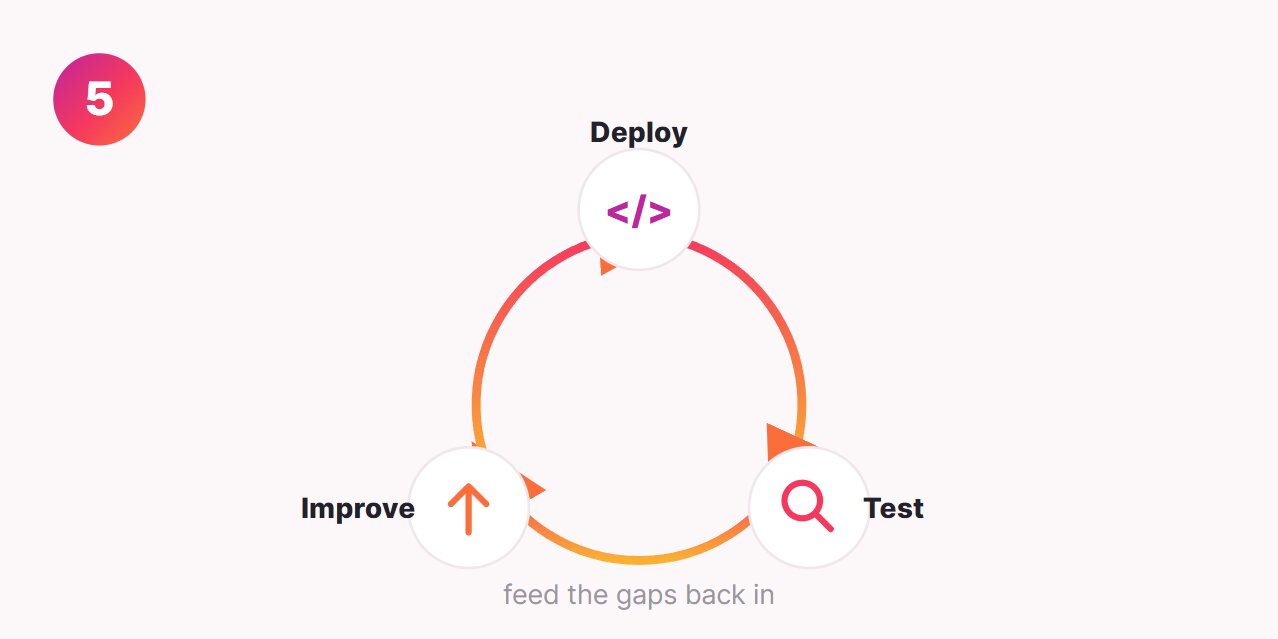
With a no-code widget, deployment is as simple as pasting a snippet into your site. The work that matters comes after: test the chatbot against your real top questions, watch which ones it fumbles, and feed those gaps back into the knowledge base.
Building one with Elfsight AI Chatbot
The Elfsight AI Chatbot packages this method into a customizable no-code widget that runs on a smart GPT model. You train it on the sources above, guide visitors with Quick Replies, collect names and emails through a built-in contact form, and let it understand and reply in multiple languages. A response-rating control gives you feedback signals on which answers land.
Build your AI Chatbot widget in the interactive editor ↓
FAQ chatbot examples
It helps to look at FAQ chatbot examples from two angles: prominent brands running bots you can open and try right now, and everyday business types most readers can actually build.
Big-brand examples
A couple of consumer brands run customer-facing FAQ bots you can open and try yourself, and they show what good scoping looks like in practice.
H&M’s AI Assistant
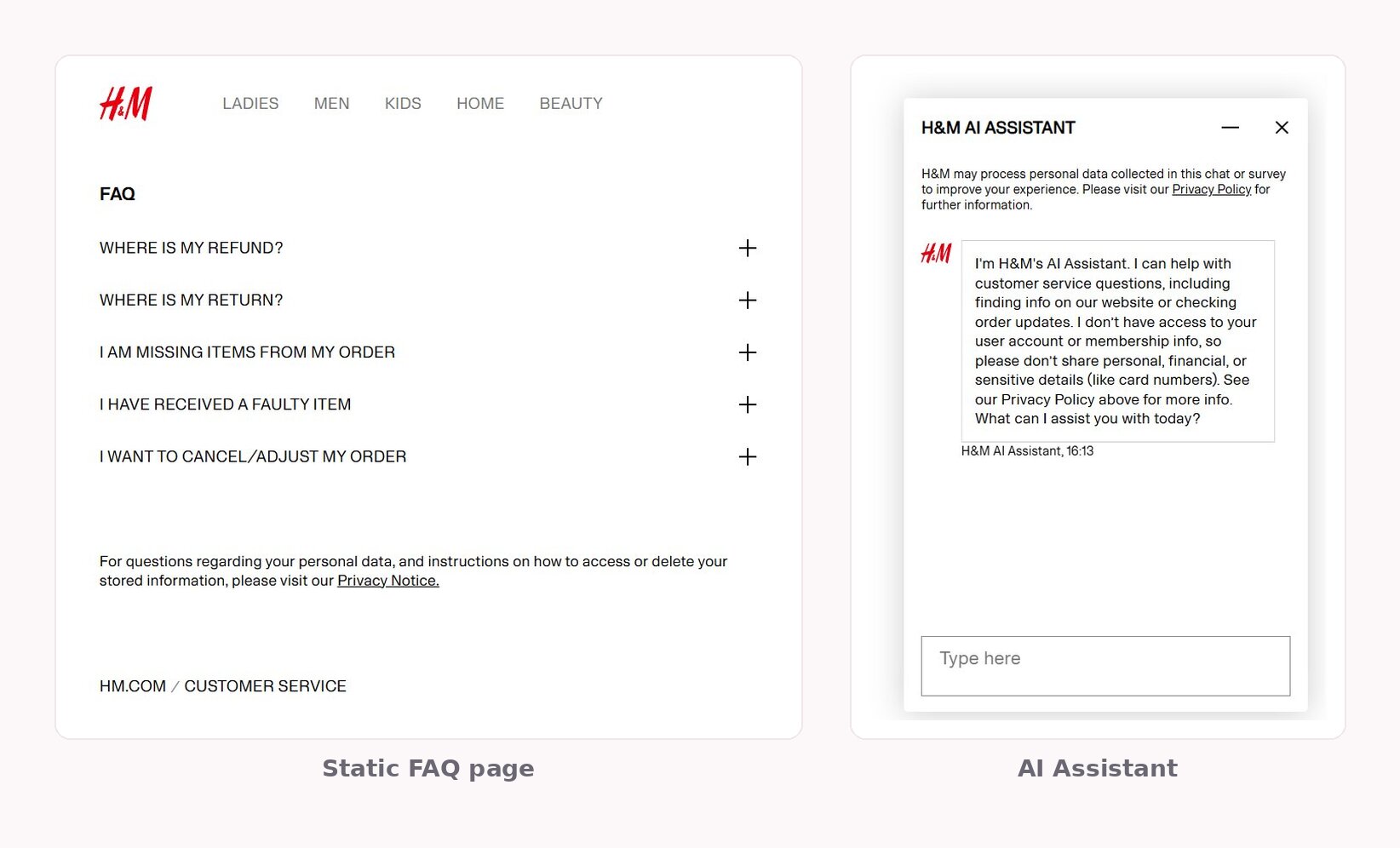
H&M runs a generative AI customer service assistant on its help pages, available around the clock and accessible directly from the contact page. The assistant opens by stating exactly what it handles — customer service questions, finding information on the site, order updates — and what it won’t touch, including account or membership details and anything sensitive, like card numbers. That upfront boundary-setting is the same scoping discipline the build section called for, made visible to the customer.
Norwegian Airlines help chatbot
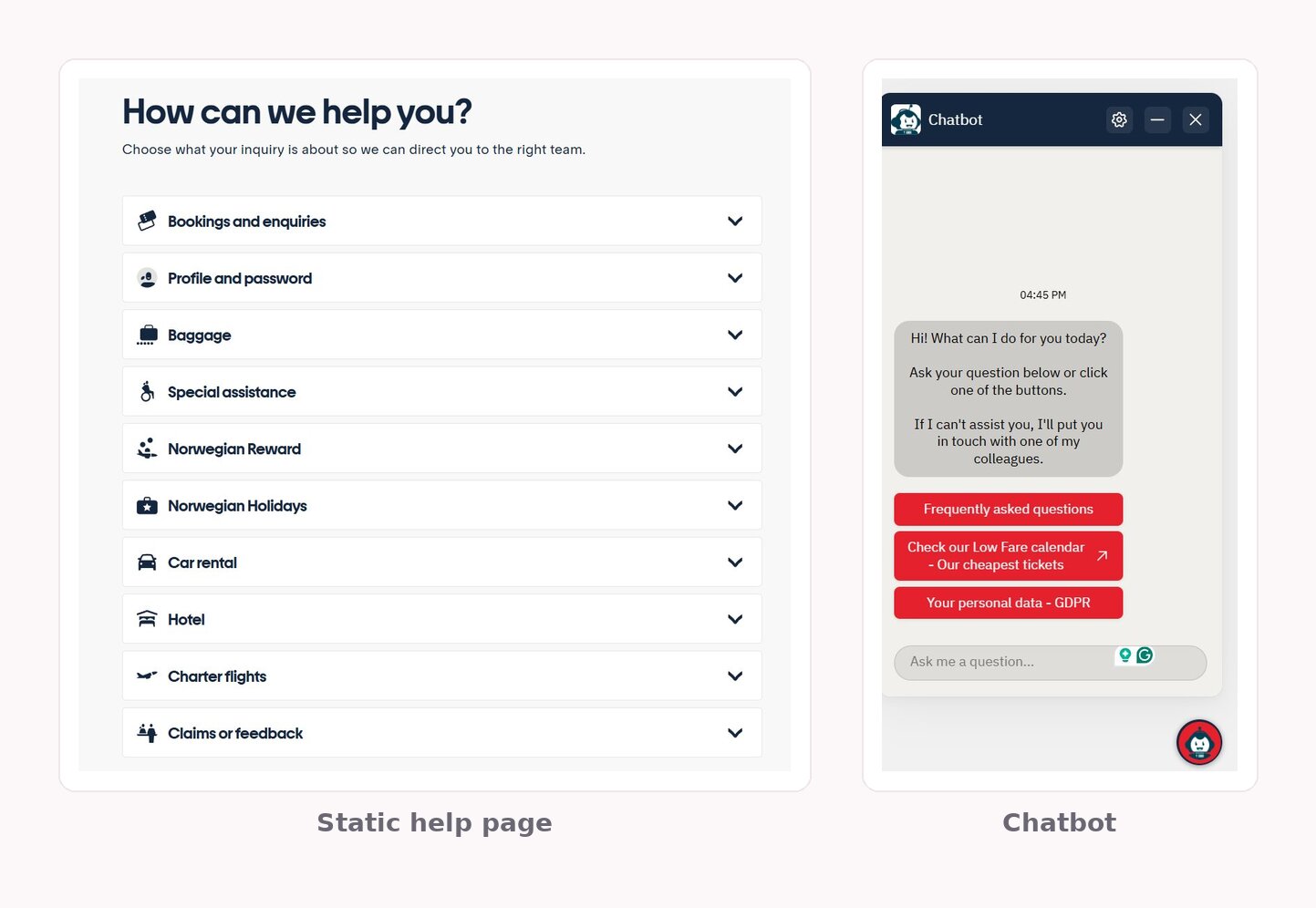
Norwegian surfaces a website chatbot on its help and contact page that answers frequent questions on the spot, with no wait time. It’s a clean example of a high-traffic, detail-heavy FAQ handled by a bot so the support team can spend its time on the cases that genuinely need a person. The scope stays bounded to published help content, which is exactly where this kind of bot performs most reliably.
Common use cases for smaller sites
The patterns that matter for a smaller site are simpler and easier to copy. Three of them cover most of the websites our readers run, and each works because its knowledge base is naturally well-bounded.
Local service business
A salon, clinic, studio, or trade business fields the same logistics questions all day: opening hours, location and parking, what a service includes, rough pricing, and how to book.
A chatbot trained on the services and pricing pages answers those questions instantly and directs ready-to-book visitors to the scheduling link. The practical wins are fewer calls interrupting appointments and an answer waiting for people who land on the site after hours.
E-commerce stores
Online stores get buried in post-purchase questions: shipping times and costs, returns and exchanges, sizing, and stock.
Training the bot on shipping and returns policies, product details, and a sizing guide removes repetitive tasks from the inbox. For anything order-specific, the bot collects the order number and hands the conversation to a person with the context already attached, so nobody has to start from scratch.
SaaS and freelancers
A software product or a solo professional gets asked what each plan includes, what the scope of work covers, typical turnaround, and whether a given integration is supported.
An FAQ bot trained on the pricing and feature pages answers those questions for the visitor comparing options late at night, and the built-in form captures a lead while it does so. The pre-sales question and the contact detail land in the same conversation.
The thread across all three is a tight, well-bounded knowledge base, which is the scope a bot handles best. Our guide to using an AI chatbot for small business goes deeper on each scenario.
Benefits and limitations
A well-built FAQ chatbot earns its keep, and an honest account of where it stops is what keeps it from backfiring. Both sides are worth seeing clearly before you commit.
What a well-built FAQ chatbot does well
The upside is concrete and well-documented. A bot answers instantly at any hour, holds the same answers consistently across every visitor, and works across languages without separate teams. It deflects the repetitive questions that crowd a small team’s day, and the lead-capture form turns an answered question into a contact your team can follow up on.
The deflection effect is real at scale: McKinsey reports that 42% of customer-care leaders have reversed rising inbound volumes through smarter self-service and digital deflection. That’s a leaders-versus-laggards finding from larger organizations, but the principle scales down cleanly.
The stakes for getting answers right are just as concrete. Zendesk’s CX Trends report found that 85% of CX leaders say a single unresolved issue is enough to lose a customer, which is why a bot that fumbles quietly is more expensive than it looks.
Where humans still win
Some interactions don’t belong to a bot, and pretending otherwise is how trust erodes. In the same McKinsey research, around 70% agreed that empathy and trust will always require human involvement, and only 39% of organizations reported enterprise-level profit impact from AI despite heavy investment — a useful check on “deploy it and save instantly” promises.
The failure mode to avoid is a poorly scoped bot that frustrates people, who then escalate anyway; Gartner’s data show that nearly nine in ten self-service journeys end up needing another channel. Looking ahead, Gartner predicts that GenAI-powered third-party tools will resolve 40% of customer service issues by 2027.
Frequently Asked Questions
How much does an FAQ chatbot cost?
Can I build an FAQ chatbot without coding?
Will an FAQ chatbot work on any website platform?
How is an FAQ chatbot different from a live chat tool?
Can an FAQ chatbot answer in more than one language?
How often should I update an FAQ chatbot?
Where to start
The thread running through all of this is simple: a chatbot for FAQ is only as good as what you train it on. The format was never the problem — thin or mismatched content was. Get the content right and set clear boundaries, and a bot deflects the questions that drain your week. Skip that work, and it just fails faster than a page would.
A realistic first move takes an afternoon. Collect your top questions, train a narrow bot on the answers you already have, set the handoff so it knows when to step aside, and put it live on a free plan. Watch what it misses in the first weeks, fill those gaps, and expand only once both your visitors and your team trust it.