“Nearly 8 in 10 companies report using gen AI – yet just as many report no significant bottom-line impact. Think of it as the “gen AI paradox.” — McKinsey Report, 2025
The paradox exists because adding AI to your website is easy. Preparing the content that makes it useful is not. A chatbot knowledge base determines whether visitors get helpful responses or confident nonsense. Most businesses deploy the technology first and treat content preparation as an afterthought, which is exactly why their chatbots frustrate more visitors than they help.
AI-powered chatbots don’t invent answers. They search your uploaded content for relevant information and generate responses based on what they find. Outdated policies, contradictory information, or poorly structured documents get surfaced directly to your visitors.
This guide walks through building a chatbot knowledge base that performs from launch and improves over time. You’ll learn what content to include, how to structure it for AI retrieval, how to set it up without technical expertise, and how to maintain it as your business evolves.
- What a chatbot knowledge base is and how RAG technology makes it work
- Which content to include first (and what to leave out)
- How to audit and structure your existing content for AI retrieval
- Testing strategies that reveal gaps before your customers do
- Maintenance practices that keep your chatbot accurate long-term
What Is a Chatbot Knowledge Base (And Why It Matters)
A chatbot knowledge base is the collection of information your chatbot draws from when answering visitor questions. It includes FAQs, product descriptions, policies, help documentation, and any other content relevant to customer inquiries. Think of it as the reference library your chatbot consults before responding.
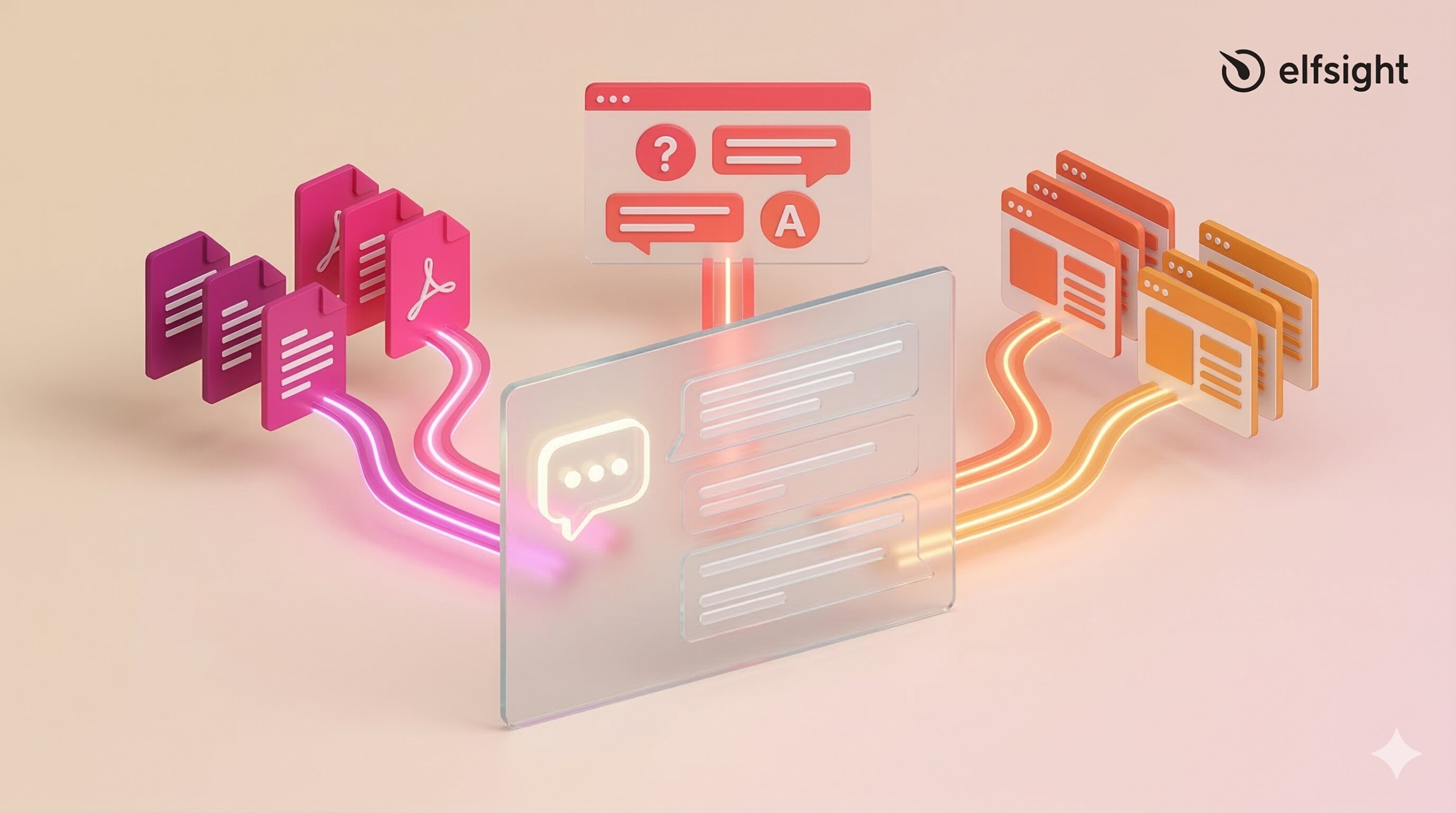
The quality of this library determines chatbot performance more than most businesses realize. You can deploy the latest AI model with sophisticated natural language processing, but if the knowledge base contains outdated information, contradictory policies, or poorly structured content, the chatbot will confidently deliver wrong answers. Conversely, a well-prepared knowledge base makes even a basic chatbot remarkably effective.
This distinction matters because it clarifies where to focus your effort. The platform handles the technical infrastructure. Your job is to provide accurate, well-organized information for it to work with.
How RAG Powers Your Chatbot Without “Training”
“It’s the difference between an open-book and a closed-book exam. In a RAG system, you are asking the model to respond to a question by browsing through the content in a book, as opposed to trying to remember facts from memory.” — Luis Lastras, IBM Research
When no-code chatbot platforms say “train your chatbot,” they’re using shorthand for something simpler: providing a knowledge base. This is called Retrieval-Augmented Generation (RAG), and understanding how it works helps you build a better knowledge base. RAG operates in three steps:
- First, your content gets broken into small chunks and converted into mathematical representations stored in a searchable database.
- Second, when a visitor asks a question, the system searches this database for the most relevant content by meaning, not just keywords.
- Third, the AI takes the retrieved content plus the visitor’s question and generates a conversational answer grounded in your actual data.
This explanation also clarifies a common misconception: providing a knowledge base is not the same as training the AI model. It is essentially like giving a smart employee a reference manual to consult. The AI model itself doesn’t change; it just looks up relevant information in real time.
What Content Really Belongs in Your Knowledge Base
Not all content deserves a place in your knowledge base. Start with material that directly answers customer questions, then expand strategically based on testing and usage data.
Priority One
Priority one content includes your most frequently asked questions. Pull from your support ticket history, email inquiries, and live chat logs to identify the top 10-15 questions customers actually ask. Add product and service descriptions, pricing information, and policies covering returns, refunds, and shipping. Include account and billing information plus basic getting-started guides.
Priority Two
Priority two content extends your chatbot’s usefulness without overwhelming the initial setup. Troubleshooting guides with step-by-step instructions fit here, along with feature comparison pages, contact information and business hours, explanations of order tracking, and integration or setup documentation. These topics come up regularly but less frequently than your core FAQs.
Priority Three
Priority three content includes supporting materials such as relevant evergreen blog posts, industry glossary terms, case studies that address common questions, and video transcripts. Video and audio content must be converted to text – AI can’t process multimedia directly.
Preparing Your Content: The Four-Step Audit
Raw content rarely works well in a knowledge base without preparation. The audit process transforms existing material into a form that AI can retrieve accurately.
Step 1: Inventory
Make a complete list of all content sources. Note the format (PDF, web page, Word doc), location (Google Drive, website, CRM), owner (who maintains it), and last update date. This inventory reveals what you’re working with and surfaces content you may have forgotten existed. Small businesses often discover FAQ documents, policy pages, and product guides scattered across multiple systems.
Step 2: Clean
Remove duplicates and outdated information. Correct typos and standardize terminology: if you call the same feature by three different names, the chatbot will struggle to understand what customers are asking about. Resolve contradictions before uploading. If two documents say different things about your return policy, decide which is correct and remove or update the other.
Step 3: Structure
Use question-based titles where possible. “How do I update my billing information?” works better than “Billing Information” because it matches how customers actually phrase questions. Break content into short, focused sections with clear subheadings. Keep one topic per article or section. Maintain consistent terminology throughout all documents. Critically, avoid cross-references such as “see the previous section” – visitors will only see individual snippets, not full documents, so each section must stand alone.
Step 4: Format
Provide text over images or videos whenever possible. Use bullet points and plain language. Add metadata tags (categories, keywords) to improve searchability, though many platforms handle this automatically. Break long documents into smaller, topic-focused chunks, typically 200-500 tokens per chunk. Most no-code platforms automatically chunk content, but reviewing your documents for natural breakpoints improves retrieval accuracy.
This four-step process separates effective knowledge bases from those that frustrate customers. The difference between a chatbot that retrieves relevant information and one that hallucinates policies or contradicts itself often comes down to whether someone took the time to clean and structure content before uploading it.
Setting Up Your Knowledge Base (Elfsight Example)
The actual KB setup is simpler than most businesses expect, especially when using no-code platforms designed for non-technical users. Here’s how it works using the Elfsight AI Chatbot as a demonstration – the principles apply broadly, but this walkthrough shows the genuinely accessible approach.
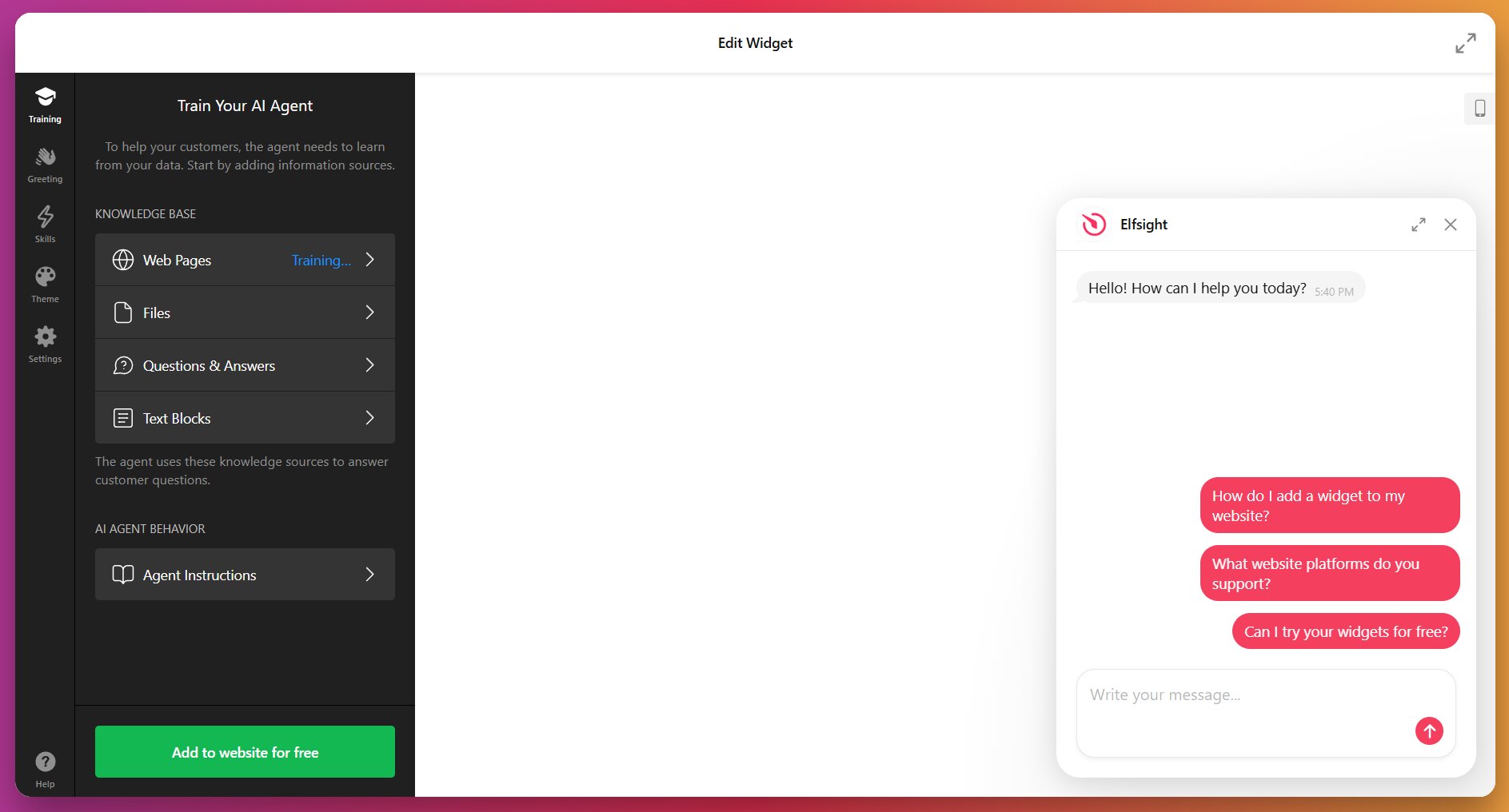
Elfsight organizes knowledge sources into four categories:
| Source Type | What It Does | Best For |
|---|---|---|
| Web Pages | Scans up to 200 public URLs from your website | Main website content, product pages, support documentation |
| Files | Uploads documents in PDF, TXT, JSON, DOCX, PPTX, HTML, MD formats | Manuals, guides, policy documents, detailed specs |
| Q&A Pairs | Manually entered question-answer pairs with exact responses | Canonical answers to critical questions requiring precision |
| Text Blocks | Freeform text content added directly in the editor | Business details, contact info, policies not documented elsewhere |
Start with a URL
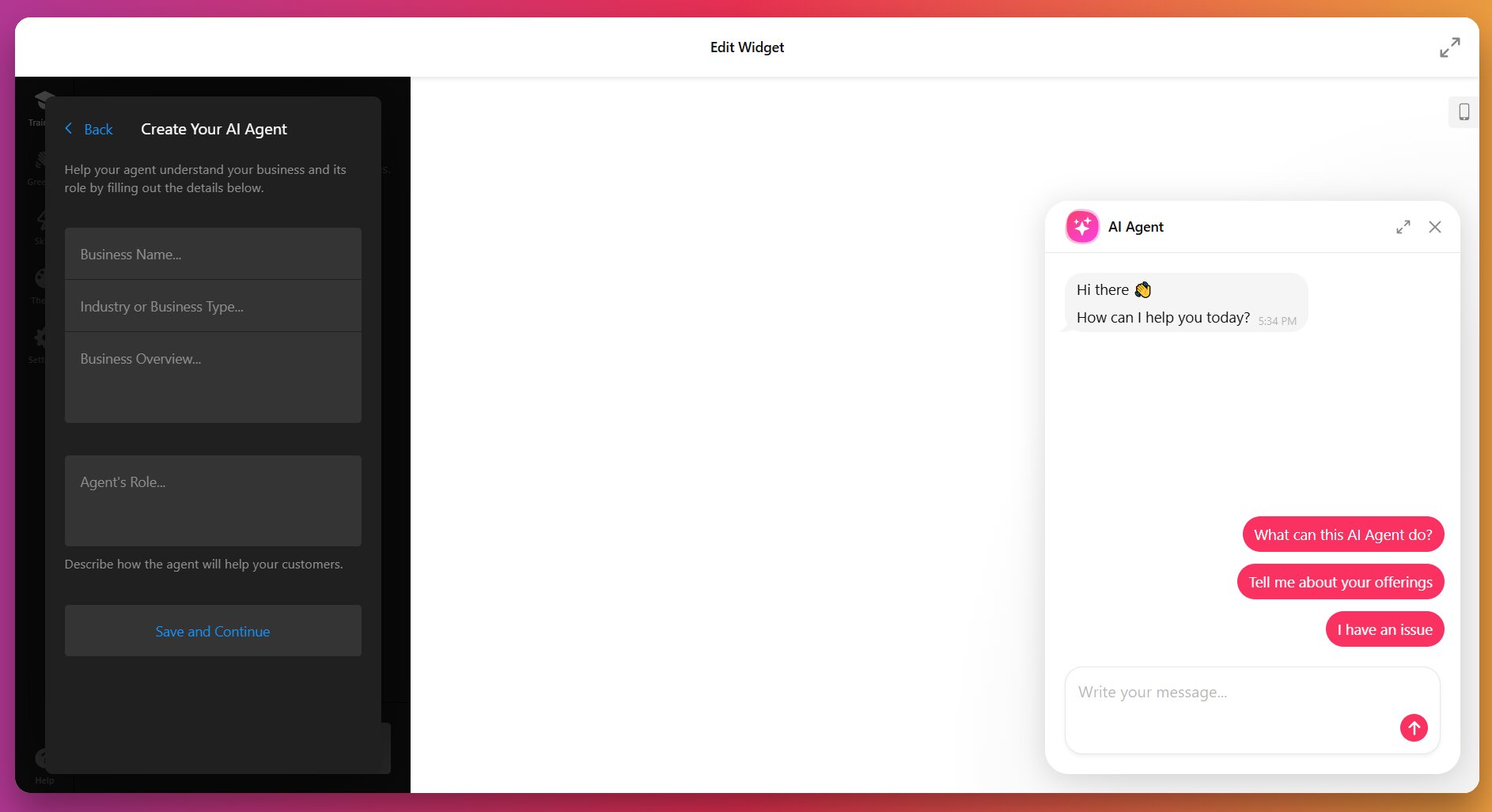
To kick off the process, you simply enter your website URL. The system then analyzes your pages and auto-generates initial assistant instructions by pulling up to 200 pages from your sitemap. This gives you a functional starting point in minutes rather than hours. Alternatively, you can skip the URL and enter business details manually: name, type, assistant role, and contact information.
Check and Iterate
Inside the editor, you refine what the chatbot knows. Review the web pages pulled from your sitemap, add or remove specific URLs based on relevance, upload supplementary files such as PDFs and Word documents, create Q&A pairs for questions that require verbatim answers, and add text blocks for information not documented elsewhere.
Launch with Core Content
Fifteen well-prepared questions beat five hundred pages of unreviewed content. Launch with your core FAQs, test with real visitors, and expand based on what people actually ask. This iterative approach consistently outperforms the “dump everything in” strategy.
For the full chatbot installation tutorial, see our step-by-step guide on How to Add an AI Chatbot to Your Website.
Testing Your Chatbot
Setup is the easy part. Most chatbot failures happen because businesses skip ongoing testing entirely or treat it as a formality rather than a critical quality check. Pre-launch testing should happen in a sandbox or editor environment where mistakes don’t affect real visitors. Before going live, run through this checklist:
- Top 10-15 common questions (the ones you identified during content audit)
- Same questions phrased three different ways – tests understanding vs keyword matching
- Recent changes – pricing updates, policy changes, new features
- Follow-up questions – checks context retention across a multi-turn conversation
- Deliberately off-topic questions – verifies boundary enforcement and fallback behavior
Pay particular attention to that last category. Test questions the chatbot shouldn’t be able to answer. If someone asks about a competitor’s product or a service you don’t offer, does the chatbot correctly say it doesn’t know, or does it fabricate an answer? Proper fallback behavior matters as much as accurate responses.
Gap identification
Failed lookups show queries where the chatbot couldn’t find relevant information. Chat log patterns reveal common question types that the knowledge base doesn’t cover well. Escalation triggers tell you when visitors request human help – spikes often indicate the chatbot is giving frustrating or incomplete answers.
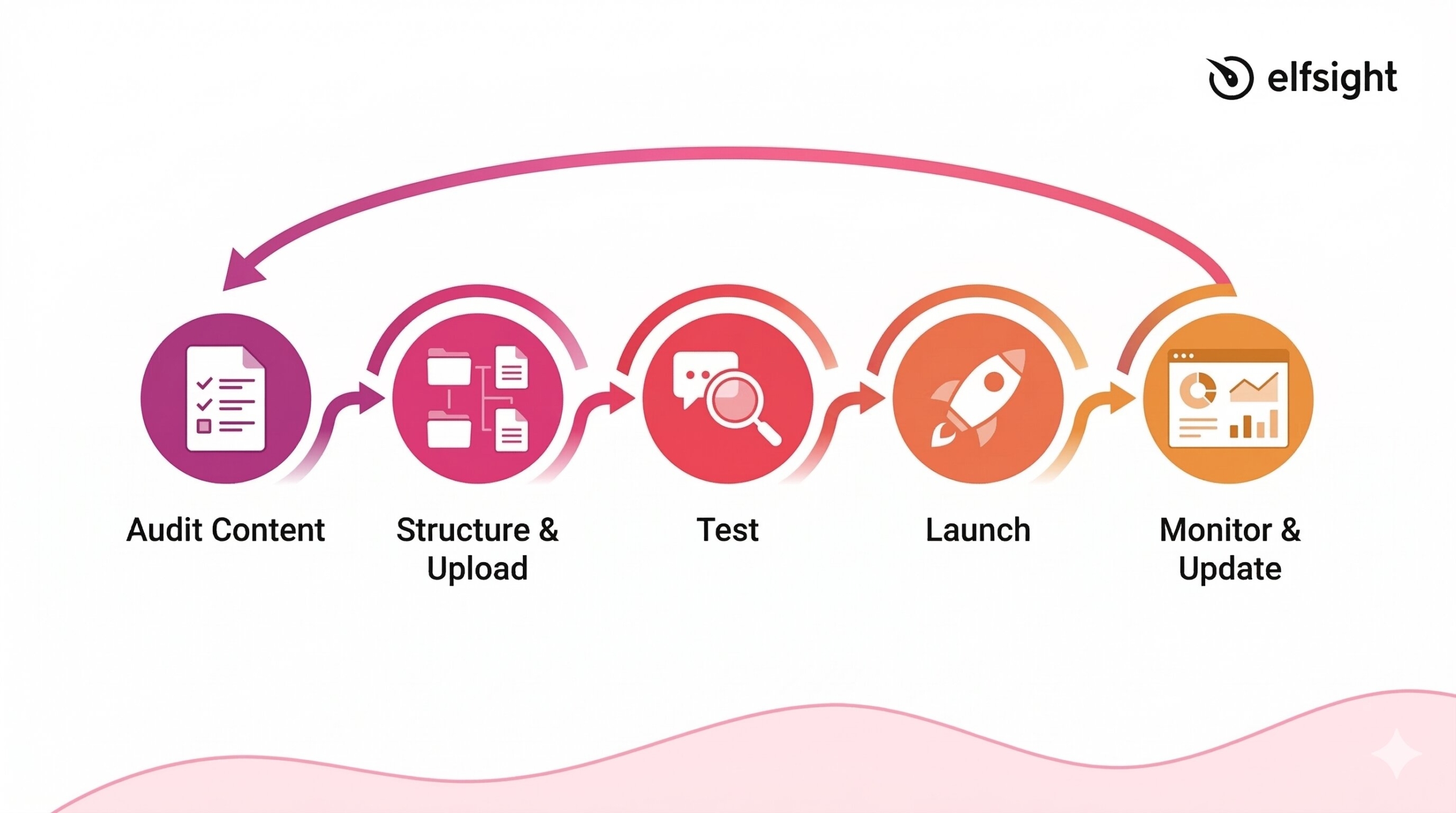
The iterative improvement cycle looks like this: launch with core content → monitor analytics daily (1-2 weeks) → identify top failed queries → add missing content → test again → refine confidence thresholds & fallback responses, repeat.
Testing isn’t a one-time gate before launch. It’s an ongoing practice that reveals how well your knowledge base matches what visitors actually need.
Maintaining Your Knowledge Base
The “set it and forget it” approach kills chatbot effectiveness faster than any other mistake. Knowledge bases require ongoing maintenance because your business changes, products evolve, and policies update.
Update frequency
Active businesses with frequently changing products and services should review weekly. Immediately update whenever you launch new products or features, change pricing or policies, receive customer complaints about wrong chatbot answers, or notice spikes in escalation rates or failed queries. Stable businesses benefit from monthly full knowledge-base reviews and quarterly comprehensive audits covering content accuracy, category structure, and metadata.
These events should prompt an immediate knowledge base update:
- New product or feature launch
- Pricing, policy, or regulatory change
- Customer complaints about incorrect chatbot answers
- Spike in escalation rates or failed query reports
- Seasonal changes affecting operations (holiday hours, summer schedules)
- Major website redesign or content reorganization
Assign Clear Ownership
For small businesses, this typically falls to the business owner or support lead. Larger teams benefit from cross-functional input: the support team knows what customers ask, the product team knows what’s changing, and marketing maintains brand voice. Someone must own the calendar and ensure updates actually happen.
A practical maintenance framework includes weekly analytics review (15-30 minutes checking failed queries and escalation patterns), triggered updates when business changes occur, monthly content accuracy audits (1-2 hours reviewing core FAQs and policies), and quarterly deep dives examining knowledge base architecture and performance trends.
Maintenance prevents chatbot abandonment. The micro-enterprise case study published in Information found that automation grew from 61% to 85% as the knowledge base expanded monthly – direct evidence that knowledge base quality and ongoing updates drive measurable performance improvement.
Common Mistakes (And How to Avoid Them)
Even well-intentioned chatbot deployments stumble on predictable issues. These six mistakes account for most failures:
- Overloading with unreviewed content: Dumping hundreds of documents without review creates noise that reduces accuracy rather than improving it. Fix: Start small with core FAQs, expand gradually based on testing.
- Neglecting updates: Outdated information erodes trust rapidly, and visitors rarely give chatbots a second chance. Fix: Schedule regular reviews and update immediately when products or policies change.
- Poor content structure: Long paragraphs, inconsistent formatting, and missing headings lead to inaccurate retrieval. Fix: Use short sections, Q&A format where possible, and consistent terminology across all documents.
- No human escalation path: Users trapped in bot loops with no way to reach a person become frustrated and leave. Fix: Set clear escalation triggers and always offer a way to contact a human.
- Insufficient testing before launch: Going live with untested content leads to embarrassing errors that customers discover before you do. Fix: Use sandbox environments and test with real-world questions before deployment.
- Ignoring user feedback and chat logs: Not monitoring what users actually ask means never improving. Fix: Review analytics weekly, track failed queries, and implement feedback mechanisms.
Frequently Asked Questions
What is a chatbot knowledge base?
How do I train an AI chatbot with a custom knowledge base?
What content should I include in my chatbot knowledge base?
How do I know if my chatbot knowledge base is working?
How often should I update my chatbot knowledge base?
Start Small, Expand Smart
Your chatbot’s effectiveness depends on the content you give it. Platform choice matters, but knowledge base quality determines whether visitors leave impressed or frustrated. The businesses succeeding with AI chatbots aren’t necessarily the ones with the most sophisticated tools – they’re the ones treating their knowledge base as a living resource that grows and improves based on real usage data.
You don’t need to be a developer or AI expert. You need to be organized about your business knowledge and be willing to iterate. Audit your top 15 most-asked customer questions. Structure the content for AI retrieval using the four-step process outlined here. Upload it to your chosen platform, test with real visitor scenarios, and monitor what people actually ask. Fill gaps based on failed queries, not assumptions. That iterative approach consistently outperforms the “build everything before launch” strategy that leaves most knowledge bases bloated and undertested.
Primary Sources
- McKinsey, “Seizing the agentic AI advantage” Report – https://www.mckinsey.com/capabilities/quantumblack/our-insights/seizing-the-agentic-ai-advantage
- IBM Research, “What is retrieval-augmented generation?” – https://research.ibm.com/blog/retrieval-augmented-generation-RAG
- Salesforce, State of Service Reports (6th and 7th editions)
https://www.salesforce.com/service/state-of-service-report/ - HubSpot, 2024 State of Service Trends Report
https://www.hubspot.com/hubfs/2024%20HubSpot%20State%20of%20Service.pdf - Marcineková et al. , “Implementing AI Chatbots in Customer Service Optimization” –
https://www.mdpi.com/2078-2489/16/12/1078 - U.S. Chamber of Commerce, Empowering Small Business Report 2025 – https://usmsystems.com/small-business-ai-adoption-statistics/