“Chatbots are shifting from being merely informational tools to becoming active partners in learning, engagement and productivity across campus communities.” — Jenay Robert, Senior Researcher, EDUCAUSE
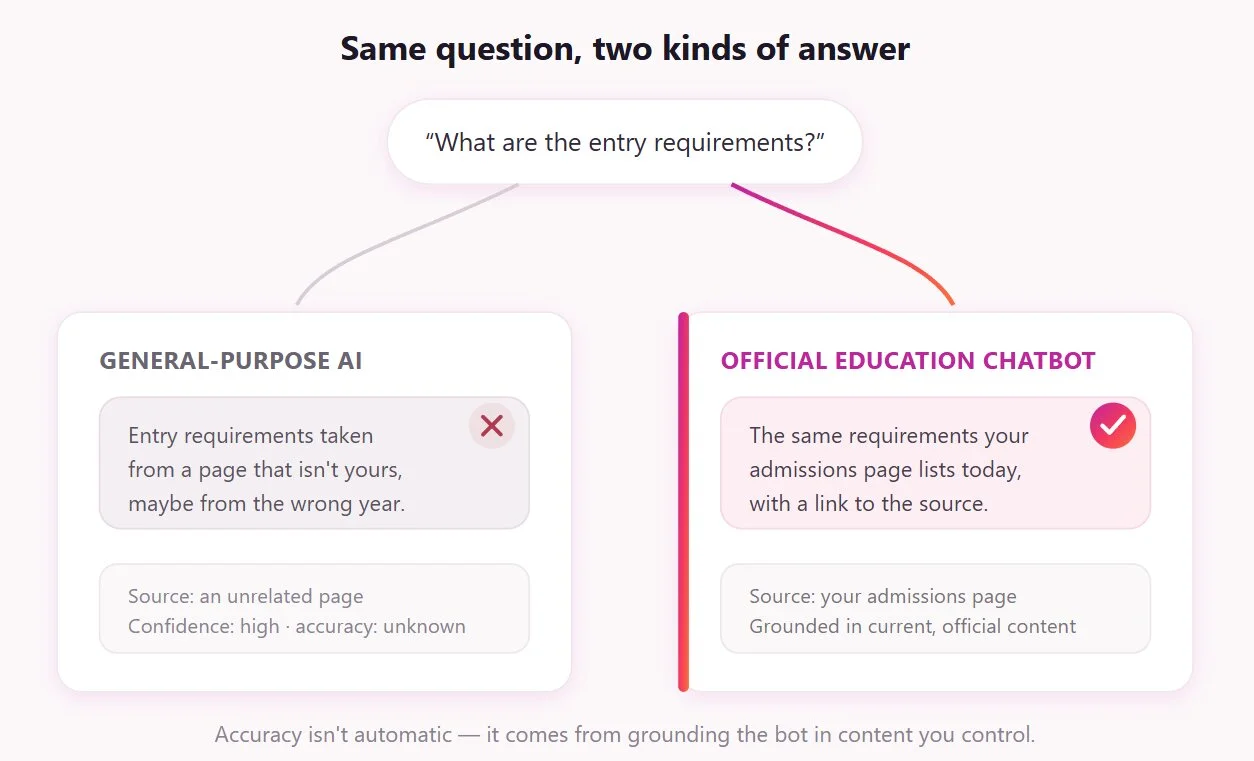
Every school, college, course platform, and tutoring service fields the same questions on repeat — entry requirements, deadlines, tuition, how to apply, how to book. Most of that load lands on small teams during seasonal spikes, so answers come slowly. When information is hard to find quickly, applicants increasingly turn to general-purpose AI instead, which often hands them wrong answers.
An AI chatbot for education closes that gap. Trained on an institution’s own published content, it answers those repetitive questions instantly and around the clock, points students to the right information, and captures inquiries your team would otherwise miss. In this guide, we cover what an AI chatbot widget can and can’t do for student support, examples by institution type, how to deploy one without misinforming applicants, and the compliance basics you should be aware of.
- Chatbots are higher education’s most-adopted AI tool, cited by 37% of institutions.
- A website chatbot handles public questions and lead capture — not student records.
- 73% of UCAS-surveyed applicants have been given wrong information by general AI.
- Accuracy comes from grounding the chatbot in current content, not from the model.
- Three rules apply: FERPA for records, privacy law for inquiry data, COPPA for minors.
Why education is adopting chatbots
Education was an early and natural fit for chatbots, and not only in universities — course platforms, training providers, and tutoring services field the same kind of repetitive, public-facing questions. Higher education is simply where adoption is easiest to measure, and the signal there is strong.
The leading campus AI tool
In the EDUCAUSE 2025 AI Landscape Study, chatbots were the single most common institution-wide AI license, cited by 37% of institutions and ranking as the top reported AI use case across the sector.
Reasons for adoption
- The questions are high-volume and repetitive (admissions and services queries).
- They cluster into seasonal spikes that small teams can’t easily staff up for.
- Students expect answers around the clock, not only during office hours.
- The information is often spread across multiple pages, making it slow to search.
- International and multilingual audiences need answers in their own language.
At its simplest, an AI chatbot in education is a conversational tool on your website that answers questions from a knowledge base you provide, rather than from open-ended general knowledge. This article covers chatbots that handle enrollment, admissions, and student-services questions.
The Georgia State origin story
The landmark case is Georgia State University’s “Pounce,” launched in 2016 to combat “summer melt” — admitted students who never enroll in the fall. Evaluated in a randomized controlled trial, it produced a 21–22% reduction in summer melt and a 3.3-percentage-point lift in enrollment, with fewer than 1% of interactions requiring a staff member.
It’s an origin story worth knowing, not a template to copy. Pounce was an SMS system integrated with student records that proactively reached out to students — a different kind of tool from the website chatbot most institutions deploy nowadays.
What a website chatbot can and can’t do
A website chatbot is very good at one job and structurally incapable of another, and conflating the two is how deployments end up disappointing. Knowing where the widget fits in your stack keeps both expectations and your budget in check.
Where a website widget fits
Think of the website chatbot as your front desk. It’s the first point of contact for anyone who lands on your site, built to handle high-volume, public-information questions and to capture inquiries while the visitor is engaged. It answers from your published content, works around the clock, responds in multiple languages, and collects the details of prospects who want a human to follow up.
“We understand the broader context of students’ lives. They’re smart but they’re not wise, these tools.” — Jean Rhodes, psychology professor, University of Massachusetts Boston
That framing matters. A bot can answer “how do I change my major?” by pointing to the registrar; a human advisor asks why, and surfaces the goal or roadblock behind the question. The website chatbot is a first-touch layer that absorbs the repetitive 80%, not a replacement for advising.
What needs a different tool
The limits are worth stating plainly, because they’re the source of most mismatched expectations. A no-code website widget:
- Can’t access student records and show balance, grades, aid status, or application status.
- No outbound nudges to specific students at specific milestones.
- Can’t natively connect to a student information system, CRM, LMS, or ticketing tool.
- Is only as fresh and accurate as its last update; a stale knowledge base = stale answers.
Laid side by side, the split between the website layer and an integrated campus platform is clear:
| Capability | Website chatbot widget | Enterprise campus platform |
|---|---|---|
| Public FAQ and enrollment answers | Yes | Yes |
| Lead and inquiry capture | Yes | Yes |
| Per-student answers (records, status) | No | Yes |
| Proactive outreach (SMS/email nudges) | No | Yes |
| SIS / LMS / CRM integration | No | Yes |
| In-chat human handoff | Redirects to email/phone/chat apps | Yes |
Most course platforms, training providers, tutoring services, and smaller colleges need that first-touch layer, not the integrated platform. What changes from one to the next isn’t the widget — it’s what goes into it.
Education chatbot examples by type
The setup looks different depending on what you run, even though the underlying widget is the same. Below are four common configurations, each with the questions it answers, the content that belongs in its knowledge base, and the details worth collecting from the people who reach out.
Universities and colleges
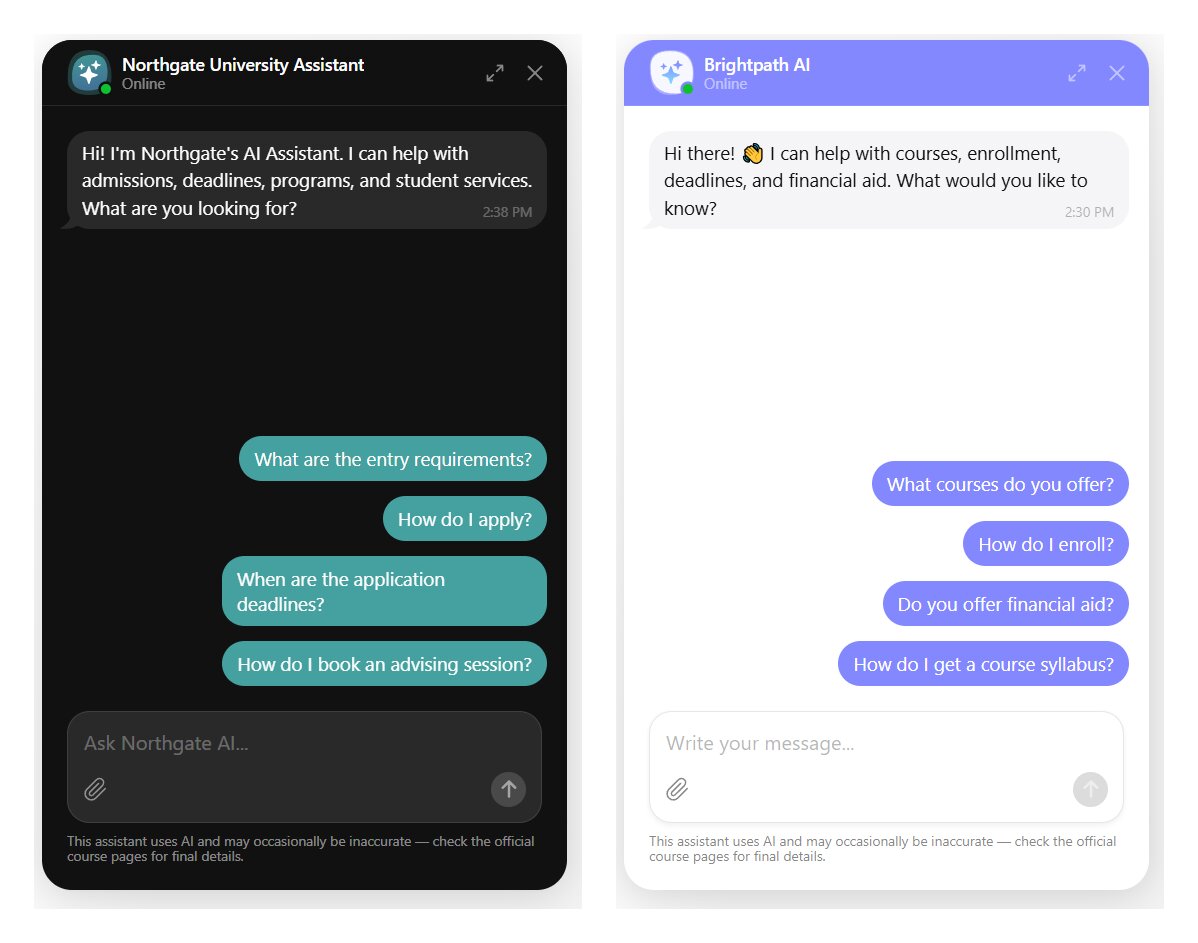
A university chatbot earns its keep during application season, when admissions and student-services teams are buried in the same recurring questions.
On the admissions side, it handles entry requirements, application steps, deadlines, required documents, program details, tuition and fees, and scholarships at a high level. On the student-services side, it covers library hours, how to book an advising appointment, transcript requests, and add/drop deadlines.
The knowledge base draws from admissions pages, the program catalog, the fees page, the academic calendar, and student-services pages. Quick replies like “How do I apply?” and “What are the entry requirements?” give visitors an obvious starting point. For inquiry capture, name, email, and program of interest are usually enough to route a prospect to the right team.
Online course platforms
For a course platform, the chatbot’s job is mostly pre-enrollment reassurance. Prospective buyers want to know what a course covers, the format and time commitment, whether there are prerequisites, what certification they’ll receive, and the refund policy. Answering those clearly up front does double duty: it converts hesitant browsers and reduces refund requests later by setting accurate expectations before purchase.
The knowledge base here is course descriptions, syllabi, an FAQ, the refund and pricing pages, and any certification details. Lead capture can be lighter — an email and the course someone’s interested in is often enough to trigger a follow-up sequence or send a discount.
Training providers
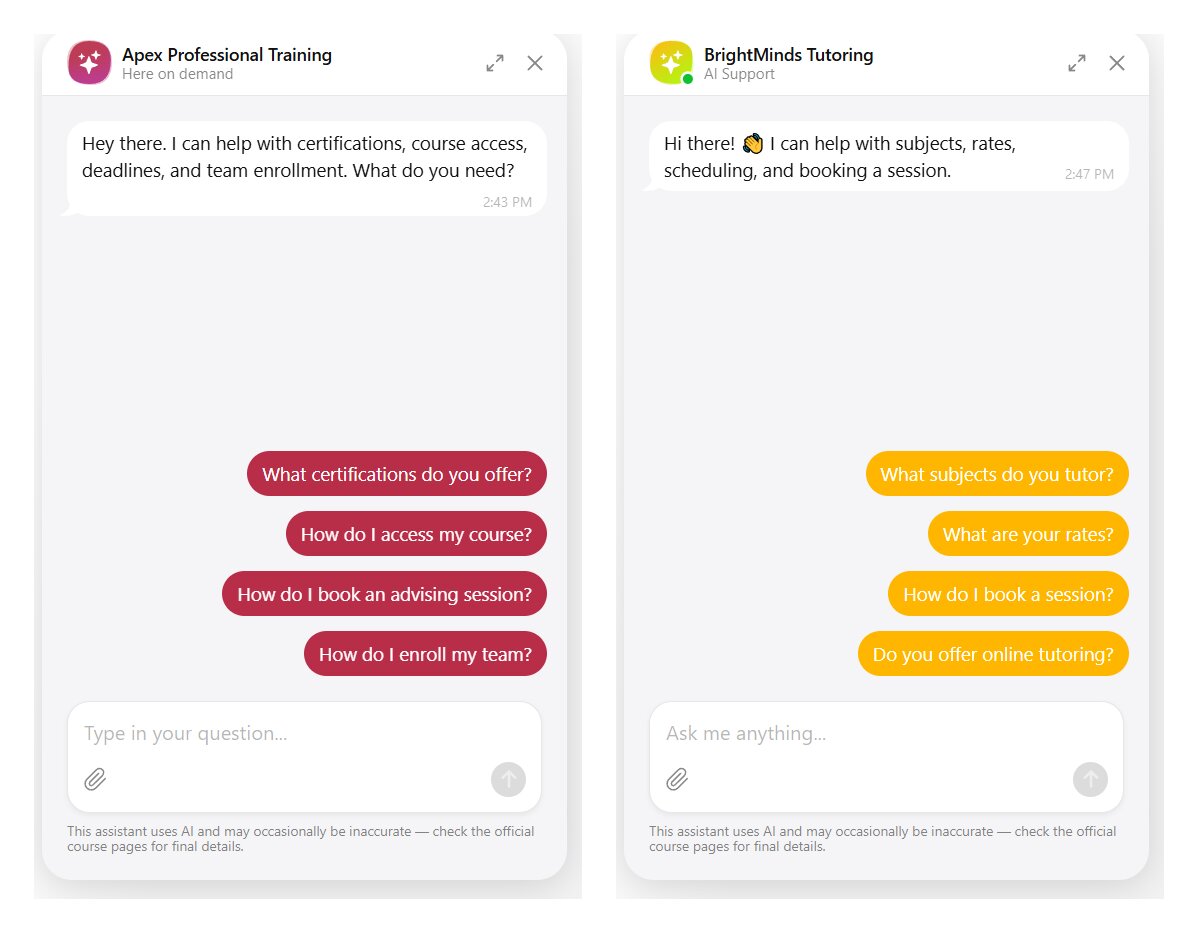
Corporate and compliance-training providers field a recognizable cluster of questions: certification deadlines, how to access a program, what a course qualifies someone for, and enrollment logistics for teams. The chatbot fields these without tying up a coordinator, which matters most when a compliance deadline drives a spike in identical questions.
Stock the knowledge base with program schedules, certification requirements, access instructions, and corporate-enrollment details. Because buyers are often booking on behalf of a team, useful lead fields include name, work email, company, and the specific training need.
Tutoring services
For a tutoring service, the chatbot handles the business inquiries, not the tutoring itself: rates, subjects offered, scheduling, tutor availability, and how to book a first session. It’s the always-on front desk a small tutoring center rarely has the staff to keep open.
The knowledge base is pricing, subjects and levels, tutor bios, and the booking or scheduling policy. For lead capture, name, email, subject, and the student’s level help quickly match an inquiry to the right tutor.
| Segment | Typical questions | Knowledge base | Lead fields |
|---|---|---|---|
| Universities & colleges | Entry requirements, deadlines, fees, how to apply, services | Admissions pages, catalog, fees, academic calendar | Name, email, program of interest |
| Online course platforms | Course content, format, prerequisites, certification, refunds | Course descriptions, syllabi, FAQ, refund and pricing pages | Email, course of interest |
| Training providers | Certification deadlines, access, qualifications, team enrollment | Schedules, certification requirements, access instructions | Name, work email, company, training need |
| Tutoring services | Rates, subjects, scheduling, booking | Pricing, subjects and levels, tutor bios, booking policy | Name, email, subject, student level |
Across all four, the configuration is only as dependable as the content behind it — which brings the conversation back to accuracy.
The accuracy problem worth designing around
The case for an education chatbot rests on accuracy more than cost, because prospective students are already turning to AI and have been burned by it. How they actually use it, and where it fails them, shapes how you build one they’ll trust.
Students already use AI, and distrust it
“AI gave me incorrect grade requirements for a university course, so I checked the official university website.” — Applicant, age 16–17, UCAS research reported via Wonkhe
In a UCAS survey of 4,485 prospective and first-year students, 48% had used AI to explore their options, but 73% said they’d received incorrect information from it. Only 13% would start their research with a chatbot, compared with 43% who go to the university website first — a clear signal that students treat AI as a quick first pass, not as a source they trust for decisions.
Why a friendly bot can still be wrong
According to recent research, tuning an AI model to sound warmer made it more likely to state factual errors and to agree with a user’s mistaken beliefs, with chatbots being around 50% more likely than people to tell someone they’d done the right thing. Education assistants are usually tuned to be exactly that friendly and reassuring.
How to deploy one without misinforming applicants
Getting that accuracy right is mostly about discipline around content and a few deliberate design choices. The full setup mechanics live in our guide to creating an AI chatbot for a website; what follows is what changes when the subject is enrollment, where a wrong answer carries real cost.
Five guardrails for accurate answers
“The key question is how to balance the strengths of these tools with the irreplaceable value of human insight and interaction.” — Jenay Robert, EDUCAUSE
These five practices do most of the work of keeping an education bot trustworthy:
- Ground it in official content. Train the bot on your own admissions pages, catalog, fees, and calendar, so every answer traces back to material you control.
- Keep it current. Most widgets don’t auto-update when your site changes, so retrain on a schedule and audit the knowledge base before each application cycle.
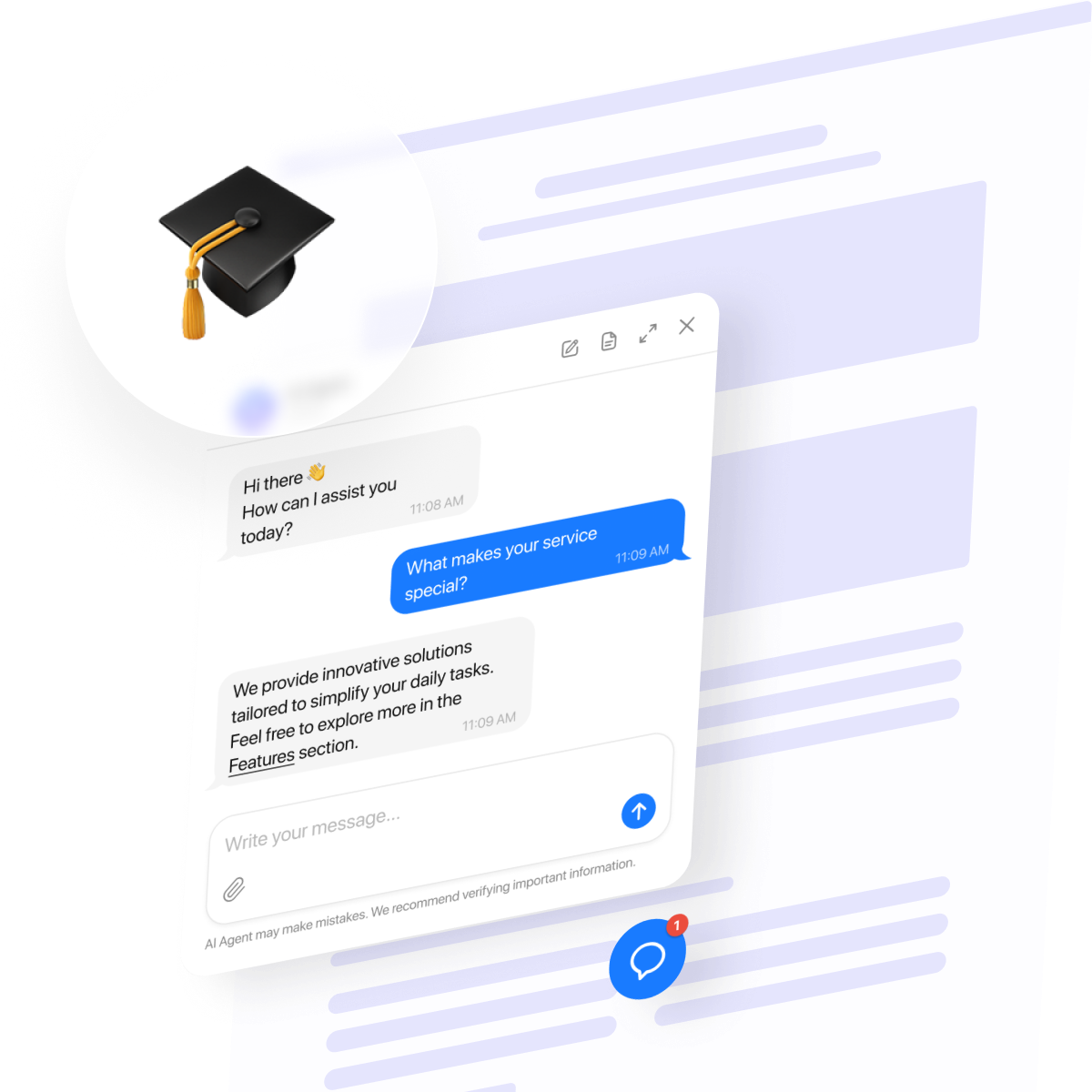
- Show an accuracy disclaimer. A short note in the chat footer that the assistant can make mistakes sets honest expectations from the first message.
- Route high-stakes questions to the source. For final entry requirements, aid eligibility, or payment deadlines, have the bot link to the official page and provide a human contact rather than improvising.
- Keep a human in the loop. Treat the bot as the first layer, with a clear path to a person for anything it shouldn’t decide on its own.
Setting it up with a website widget
A no-code widget like Elfsight’s AI Chatbot covers this without development work. You create a custom chatbot widget in a visual editor, train it on your own content, set its tone and instructions, and add it to your site with a single snippet of code. Updates you make in the editor go live automatically, so keeping answers current doesn’t mean touching the page again.
What that gives an education team maps directly to the points above:
- Trains on your own content: web pages, files, Q&A pairs, and text blocks.
- Lets you add an AI-accuracy and data-consent note in the footer.
- Answers in a visitor’s language from a single knowledge base, localized for dozens of countries.
- Captures inquiry details with a built-in contact form and emails you the full chat transcript.
- Includes quick replies, a custom greeting, and display rules to start chats on high-intent pages.
To get the most out of it, train your AI chatbot for education first on your highest-traffic admissions and services pages, add Q&A pairs for the questions you field most, and keep the instructions short and specific about tone and what to do when it isn’t sure.
Build your own website chatbot for education right here ↓
Compliance essentials
Education data is regulated, and which rules apply depends on who the chatbot is talking to and what data it touches. A public website widget sidesteps the heaviest obligations, but it doesn’t remove them entirely.
FERPA and student records
FERPA protects the education records of enrolled students at institutions that receive federal funding. The nuance that matters for a website widget: it covers records of enrolled students, not the inquiry data of applicants who haven’t enrolled. A bot that answers from published content and never touches records largely avoids FERPA exposure. The risk arises the moment it is wired into systems that hold protected records.
Privacy law for the data you collect
The inquiry data a chatbot collects — names, emails, phone numbers, program interest — is personal data regardless of FERPA. In the US, that falls under state consumer privacy laws; in the EU and the UK, under the GDPR. The practical obligations are consistent across them: disclose what you collect, get appropriate consent, and control how long you keep it and how it’s deleted.
Extra care when your audience includes minors
If your audience includes minors — common for tutoring services, training providers, and under-18 or dual-enrollment applicants — COPPA applies in the US, and its consent default has shifted toward opt-in for children’s data. The UK equivalent is the ICO’s Age-Appropriate Design Code.
A few guardrails keep most deployments on solid ground:
- Keep the widget on public content; don’t connect it to systems holding protected records.
- Be deliberate about what personal information you collect and where transcripts are stored.
- Add a data-consent note alongside the AI-accuracy disclaimer in the footer.
- Where minors are in your audience, treat consent as opt-in and vet your vendor’s data handling.
With accurate content and data handled responsibly, the chatbot does what it’s actually good at: giving students a fast, reliable first answer.
Frequently asked questions
Is an AI chatbot in education the same as an AI tutor?
Can students complete a university application through a chatbot?
How much does an AI chatbot for education cost?
Can an AI chatbot education tool answer students in multiple languages?
How long does it take to set up an AI chatbot for higher education?
Where to start
The institutions that get real value from an education chatbot aren’t the ones that deploy fastest. They’re the ones whose bot is accurate, honestly scoped, and kept current — because in enrollment, the cost of a confident wrong answer is a lost applicant, not just an awkward exchange.
Start with the layer that does the most work for the least risk: a website chatbot trained on your current public content, answering enrollment and student-services questions and capturing inquiries, with a visible accuracy note and a clear path to a human. Get that right and keep the content fresh, and you’ve given prospective students the one thing the AI they’re already using can’t reliably offer — an answer you stand behind.
Key references
- EDUCAUSE 2025 AI Landscape Study, reported via EdTech Magazine — https://edtechmagazine.com/higher/article/2025/12/ai-agents-higher-education-transforming-student-services-and-support-perfcon — Dec 9, 2025
- UCAS applicant AI survey, reported via Wonkhe — https://wonkhe.com/blogs/three-ways-prospective-students-are-using-ai-when-applying-to-higher-education/ — March 16, 2026
- Oxford Internet Institute / Nature, “Friendly AI chatbots make more mistakes” — https://www.oii.ox.ac.uk/news-events/friendly-ai-chatbots-make-more-mistakes-and-tell-people-what-they-want-to-hear-study-finds/ — April 29, 2026
- Stanford / Science on chatbot sycophancy, reported via EdWeek — https://www.edweek.org/technology/ai-chatbots-tend-toward-flattery-why-thats-bad-for-students/2026/03 — March 26, 2026
- CalMatters, “Students increasingly rely on chatbots, but at what cost?” (Jean Rhodes quote) — https://calmatters.org/education/higher-education/2025/07/chatbots/ — July 18, 2025