
jQuery Announcement Bar widget
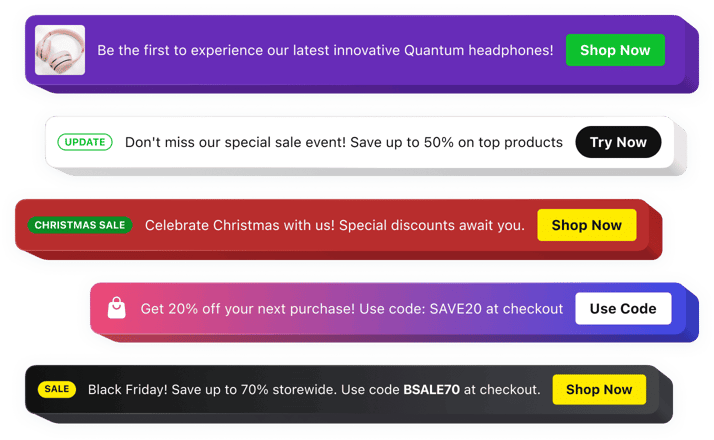
jQuery Announcement Bar Widget
Why People Love Elfsight
Websites powered by jQuery often rely on dynamic elements to improve user interaction, and the Elfsight Announcement Bar widget makes sharing important updates simple and effective. It helps you place attention-grabbing messages exactly where visitors can see them.
Whether you are promoting a new service, sharing a website update, announcing a special campaign, or directing users to important content, the widget helps your message stand out. Create polished announcements that support your goals while keeping your website experience smooth.
You don’t need to build a custom solution from scratch. With Elfsight, you can create your Announcement Bar visually, customize every detail, and add it to your jQuery-based website with minimal effort.
Did you know?
According to Shopify Plus research, 3-8% of total store revenue is influenced by announcement bars traffic keeping important messages visible throughout the browsing experience.
Add an Announcement Bar to your jQuery website for free and turn every page view into a chance to communicate with your audience.
Key Features of the jQuery Announcement Bar Widget
Here are the tools that help you create effective announcements and keep your visitors engaged:
- Simple implementation: Add the widget to your jQuery website without creating a custom notification system.
- Instant visibility: Display important updates prominently so visitors can find your message immediately.
- Clickable CTAs: Add buttons that encourage visitors to visit pages, complete forms, explore products, or take action.
- Design customization: Modify colors, fonts, layouts, backgrounds, and buttons to match your website appearance.
- Position controls: Place your announcement where it works best, whether at the top, bottom, or another area of your page.
- Timed announcements: Organize campaigns in advance with scheduling options that automate publishing.
- Responsive layout: Make sure your messages stay readable and attractive on every device.
- Enhanced content options: Use text, buttons, icons, badges, images, and videos to create more engaging notifications.
See all these features in action in the free editor – no signup required.
How to Add an Announcement Bar to jQuery
You can integrate an announcement bar into your jQuery website in just a few easy steps:
Method 1: Embedded Announcement Bar
Suitable for placing promotions, alerts, and updates directly inside your website pages.
- Choose your design: Open the Elfsight editor and select a template that fits your website.
- Edit the widget: Add your message, buttons, images, icons, and adjust the visual style.
- Generate the embed code: Click “Add to website for free” and copy the ready-made code.
- Install on your website: Paste the code into your HTML file or the section where your jQuery elements are loaded.
Method 2: Floating Announcement Bar
Ideal when you want your message to remain noticeable while visitors continue browsing your pages.
- Select a floating layout: Choose a design that keeps your announcement visible during scrolling.
- Configure the settings: Customize placement, colors, buttons, content, and appearance.
- Copy your widget code: Generate the integration snippet once everything is ready.
- Add it to your project: Insert the code into your website files and publish the changes.
Now your Announcement Bar is displayed on your jQuery website. You can manage your messages, update the design, or adjust settings anytime from your Elfsight dashboard.
Need help? Visit our Help Center for detailed tutorials and setup instructions. You can also suggest improvements through the Wishlist, check the updates in the Changelog, and exchange ideas with other users in the Community.