Calculator features
Explore all the features of Elfsight Calculator and how they can help you create the most effective widget.
Describe your calculator, and AI builds it
Tell Elfsight AI Calculator Generator what you need to calculate in plain language — a project quote, a loan payment, shipping costs — and it creates the fields and calculations for you. Then fine-tune everything in the editor.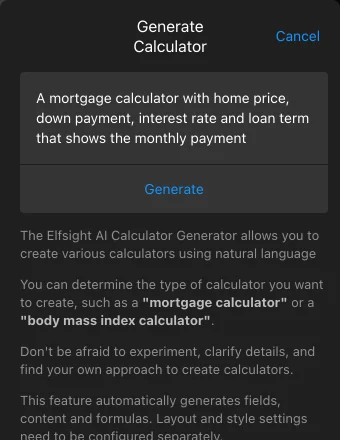
Formulas of any complexity
Build calculations from your fields, earlier calculations, operators and functions. One calculation can use the result of another, so even multi-step pricing stays simple to set up.Write formulas with AI
Describe in words what a calculation should do, and AI writes the formula for you, using your own fields.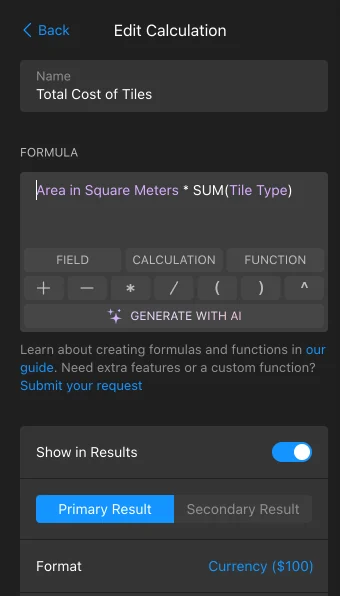
Ensure adaptive calculations with interactive elements
Let your customers see the changes in pricing online as they enable or disable certain options and adjust required settings. Use extra options, checkboxes and sliders to help them reach appropriate results.Create user-friendly experiences to enhance decision making
With Elfsight’s Calculator widget, you can organize a visually appealing pricing system. People will likely complete a desired order or purchase when they immediately see how they can influence the costs.Benefit from the counting options within the same page
Make sure a convenient calculator is there at the crucial moment for your customers. The on-page solution will not let them leave the page or walk away for the third-party calculation tools.Enjoy a variety of customizable fields for your goal
Whatever your business is, you can quickly build a custom calculator enabled with formulas covering all the possibilities for the customers. Present your pricing in its flexibility and adaptivity to people’s needs.Discover simple solutions for complicated calculations
Elfsight’s Calculator includes basic math operations, as well as pre-made formulas for more complex needs and actions with various units of measurement. Equipped with conditional logic, the widget helps you build detailed patterns to count anything.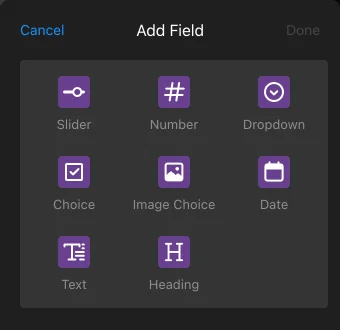
Receive clear results via transparent calculations
When everything is counted, your website visitors will see a total result combined out of their choices. With an ability to include or exclude options, the customers will be able to understand the origins of the number and make adjustments if necessary.Use suitable units of measurement and formats for your results
As your calculations may include various types of data, the results can be displayed with maximum convenience. You can adjust the final result to be more relevant for the audience and convenient for future usage worldwide.Customizable templates for a smooth start
For a simple start, we provide you with template ideas on creating your perfect calculator. Select the template and start building a custom widget, using the flexible adjustments for various needs and goals.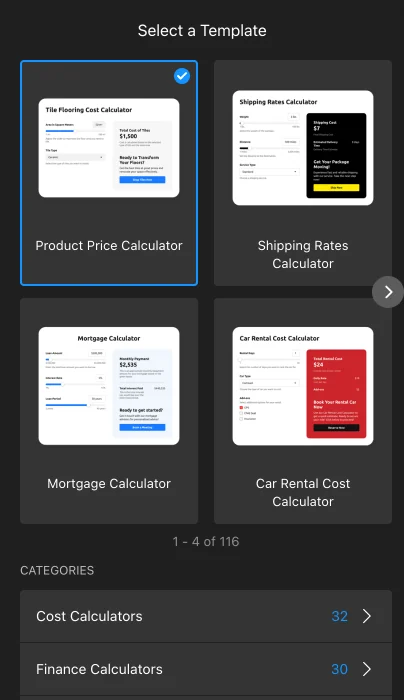
Tech-free widget creation
You can modify all of the widget’s settings without coding. Watch all the changes applied to style, design and functioning right in the creator online. The simplicity of adding fields and enabling options ensures that any use can tailor a useful widget for practical needs.Desktop and mobile versions
We assure you that the Calculator widget you embed is readable on any device. Both smartphone users and those who use desktop devices will be able to see and use your widget with convenience.Main and secondary results
Show the total as the main result and add secondary results beside it — a monthly payment next to the total cost, or savings next to the price.Numbers, currency, percentages and dates
Choose how each result is formatted: a number, an amount in any currency, a percentage, text or a date, with as many decimal places as you need.Download, print and share the result
Let visitors download or print their result as a document with your logo and company details, share a link that opens the calculator with their values, or start over with a reset button.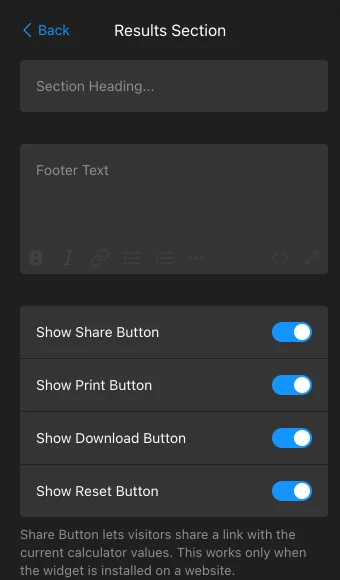
Show fields only when they matter
Make fields, calculations and the call to action under the result appear only when the visitor’s answers meet your conditions, so every visitor sees only what applies to them.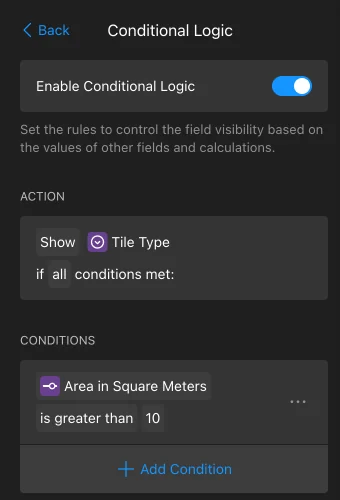
Turn results into leads
After the result, open a lead form, send visitors to a page of your choice, or do nothing.Email notifications and auto-replies
Get an email about every submission and send the visitor an automatic reply. reCAPTCHA keeps bots and spam out.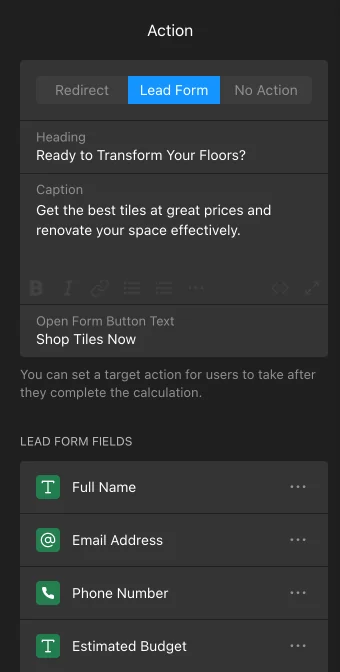
Take payments with Stripe
Connect Stripe, and visitors pay the calculated amount before the form is submitted — as a one-time payment or a subscription billed weekly, monthly, quarterly, every six months or yearly.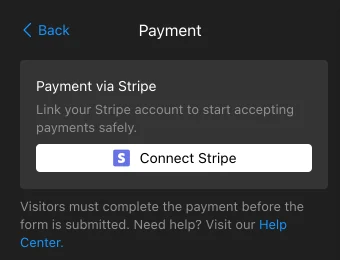
Send submissions to Google Sheets
Every submission is added to your Google Sheets spreadsheet as a new row.Connect your apps with Zapier, Make.com and webhooks
Pass every submission on to your CRM, help desk or team chat through Zapier, Make.com or webhooks, with no coding.Grow your mailing list with Mailchimp
Add the people who submit the lead form to your Mailchimp audience.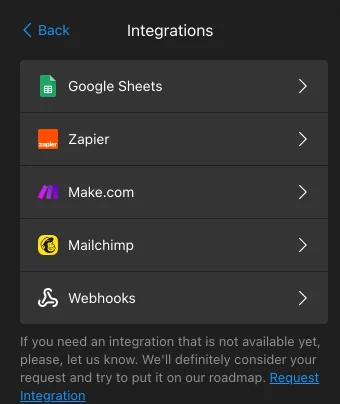
Inline or behind a floating button
Place the calculator right in the page, or open it from a floating button in any corner of the screen, with text, an icon or both.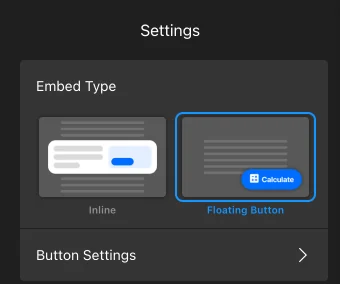
Track every step in Google Analytics
Follow the whole path in Google Analytics: the calculator viewed or opened, the first value changed, the action button clicked, the lead form started and submitted.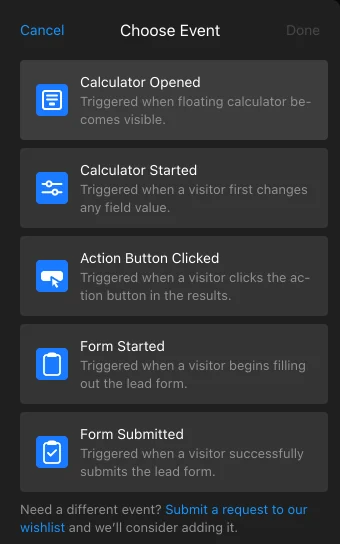
Join 3,000,000 customers already using Elfsight apps
Get the taste of 90+ powerful apps by Elfsight. No credit card. Joining is free!
Get started
Get 20% discount now!