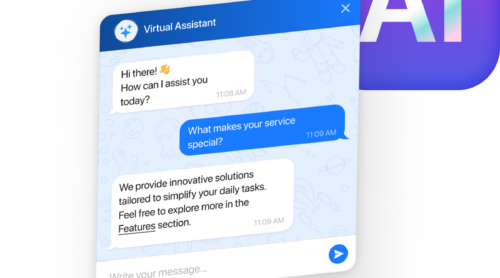
Thirty-five percent of customer support requests arrive outside business hours. Without AI chatbots, only 53.9% of Sunday inquiries get answered.
If you’re looking for what “AI chatbot” means, you’re probably encountering conflicting definitions. Some sources describe basic scripted bots as AI. Others explain sophisticated systems powered by the same technology as ChatGPT. Marketing websites use “chatbot,” “AI assistant,” and “virtual agent” interchangeably. The confusion makes sense – these are fundamentally different tools with different capabilities, costs, and use cases.
This article explains what AI chatbots actually are, the three types, and how to choose between them, how natural language processing and knowledge bases work behind the scenes, what businesses use them for beyond marketing hype, and what matters when evaluating platforms for your website.
- What defines an AI chatbot vs. rule-based bots and virtual assistants
- The three types of chatbots and which businesses use each
- How NLP and machine learning power modern website chat
- Real-world use cases from customer support to lead generation
- What to consider when choosing a chatbot for your website
What Is an AI Chatbot (and What It’s Not)
An AI chatbot is software that simulates human conversation on your website using artificial intelligence. Unlike basic chatbots that only recognize exact keywords or button clicks, AI chatbots “understand” what visitors mean, even when they phrase questions differently. They learn from interactions, handle complex multi-turn conversations, and improve over time.
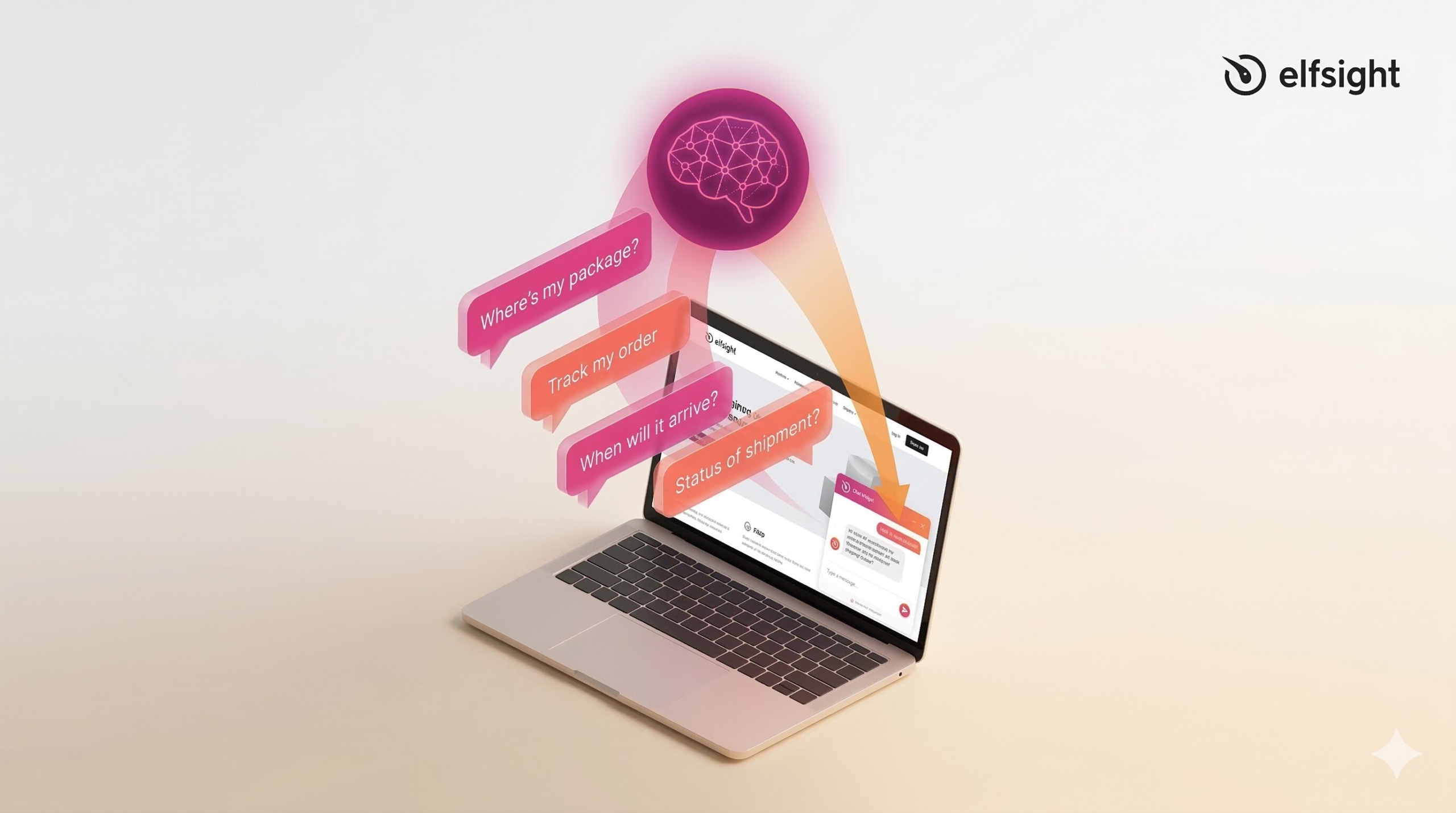
The distinction matters because “chatbot” is an umbrella term. IBM notes that not all chatbots are equipped with artificial intelligence – some operate purely on pre-programmed rules. An “AI chatbot” specifically incorporates NLP, machine learning, or generative AI to understand intent and context. A simple decision-tree chatbot is still a chatbot, but it’s not an AI chatbot.
Gartner emphasizes that chatbots are “always narrow in scope” – they’re domain-specific tools trained on your business, not general-purpose AI assistants. Your chatbot knows your products, policies, and processes. It doesn’t have broad knowledge about the world.
What AI Chatbots Are NOT
The term “AI chatbot” gets misused frequently. Some sources conflate website chatbots with general-purpose AI assistants, virtual agents, and voice-based personal assistants. Understanding what AI chatbots are not helps clarify what they actually do.
| What it IS | What it’s NOT |
|---|---|
| Website-specific tool trained on your business data | ChatGPT or a general-purpose AI assistant |
| Narrow, domain-focused (customer support, sales) | Cross-domain virtual assistant |
| Reactive (responds to visitor questions) | Autonomous AI agent (takes actions independently) |
| Channel-specific (embedded on your website) | Multi-platform personal assistant |
AI Chatbot ≠ Rule-Based Chatbot
This is the most common source of confusion. Rule-based chatbots follow pre-programmed scripts using if/then logic and keyword matching. No machine learning, no AI – just decision trees you create during setup.
AI Chatbot ≠ ChatGPT or General-Purpose AI
ChatGPT is a general-purpose AI trained on internet-wide data. It answers questions about virtually any topic because it has learned from millions of web pages. An AI chatbot for your website is trained exclusively on your business information.
AI Chatbot ≠ Virtual Agent
Per IBM, virtual agents use conversational AI but pair it with robotic process automation (RPA) to act directly on user intent. AI chatbots primarily answer questions. Virtual agents autonomously complete tasks such as processing refunds, updating CRM records, and executing multi-step workflows without human approval.
Types of Chatbots: From Rule-Based to AI-Powered
Understanding what type of chatbot you’re looking at helps you choose the right tool. The spectrum runs from simple rule-based systems to advanced generative AI, and most real-world business chatbots fall somewhere in the middle.
| Type | Uses AI? | Best For | Cost | Setup Time |
|---|---|---|---|---|
| Rule-based | No | Structured tasks, predictable flows | Low | Days |
| AI-powered | Yes | Customer support, complex questions | Medium | 2-4 weeks |
| Hybrid | Partial | Most business use cases | Medium | 1-3 weeks |
Rule-Based Chatbots (Decision Trees)
Best for: order tracking, appointment booking, store hours, structured data collection, and menu navigation. Any interaction where the path is predictable, and answers are fixed.
Rule-based chatbots operate on pre-programmed if/then logic. Every interaction is scripted in advance. Visitors navigate through buttons, menus, or exact keyword matches.
If the user clicks “Track Order,” the order tracking form appears. If the user types “hours,” it displays store hours. No AI, no learning, just conditional logic. These bots follow the decision trees you create during setup.
AI-Powered Chatbots (NLP + Machine Learning)
Best for: customer support, product questions, troubleshooting, nuanced inquiries, and any situation where visitors will phrase questions unpredictably.
AI chatbots use natural language processing to understand intent from free-text input. They’re trained on example conversations and learn patterns to classify new messages they’ve never seen before.
A visitor types naturally: “Where’s my order?” The bot processes language, identifies intent (order tracking), extracts relevant data (order status inquiry), and responds based on training. No buttons required.
Generative AI Chatbots
The newest evolution of AI chatbots uses large language models like GPT to compose original answers dynamically. They retrieve relevant content from your knowledge base using RAG (Retrieval-Augmented Generation), then generate contextual responses in real time. This lets them handle questions you never anticipated without requiring pre-written responses for every scenario.
The tradeoff: higher risk of “hallucination” (generating confident but incorrect information) if not properly grounded in verified data.
Hybrid Chatbots (The Dominant Model)
Most business chatbots combine both approaches. This is what you’ll typically encounter when evaluating chatbot platforms.
Rules handle structured tasks that require predictable outcomes, such as collecting contact information, confirming appointments, and processing returns. AI handles open-ended questions, unexpected input, and conversational flexibility. The bot switches between modes based on context.
Example flow: Rule-based greeting with quick-reply buttons → AI answers product question in natural language → rule-based checkout confirmation collecting email and phone → AI handles post-purchase support questions.
Elfsight’s AI Chatbot widget represents this hybrid approach. It combines AI-powered natural language understanding trained on your business content with structured contact forms and conversation flows. The AI handles questions, and the rules ensure lead data is captured correctly every time. Below is an example of an interactive no-code editor where you can build your own AI-powered chatbot in minutes.
How AI Chatbots Work: The Basics
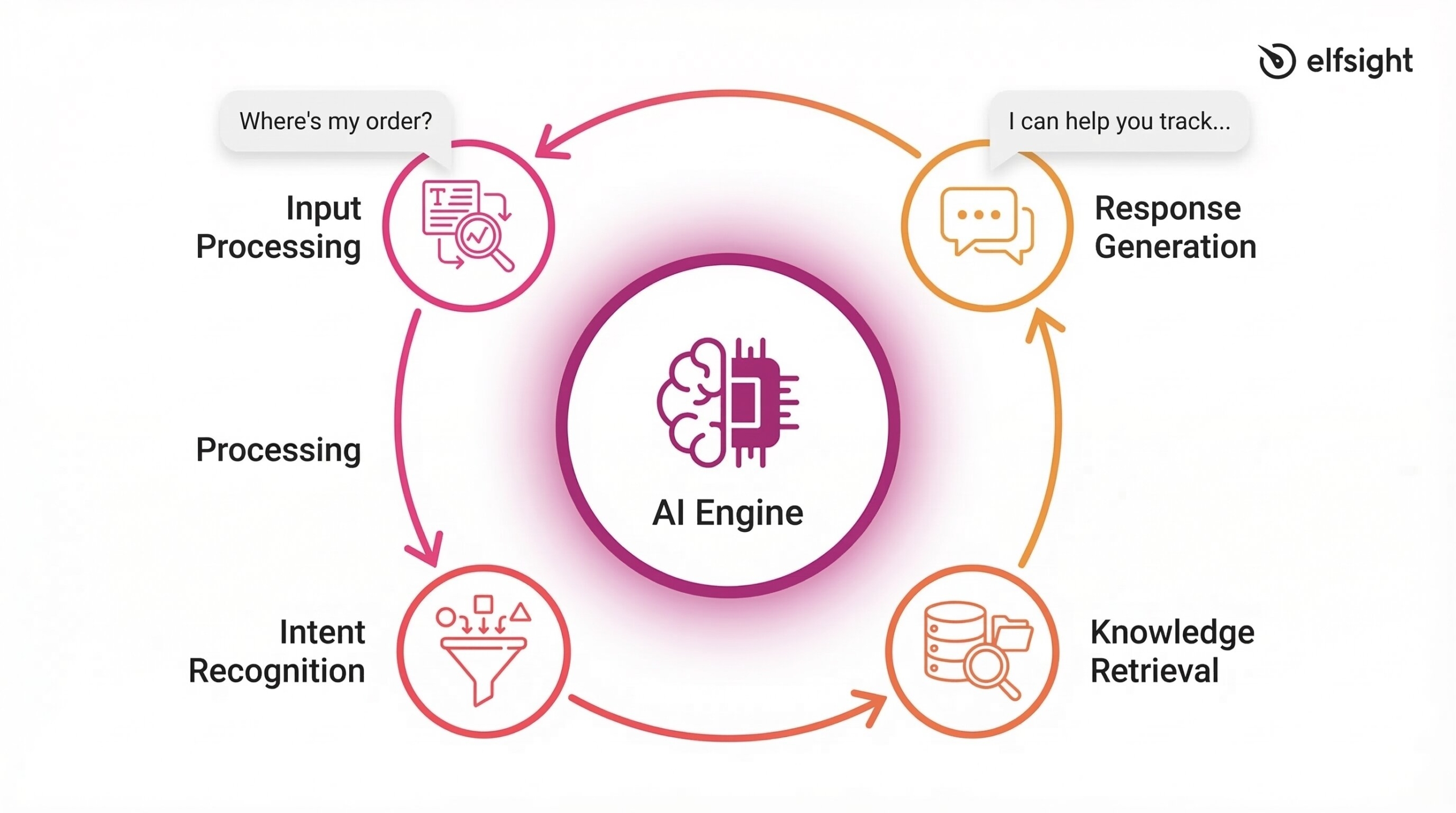
Behind every AI chatbot response is natural language processing – the technology that lets computers understand human language. Here’s the simplified version of what happens when someone types a question into your chatbot.
Understanding User Intent (The Core Process)
A customer types “Where’s my order?” The AI processes the language in milliseconds: breaks text into meaningful pieces, filters irrelevant words like “is” and “my,” identifies key terms (“where,” “order”), and classifies intent. In this case, intent = “TrackOrder” with 95% confidence. That confidence score matters – if it drops below a threshold (typically 50-70%), the bot asks for clarification or escalates to a human.
The bot then extracts entities (specific data points such as order numbers, dates, and product names) and generates a response by retrieving relevant information from your knowledge base. “I can help you track your order. Please provide your order number or the email address you used at checkout.” This entire pipeline – from processing language to delivering an answer – happens faster than a human could read the question.
Knowledge Bases: Where Chatbots Learn Your Business
An AI chatbot is only as accurate as the information it’s trained on. That information lives in a knowledge base – your structured collection of help center articles, FAQs, product documentation, policies, and business procedures. When a customer asks a question, the chatbot searches this knowledge base for relevant content and then generates a response grounded in that information.
What you provide: help docs, FAQ pairs, product manuals, policy information. The chatbot converts content into a searchable format using vector embeddings that capture semantic meaning, finds relevant information when questions arrive (not just keyword matching), and generates responses based on your verified data.
How AI Chatbots Embed on Websites
Most AI chatbots embed via a JavaScript snippet – typically 5-15 lines of code pasted into your website’s header or added through a plugin. The snippet loads the chat interface (usually as a small button in the corner), creates a secure connection for real-time messaging, and maintains conversation context as visitors navigate your website.
Two display modes exist: floating widget (corner button, most common) or inline/embedded (embedded directly into page content). Floating widgets follow visitors as they scroll and move between pages.
No-code platforms like Elfsight, Tidio, and ChatBot.com don’t require any coding knowledge. You configure the chatbot through a visual editor, then paste the embed code into your website. Most modern website builders (WordPress, Shopify, Wix, Squarespace) support JavaScript widgets without modification.
What AI Chatbots Are Used For
“The global chatbot market reached $7.76 billion in 2024 and is projected to hit $27.29 billion by 2030 — a 25.7% compound annual growth rate.” – Grand View Research
| Use Case | Primary Benefit | SMB Relevance | Typical ROI Timeline |
|---|---|---|---|
| Customer support | 70% ticket deflection, 24/7 coverage | High | 3-6 months |
| Lead generation | 23% conversion lift, instant response | High | 1-3 months |
| E-commerce | 15-25% cart recovery, 25% higher AOV | High | 1-2 months |
| Appointment booking | Zero phone tag, automatic reminders | Medium-High | 2-4 months |
| FAQ automation | Immediate deflection of routine queries | Medium | 3-6 months |
💬 Customer Support Automation
Customer support accounts for over 41% of the chatbot market. Support chatbots process interactions at roughly $0.50 per conversation and can cover up to 70% of routine conversations end-to-end without human intervention. They handle FAQs, order tracking, account issues, password resets, basic troubleshooting, return processing, and policy questions. Average tech industry ticket deflection sits at 23% without AI, whereas AI implementations achieve 40-60% deflection.
Thirty-five percent of customer requests arrive outside business hours. Smartsupp data analyzing 5 billion website visits shows only 53.9% of Sunday inquiries get answered without chatbots, versus 80% on Mondays. AI chatbots eliminate the weekend and overnight support gap entirely.
📝 Lead Generation and Qualification
According to an extensive study across various industries (e-commerce, retail, SaaS, education, and small business) conducted by Glassix, AI chatbots increase conversion rates by 23%. AI chatbots proactively engage website visitors based on behavior triggers: time on page, pages visited, scroll depth, and exit intent.
A typical flow: visitor lands on pricing page → chatbot engages after 30 seconds → asks qualifying questions about budget, timeline, and needs → collects contact details → routes hot leads to sales team or books meeting automatically.
The competitive advantage is immediate response. When a visitor signals buying intent at 2 AM or during a traffic spike, instant engagement prevents the drop-off that occurs when prospects wait hours or days for replies. For small businesses, this means capturing leads while sleeping and eliminating the “I’ll follow up tomorrow” leak.
🛒 E-Commerce Applications
E-commerce websites average 70.19% cart abandonment across all industries (Baymard Institute, 2025). AI chatbots recover 15-25% of abandoned carts – double the recovery rate of email reminders alone. In this case, AI chatbots are used for product recommendations and guided shopping, real-time order tracking, cart abandonment recovery, sizing and fit assistance, and post-purchase support and upsells.
Shopping behavior data shows that customers who use AI chat during shopping spend 25% more than those who don’t. Engagement drives higher average order values, translating directly to revenue impact.
📅 Appointment Booking and Scheduling
Service businesses use AI chatbots for conversational booking flows: real-time calendar availability checks, confirmation and automated reminders, self-service rescheduling without phone calls. Platform integrations with Google Calendar, Outlook, Calendly, and Acuity Scheduling make this straightforward. The chatbot checks availability in real-time, books the slot, sends confirmation, and triggers reminder sequences.
More than 60% of consumers prefer booking appointments through messaging bots over phone calls or forms, according to industry surveys. The friction of phone tag and business-hours-only scheduling drives this preference.
Other Common Use Cases
- FAQ automation: Instant answers from knowledge base without making customers browse help centers. Unlike static FAQ pages, chatbots understand natural language, appear on any page, personalize responses, and ask clarifying follow-ups.
- Feedback collection: Conversational surveys achieve higher completion rates than email forms. Questions appear one at a time with follow-up branches based on responses, engaging customers immediately after purchase or service interaction.
- Onboarding (primarily SaaS): Conversational product tours, feature discovery based on user goals, setup guidance. Reduces time-to-value for new users and decreases early churn.
Common Misconceptions About AI Chatbots
Several misconceptions about AI chatbots persist, even as the technology has matured. These clarifications help separate outdated assumptions from current reality.
Myth: “Chatbots will replace human support”
Reality: augmentation, not replacement. Gartner projects that organizations will replace 20-30% of service agents with AI by 2026, while also creating new roles for AI oversight, training, and exception handling.
Successful businesses use AI for volume and humans for complexity. Chatbots handle the 70% of questions with straightforward answers. Humans handle the 30% requiring empathy, judgment, or creative problem-solving.
Myth: “Chatbots are only for big companies”
Reality: SMBs record the fastest adoption growth at 24.58% annual rate, according to Mordor Intelligence. No-code platforms make implementation accessible without technical teams.
Pricing ranges from free tiers (50-200 messages/month with basic features) to $30-100/month for small businesses handling 1,000-3,000 messages. Mid-tier solutions run $100-300/month for higher volume. You don’t need enterprise budgets to deploy effective AI chatbots.
Myth: “AI chatbots only handle simple queries”
Reality: Modern generative AI chatbots manage complex, multi-turn conversations and understand context across messages. Solo Brands achieved 75% resolution rate with their AI chatbot (up from 40% with rule-based systems).
However, many customers still feel chatbots struggle with truly complex issues. The capability exists, but execution varies significantly by implementation quality and training data.
Myth: “All chatbots use AI”
Reality: Many chatbots still operate on rule-based logic – decision trees and keyword matching with no machine learning involved. Both types serve legitimate purposes depending on your use case.
Rule-based works well for predictable, structured interactions. AI-powered works better for open-ended customer support. Most businesses choose hybrid implementations combining both.
Myth: “Once deployed, chatbots run themselves”
Reality: AI chatbots require ongoing knowledge base updates, performance monitoring, conversation flow optimization, and retraining as your business evolves. Gartner explicitly recommends dedicating resources to “model management on an ongoing basis.”
Your product catalog changes. Policies update. New questions emerge. A chatbot trained on January’s content will give outdated answers by June if you don’t keep it up to date.
Myth: “AI chatbots understand everything”
Reality: AI chatbots are narrow in scope, trained on your specific business domain. They don’t have general knowledge and can’t answer questions outside their training data.
This is by design – it keeps them accurate and on-brand. A chatbot trained on your product documentation won’t suddenly start discussing politics or offering medical advice. The constraints ensure reliability.
Choosing an AI Chatbot: What to Consider
If you’re considering an AI chatbot for your website, focus on these practical factors rather than feature checklists.
Match the Type to Your Use Case
Choose rule-based chatbots if you need predictable, structured interactions (appointment booking, order tracking, basic FAQs), full control over every conversation path, minimal implementation complexity, or low ongoing costs.
Choose AI-powered chatbots if you need natural language understanding for varied questions, ability to handle unexpected inquiries, continuous learning and improvement, or support for complex multi-turn conversations.
Choose hybrid chatbots if you want structured flows for critical processes (lead capture, booking) combined with AI flexibility for customer questions. This represents best-of-both-worlds functionality.
Most SMBs choose hybrid because they want conversational flexibility without sacrificing control over business-critical flows like contact information collection.
Evaluate Knowledge Base Requirements
Critical question: do you have current, accurate content to train the chatbot on?
You’ll need help center articles, FAQ documentation, product information, policy pages, and common customer questions with verified answers. The chatbot learns from this content and generates responses based on it.
Garbage in, garbage out. An AI chatbot trained on outdated or incomplete information will confidently deliver wrong answers – worse than no chatbot at all. Many implementations fail not because the technology doesn’t work, but because the training data is poor.
Consider Implementation Complexity
Setup timeline and technical requirements vary significantly by platform type. Choose based on your team’s technical comfort level and how quickly you need to deploy.
| Platform Type | Best For | Examples | Setup Time |
|---|---|---|---|
| No-code | Non-technical users who want working chatbots in days. | Elfsight, Tidio, ChatBot.com, ManyChat | 1-3 days (rule-based) / 2-4 weeks (AI-powered) |
| Low-code | Users comfortable with basic logic and conditional flows. | Landbot, Typebot | 3-5 days (rule-based) / 2-4 weeks (AI-powered) |
| Developer platforms | Technical teams needing full API access, custom integrations, and advanced features requiring code | Rasa, Botpress | 1-2 weeks (rule-based) / 4-8 weeks (AI-powered) |
AI-powered chatbots need additional time for knowledge base setup, training, testing, and optimization regardless of platform complexity.
Verify Platform Compatibility
- Confirm your website platform supports JavaScript embedding. Most modern platforms do: WordPress, Shopify, Wix, Squarespace, Webflow, and custom HTML sites all work with standard chat widgets.
- Identify which systems your chatbot needs to connect with: CRM platforms (HubSpot, Salesforce), email marketing (Mailchimp, ActiveCampaign), helpdesk systems (Zendesk, Intercom), calendar tools (Google Calendar, Calendly), and analytics (Google Analytics, Mixpanel).
- Verify mobile responsiveness. Over 60% of web traffic is mobile. The chat widget must work properly on phones and tablets, not just desktop browsers.
Frequently Asked Questions
What is an AI chatbot and how does it work?
What are AI chatbots used for?
What is the difference between a rule-based chatbot and an AI chatbot?
How much does an AI chatbot cost for a small business?
Can AI chatbots handle complex customer questions?
Do I need technical skills to add an AI chatbot to my website?
Next Steps
AI chatbots today represent fundamentally different technology than the scripted bots of five years ago. NLP and machine learning transformed them from rigid FAQ machines into tools that understand context, learn from interactions, and handle genuinely complex conversations. The market is growing at 23% annually because businesses see measurable returns — faster response times, lower support costs, higher conversion rates, and 24/7 availability that human teams can’t match.
Success comes down to matching the right type to your needs, maintaining accurate training data, and recognizing that chatbots augment support teams rather than replace them. Start by auditing what questions consume your team’s time, confirm you have current content to train the chatbot on, and choose a platform that matches your technical comfort level.