
OpenCart Announcement Bar extension
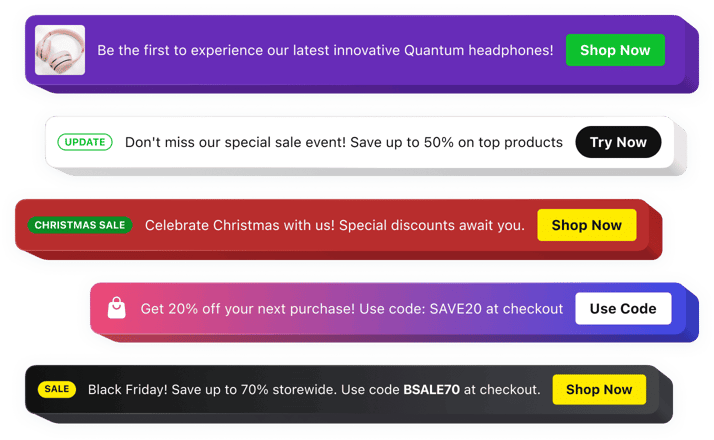
OpenCart Announcement Bar extension
Why People Love Elfsight
For OpenCart store owners, keeping customers aware of the latest offers and updates can make a big difference. The Elfsight Announcement Bar extension helps you place important messages in front of shoppers without interrupting their browsing experience.
Use it to highlight seasonal discounts, new products, delivery information, special events, or any updates your customers should know about. Elfsight gives you a simple way to turn visitors’ attention toward the things that matter most.
You don’t need to create custom banners or edit complex store settings. Build your announcement in a visual editor, personalize the design, and add it to your OpenCart website with just a few simple steps.
Did you know?
According to Nielsen Norman Group, 72% of visitors notice announcement bars right after landing on a website, making them one of the first elements to capture attention.
Add an Announcement Bar to your OpenCart website for free and create a better way to communicate with your customers.
Key Features of the OpenCart Announcement Bar Extension
Explore the features that help online stores deliver timely messages and encourage customer actions:
- Easy store integration: Add the extension to your OpenCart website without building a custom notification system from the ground up.
- Instant updates: Share important information about promotions, products, shipping, or store news whenever needed.
- Clickable action buttons: Add CTAs that guide shoppers toward product pages, collections, forms, or other destinations.
- Flexible customization: Adjust colors, fonts, layouts, spacing, backgrounds, and buttons to match your store design.
- Smart positioning: Choose where your announcement appears to create a natural shopping experience.
- Scheduled visibility: Plan promotional messages in advance and display them during specific periods.
- Mobile-ready layout: Keep your announcements attractive and readable on smartphones, tablets, and desktops.
- Rich announcement content: Combine text, buttons, icons, badges, images, and videos to create more engaging messages.
See all these features in action in the free editor – no signup required.
How to Add an Announcement Bar to OpenCart
Adding an announcement bar to your OpenCart website is quick and straightforward. Follow these steps:
Method 1: Inline Announcement Bar
Best for placing promotions, updates, and important notices directly within your store pages.
- Choose a template: Open the Elfsight editor and select an announcement bar style that fits your OpenCart website.
- Customize the widget: Add your message, buttons, images, icons, and adjust the appearance settings.
- Generate your embed code: Click “Add to website for free” and copy the ready-to-use code.
- Insert into OpenCart: Add the code to the required HTML section, module area, or page template in your OpenCart admin panel.
Method 2: Floating Announcement Bar
A convenient option when you want your message to stay visible while customers browse your store.
- Select a floating template: Choose a layout that keeps your announcement noticeable during navigation.
- Adjust the widget settings: Customize the position, design, message, buttons, and display options.
- Copy the installation code: Generate your unique snippet once the setup is complete.
- Publish on OpenCart: Paste the code into your store’s HTML or theme section and save your changes.
That’s it – your Announcement Bar is now active on your OpenCart website. You can update messages, change layouts, and manage campaigns anytime from your Elfsight dashboard.
Need help? Visit our Help Center for detailed tutorials and setup instructions. You can also suggest improvements through the Wishlist, check the updates in the Changelog, and exchange ideas with other users in the Community.