
Google Sites Announcement Bar widget
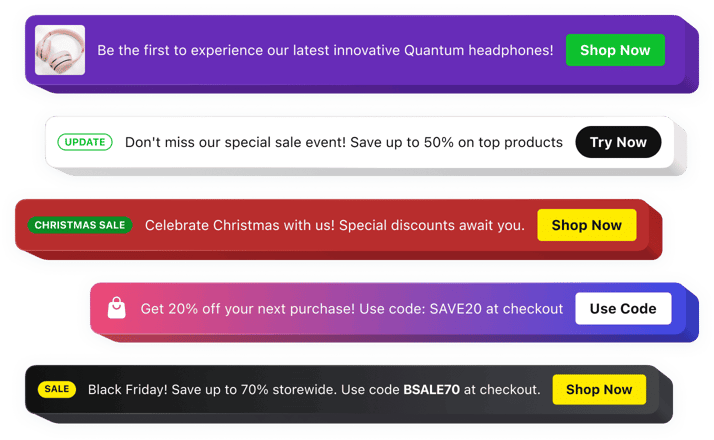
Google Sites Announcement Bar widget
Why People Love Elfsight
Keeping visitors informed is essential for any Google Sites website. The Elfsight Announcement Bar widget gives you a simple way to highlight important updates, promotions, reminders, and messages right where your audience can easily notice them.
Whether you’re sharing a new project, announcing an event, promoting a special offer, or guiding visitors toward a specific action, the widget helps your message stand out without overwhelming your page. Create clean and attractive announcements that naturally fit your website’s style.
You don’t need technical skills to get started. Choose a layout, personalize your message, and add the announcement bar to your Google Sites website in just a few easy steps.
Did you know?
According to Nielsen Norman Group research, visitors often notice announcement bars among the first elements on a webpage, making them an effective way to deliver important information quickly.
Add an Announcement Bar to your Google Sites website for free and make sure your audience always sees your latest updates.
Key Features of the Google Sites Announcement Bar Widget
Here’s how Elfsight helps website owners create clear, engaging, and effective announcements:
- Beginner-friendly setup: Add announcements to your website without coding knowledge or complicated configuration.
- High-visibility placement: Put important messages where visitors can notice them immediately when they open your page.
- Promotion opportunities: Share discounts, events, launches, updates, and other important campaigns with your audience.
- Interactive buttons: Include clickable CTAs that lead visitors to forms, pages, resources, registrations, or external links.
- Custom appearance: Adjust fonts, colors, backgrounds, spacing, and layouts to match your Google Sites design.
- Flexible positioning: Display your announcement at the top, bottom, or another preferred location.
- Planned publishing: Schedule announcements for specific periods and manage campaigns more easily.
- Responsive experience: Make sure your messages remain readable and attractive across all screen sizes.
- Rich media elements: Combine text, buttons, icons, badges, images, and videos to create more engaging notifications.
See all these features in action in the free editor – no signup required.
How to Add an Announcement Bar to Google Sites
You can add an announcement bar to your Google Sites website in just a few simple steps. Here’s how:
Method 1: Inline Announcement Bar
Great for placing notifications, promotions, and updates directly inside your website pages.
- Select a template: Open the Elfsight editor and choose an announcement bar style that matches your website.
- Customize the widget: Add your message, buttons, images, icons, and adjust the appearance.
- Generate your code: Click “Add to website for free” and copy the ready embed code.
- Embed in Google Sites: Open your Google Sites editor, select the Embed option, paste the code, and place the widget where you want it.
Method 2: Floating Announcement Bar
A useful option when you want visitors to see your message while navigating through your website.
- Choose a floating layout: Pick a design that keeps your announcement visible during browsing.
- Personalize your message: Configure the position, styling, buttons, and content settings.
- Copy the embed code: Generate your unique installation code after finishing customization.
- Add it to Google Sites: Insert the code through the Embed block and publish your changes.
Now your Announcement Bar is active on your Google Sites website. You can update the message, design, and display settings anytime from your Elfsight dashboard.
Need help? Visit our Help Center for detailed tutorials and setup instructions. You can also suggest improvements through the Wishlist, check the updates in the Changelog, and exchange ideas with other users in the Community.