
WordPress Line Chat plugin
Create your Line Chat plugin
Enhance Your WordPress Website with Elfsight Line Chat Plugin
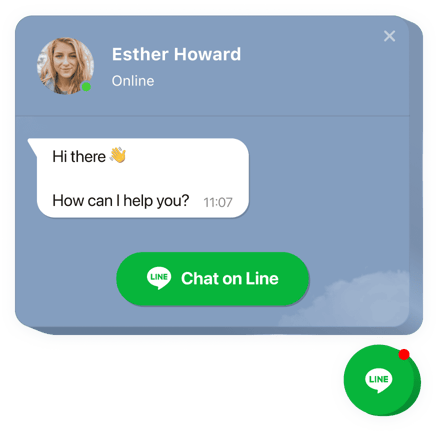
Elfsight Line Chat for WordPress is the ultimate solution to enhance your website’s communication and customer support capabilities. With this powerful plugin, you can seamlessly embed Line Chat into your WordPress website, providing your visitors with a convenient and direct way to connect with you. Whether you run a blog, an online store, or any other type of website, this widget is a game-changer for staying connected with your audience. Let’s delve into the features and installation process that make Elfsight Line Chat a must-have for your WordPress website.
Unveiling the Powerful Features of Elfsight Line Chat for WordPress
Elfsight Line Chat is packed with an array of features that will revolutionize the way you connect with your audience. Here are the main features that make this plugin an indispensable tool for your WordPress website:
- Easy Integration: Embed Line Chat effortlessly into your WordPress website, enhancing your visitors’ communication experience.
- Real-time Messaging: Keep the conversation going with your audience directly from your WordPress page.
- Chat Location Options: Choose from three chat location settings – floating bubble, embedded bubble, or embedded chat window – to suit your website’s layout.
- Icon Selection: Explore a diverse collection of bubble icons and select the one that best complements your website design.
- Customizable Text: Personalize the bubble text to create a welcoming and engaging message for your visitors.
With these features, Elfsight Line Chat for WordPress ensures that you can offer top-notch support, engage your visitors, and make your website more interactive.
Installing Elfsight Line Chat Plugin on Your WordPress Website
Adding Elfsight Line Chat to your WordPress website is a straightforward process that doesn’t require any coding expertise. Follow these simple steps to get started:
- Widget Customization: Begin by customizing your Line Chat widget in our free configurator. Choose your preferred layout and settings, and save your customizations.
- Get Your Installation Code: After customizing your widget, you’ll receive a unique installation code. Copy this code; you’ll need it in the next step.
- Website Integration: Access your WordPress website’s backend and paste the installation code into the specified location. Save the changes you made.
- Enjoy Line Chat: Your Elfsight Line Chat widget is now successfully integrated into your website. Visit your site to witness it in action.
That’s it! You’ve completed the installation, and your WordPress website is now equipped with Elfsight Line Chat. You can start connecting with your visitors and providing exceptional support.
If you encounter any difficulties during the installation or have any questions, our customer service is just a request away, ready to assist you with any concerns.