
iFrame Announcement Bar widget
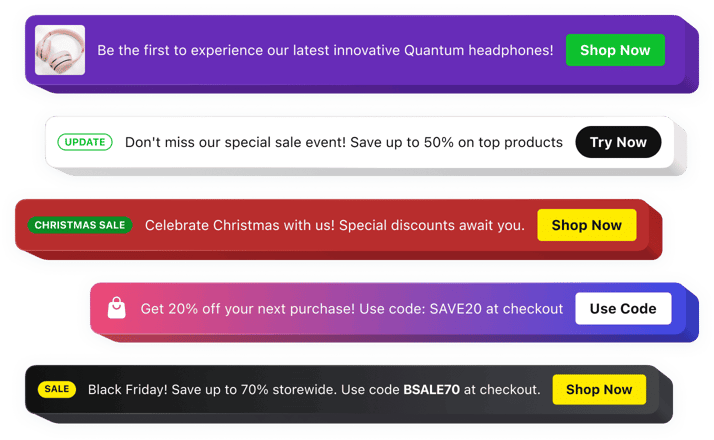
iFrame Announcement Bar Widget
Why People Love Elfsight
When your website is built with iFrame elements, sharing important updates can be challenging. The Elfsight Announcement Bar widget gives you an easy way to display timely messages, promotions, and notices inside any embedded website experience.
Whether you need to highlight a limited-time campaign, announce changes, promote content, or guide visitors toward a specific action, the widget keeps your message visible and easy to discover. Create professional-looking announcements that fit naturally into your existing website layout.
No development skills are needed. Build your announcement, customize the style, and embed it into your iFrame-based website with a simple copy-and-paste process.
Did you know?
Research from Shopify Plus shows that announcement bars can support higher engagement by keeping promotional and informational messages visible across multiple page views.
Add an Announcement Bar to your iFrame website for free and make sure every visitor sees your most important updates.
Key Features of the iFrame Announcement Bar Widget
Here’s how Elfsight helps you deliver clear messages and create better interactions with your website visitors:
- Quick integration: Add an announcement bar to your iFrame setup without complex development work.
- Clear communication: Put essential updates, promotions, and notifications in front of your audience instantly.
- Marketing support: Use the widget to promote campaigns, launches, special deals, and important announcements.
- Clickable actions: Add buttons that encourage visitors to explore pages, register, subscribe, or complete another action.
- Visual customization: Modify fonts, colors, spacing, backgrounds, and layouts to create a consistent website experience.
- Flexible placement: Position your announcement wherever it works best within your embedded content.
- Campaign scheduling: Prepare messages in advance and automatically display them during selected periods.
- Cross-device compatibility: Keep announcements readable and attractive on desktop, tablet, and mobile screens.
- Media-rich announcements: Add text, buttons, icons, badges, images, and videos to make your messages more engaging.
See all these features in action in the free editor – no signup required.
How to Add an Announcement Bar to an iFrame Website
Adding an announcement bar to your website takes only a few minutes. Follow these steps to get started:
Method 1: Inline Announcement Bar
Perfect for displaying important messages directly inside your webpage or embedded content area.
- Select a template: Open the Elfsight editor and choose a design that matches your website style.
- Customize your widget: Add your announcement text, buttons, images, icons, and adjust the appearance.
- Generate your code: Click “Add to website for free” and copy the provided embed code.
- Add to your iFrame page: Insert the code into the HTML area where you want the announcement bar to appear.
Method 2: Floating Announcement Bar
A great choice when you want your message to stay noticeable while visitors browse your content.
- Choose a floating template: Pick a layout designed to remain visible during navigation.
- Adjust the settings: Configure the position, colors, buttons, content, and display options.
- Copy the installation code: Generate your unique snippet after completing customization.
- Embed it into your website: Paste the code into your iFrame environment and publish the changes.
That’s it – your Announcement Bar is now displayed on your iFrame website. You can update your content, design, and settings anytime from your Elfsight dashboard.
Need help? Visit our Help Center for detailed tutorials and setup instructions. You can also suggest improvements through the Wishlist, check the updates in the Changelog, and exchange ideas with other users in the Community.