
Ghost AI Chatbot widget
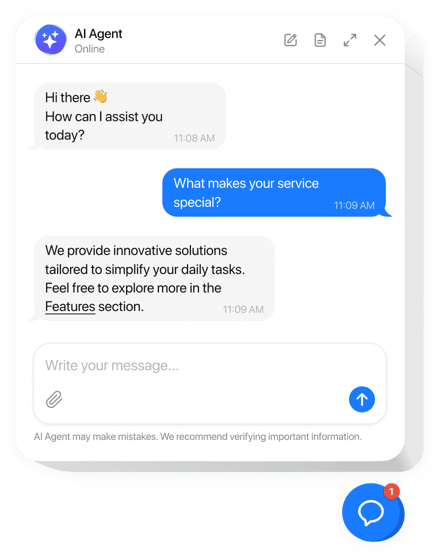
Create your AI Chatbot widget
Why People Love Elfsight
A great Ghost publication can grow into a pretty deep rabbit hole – articles, guides, membership tiers, FAQs, resources, offers. That’s good for loyal readers. For someone landing on your website for the first time, though, finding one specific answer can take a few clicks too many.
Elfsight AI Chatbot gives them a shortcut. Train it on your website content, files, text, and Q&As, and it can answer questions right inside your Ghost website. It can point someone toward the right resource, explain an offer, collect their details, or hand the conversation over to you when a human is the better answer.
Just imagine a reader landing on your membership page after discovering one of your articles through search. They like what they’ve read, but they’re wondering, “What exactly do I get on the paid plan?” Instead of opening three more pages – or leaving it for later – they ask the chatbot and get the answer while the interest is still there.
For a busy creator or small publishing team, that’s the useful bit: fewer repetitive questions in your inbox and less hunting around for readers. You keep writing, publishing, and growing the publication; the chatbot handles the easy conversations in the background.
Did you know?
Salesforce found that 77% of customers expect to interact with someone immediately when they contact a company.
Give readers answers while their interest is still high – create your Elfsight AI Chatbot for Ghost for free.
Key Features of the Ghost AI Chatbot
Here’s how AI Chatbot can support a content-focused Ghost website:
- Answers based on your knowledge: Train the assistant with pages, files, text, and Q&A entries so it can respond using information relevant to your publication or business.
- 24/7 reader assistance: Handle common questions even when you or your team aren’t available, helping visitors find information without waiting for a reply.
- Lead capture inside conversations: Collect names, emails, phone numbers, consent, and other visitor details through built-in forms while preserving the surrounding chat context.
- Human help when needed: Give visitors a route to a real person when a conversation requires personal attention, with options such as email, phone, or messaging channels.
- Helpful actions at the right moment: Display buttons, links, forms, or offers when a visitor’s question or intent makes them relevant.
- Natural multilingual conversations: Continue the conversation in the visitor’s language and maintain context across follow-up questions.
- Flexible display options: Choose a floating bubble, floating input, or embedded chat window depending on how you want the assistant to fit into your Ghost website.
- Custom appearance and behavior: Adjust themes, colors, placement, triggers, targeting, sounds, legal text, and other settings through the visual editor.
Try our live editor and build your Ghost AI assistant for free.
How to Add the AI Chatbot to Ghost
Ghost gives you two useful ways to integrate the chatbot: show a floating assistant throughout your publication or place an embedded conversation on a particular post or page. Ghost supports sitewide scripts through Code Injection and third-party embedded code through HTML cards.
Method 1: Add a Floating AI Chatbot Across Your Ghost Website
- Create your AI assistant: Open the Elfsight editor, choose a template, enter your Ghost website URL, and add any extra content you want the chatbot to learn from.
- Shape the conversation: Set the AI Agent’s name, role, tone of voice, greeting, suggested questions, and conversation rules. Add useful skills such as contact collection, human handoff, action buttons, or follow-up messages.
- Customize the chatbot: Choose the Floating Chat layout, adjust its position, size, and start mode, and match the theme to your Ghost website.
- Copy the installation code: Click Add to Website for Free and copy the unique Elfsight embed code.
- Add it to Ghost: In Ghost Admin, go to Settings → Code Injection and find the Site Footer field. Ghost places content from this field before the closing tag and applies it across the website. Save your changes, and check the chatbot on your live website.
This approach is especially convenient for support because the assistant can stay accessible while readers move between articles, landing pages, pricing information, and other parts of your publication. Ghost’s sitewide Code Injection applies the added script across pages without requiring changes to your theme files.
Method 2: Embed the AI Chatbot in a Ghost Page or Post
If you prefer an AI assistant directly inside a resource page, FAQ, services page, or another piece of content:
- Create and train your assistant: Choose a template in the Elfsight editor, enter your website URL, and add any additional knowledge sources the chatbot should use.
- Set up its personality and skills: Define the AI Agent’s role, tone, greeting, suggested questions, and conversation rules, then add skills such as lead collection, human handoff, buttons, or follow-up messages.
- Choose the Embedded Layout: Select Embedded Chat, adjust its size and appearance, and customize the theme to fit the surrounding Ghost content.
- Copy the installation code: Click Add to Website for Free and copy the generated embed code.
- Place it in Ghost: Open the required post or page, click the + icon. Select HTML, paste the Elfsight code, and publish your changes.
Ghost describes HTML cards as a way to add code to posts and integrate third-party tools, making them the natural placement option for an inline widget.
Need more help? In our Help Center you can find step-by-step tutorials. Swap ideas in the Community Forum, suggest improvements in the Wishlist, and follow releases in the Changelog.