For developers

React AI chatbot component

Add an AI chatbot to a React app without building one: render one component, train and style the agent in the Elfsight editor. Or build your own — here’s how both paths compare.
No credit card needed
See the code ↓
React AI chatbot component
React
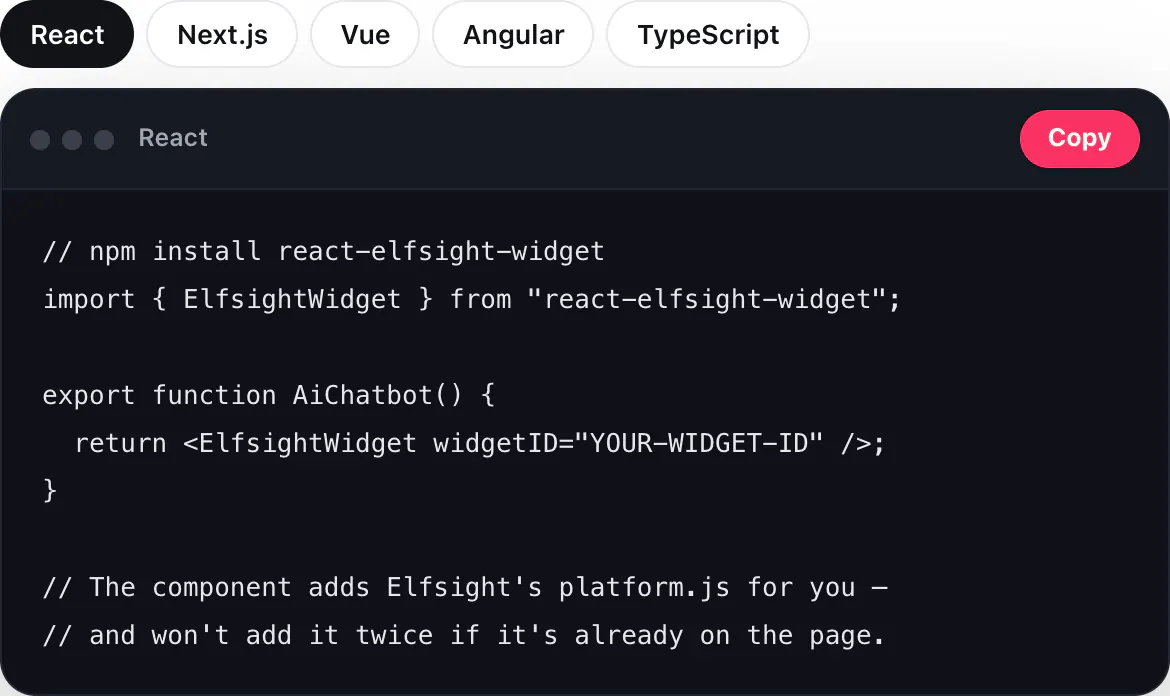
// npm install react-elfsight-widget
import { ElfsightWidget } from "react-elfsight-widget";

export function AiChatbot() {
  return <ElfsightWidget widgetID="YOUR-WIDGET-ID" />;
}

// The component adds Elfsight's platform.js for you —
// and won't add it twice if it's already on the page.

Create your AI agent for free

  1. 1. Enter your website
  2. 2. Shape your agent
  3. 3. Add to website
Build or embed

Building an AI chatbot in React yourself

An AI chatbot is more than a chat window and a call to a model API. Here’s what it takes to run one well — and what you can skip.

What you’d build and keep running

A model and its bill

Pick a model, handle rate limits and watch token costs grow with traffic.
Your content as answers

Crawl the site, split and embed it, and keep the index in sync when pages change.

The chat UI

Bubbles, streaming replies, typing dots, mobile layout and accessibility on every page.

Conversation memory

Keep each visitor’s thread and feed the right context back within the token budget.

Guardrails

Keep answers on topic, avoid made-up facts and decide what it must never say.

Leads and handoff

Forms in the chat, consent, and passing the right conversations to a person.

Transcripts and analytics

Store chats, email them to the team and see what visitors ask about.

Upkeep

Model updates, prompt tuning, security fixes — and someone on call when it breaks.

With Elfsight: one component

Create and train the agent in the Elfsight editor, then render one component. Answers, leads and settings live in your dashboard — no redeploy to change them.
React
<AiChatbot />
  • Learns from your website automatically

  • Lead forms and human handoff built in

  • Chat history, transcripts and analytics

  • Floating or embedded, styled in the editor

  • Free plan, no credit card

Integration

Add the AI chatbot to React

  • Official component. react-elfsight-widget from npm — the same component Elfsight support recommends for React apps.

  • Floating or embedded. A floating chat goes in your root component once and shows on every page; an embedded one goes where you render it.

  • Vite, CRA, Gatsby, Remix. A regular React component with one prop: widgetID.

React
// npm install react-elfsight-widget
import { ElfsightWidget } from "react-elfsight-widget";

export function AiChatbot() {
  return <ElfsightWidget widgetID="YOUR-WIDGET-ID" />;
}

// The component adds Elfsight's platform.js for you —
// and won't add it twice if it's already on the page.
Out of the box

What the agent does with no code of yours

Builds from your website

Scans your website to understand your business, products, services, and content, then turns it into an AI agent automatically.

Creates a knowledge base

Turns your website content into accurate AI answers automatically.

Shapes a personality

Creates a name, icon, role, and tone of voice based on your business.

Prepares the first interaction

Generates welcome messages and quick replies designed for your visitors and business goals.

Equips with the right skills

Adds lead capture, action buttons, and other capabilities automatically based on your business.

Learns from conversations

Detects missing knowledge and helps improve future conversations over time.
Compare

Elfsight AI Chatbot vs building on a model API in React

Feature
Elfsight AI Chatbot
Your own build
Time to launch
Minutes: one component
Weeks of engineering
Knowledge
Built from your website automatically
Crawl, embed and sync it yourself
Chat UI
Ready, styled in the editor
Build, test and maintain
Leads and handoff
Lead forms and human handoff included
Build forms, consent and routing
Transcripts and analytics
Dashboard, email transcripts and reports
Build storage and reports
Costs
A plan, with a free one to start
Model tokens, hosting and your team’s time
Upkeep
Elfsight keeps it running
Your team

Time to launch

AI Chatbot

Minutes: one component

Your own build

Weeks of engineering

Knowledge

AI Chatbot

Built from your website automatically

Your own build

Crawl, embed and sync it yourself

Chat UI

AI Chatbot

Ready, styled in the editor

Your own build

Build, test and maintain

Leads and handoff

AI Chatbot

Lead forms and human handoff included

Your own build

Build forms, consent and routing

Transcripts and analytics

AI Chatbot

Dashboard, email transcripts and reports

Your own build

Build storage and reports

Costs

AI Chatbot

A plan, with a free one to start

Your own build

Model tokens, hosting and your team’s time

Upkeep

AI Chatbot

Elfsight keeps it running

Your own build

Your team

FAQ