
HTML AI Chatbot code
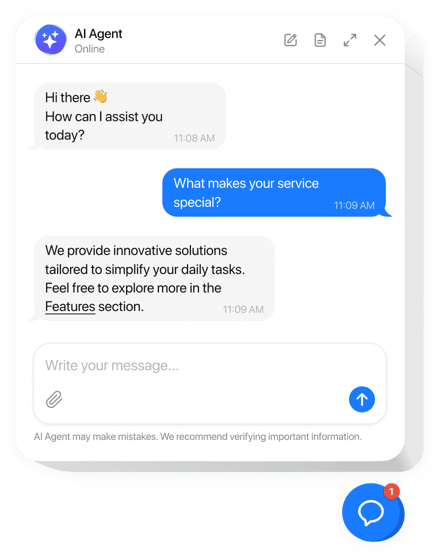
Create your AI Chatbot widget
Embed AI Chatbot on HTML with Elfsight widget!
Create a premier AI chatbot for your HTML website, specifically trained on your knowledge base, support files, or customer FAQs. Allow it to learn and evolve, delivering personalized messages to improve user engagement on a daily basis.
Streamline client service tasks, lower response times, and efficiently generate leads without manual effort. Offer 24/7 assistance, so customers can find the answers they require—at any hour and from any location!
Add an AI assistant to provide prompt answers, fix issues, and increase your sales!
Below are the basic features of the widget:
- Automate your customer communication. Streamline responses, offer round-the-clock availability, and enhance efficiency with minimal setup—navigate unlimited chats and users effortlessly!
- Create a personalized experience. Make every customer feel valued and create the best experience through personalized replies, name-calling, chat history monitoring, and follow-up communications.
- Train the chatbot with company data. Empower the AI chatbot with your specialized expertise by uploading documents, adding Q&A sets, and leveraging your site’s information for the instruction generator, ensuring precise and relevant replies tailored to your business context.
- Obtain customer insights in your email. Stay updated and collect important insights by having full chat transcripts directly to your inbox, featuring vital contact details for lead generation and service enhancement.
- Explore an extensive array of templates. Set up your AI chatbot quickly with our collection of pre-configured templates. They are developed for diverse industries and functions, each featuring tailored instruction sets for instant outcomes.
Examine all the customization options in 100% functional configurator
How to add AI Chatbot widget to HTML?
If you wish to add the AI Chatbot to your HTML website, do the following:
- Personalize the widget.
Select a pre-made template to begin. After that, you can train your chatbot, set up the functionality, and alter its appearance according to your business needs. - Get the embed code.
Save the final results and copy the provided embedding code. - Add the code to your website builder.
Go to your website’s admin dashboard, paste the shortcode into the chosen section, and refresh the page. That’s it!
If you run into some obstacles, don’t hesitate to apply for our customer service team. Our people are longing to help you with all the issues you may have with the widget.