
Facebook Appointment Booking app
Create your Appointment Booking widget
Why use Elfsight Appointment Booking on Facebook
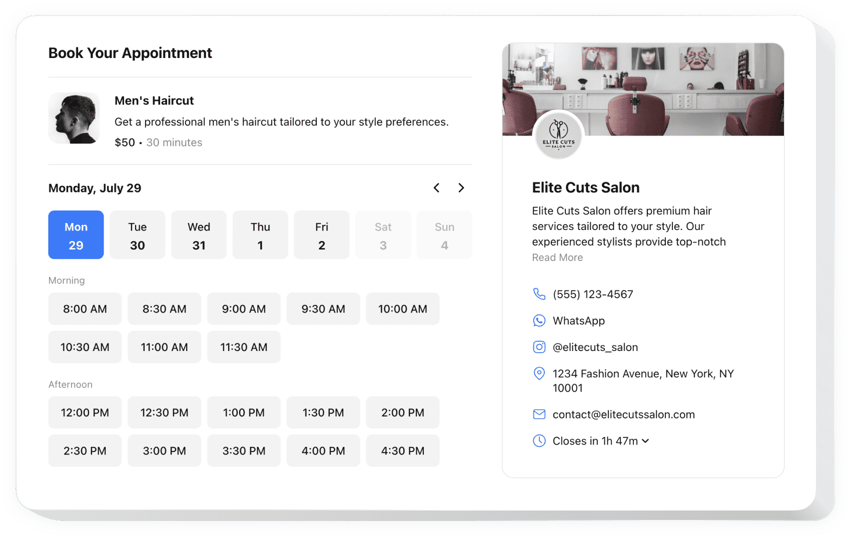
Clients book a time slot on their own, so you don’t have to stay available around the clock for messages, calls and emails. The widget shows availability to your customers and sends automated confirmations of booked slots to the client and to you. You can also sync it with Google Calendar.
Describe each service with a name, details, a picture and a duration, and set the price in the currency you need. Share your business contact information so clients can reach you, and match the widget’s look to your brand with templates, colors, layouts and fonts.
Key Features of the Appointment Booking App
- Automated confirmations – clients and you get a confirmation for every booked slot.
- Google Calendar sync – keep your bookings up to date in the calendar you already use.
- Service card – describe a service with its name, details, picture and duration, and set the price in various currencies.
- Open slots – customers see your availability and pick a time that suits them.
- Business contact information – share your details so clients can reach you.
- Your own look – customize templates, colors, layouts and fonts, and fine-tune the design with the Custom CSS and Custom JS editors.
How to add Appointment Booking to Facebook
Facebook no longer lets you embed HTML code on Pages, so you add the widget through an Action button that links to it. This works for Facebook Business Pages only, not for groups or profiles.
- Log in to your Facebook account, click your profile icon in the top right corner and select your Business Page to switch to it.
- Click the three-dot icon and choose Add Action Button.
- Select the appropriate button from the list and click Next.
- In your Elfsight dashboard, open the Appointment Booking app page, choose your widget and click Install.
- Switch to the Share Link tab and copy your widget link.
- Add the copied link to your Facebook Action Button and click Save.
Need a hand? Contact our support team for help with installation.