Google Form Embed Generator

Paste your Google Form’s link and get a free embed code with the size you need — no sign-up and no hunting through the Send menu.
Want a form with your design and file uploads?
Make it tall enough that the form doesn’t scroll inside the page.

Embed the form

<iframe src="https://docs.google.com/forms/d/e/1FAIpQLSc0FL-gMSb9yJrUrk_stxjB5U96pfwsMBNrkhbOKV4nGcy0zw/viewform?embedded=true" title="Google Form" loading="lazy" marginheight="0" marginwidth="0" width="100%" height="2190" style="display:block;width:100%;border:0;"></iframe>
<p style="margin:4px auto 0;text-align:center;font:11px/1.4 -apple-system,BlinkMacSystemFont,'Segoe UI',Roboto,sans-serif;color:#a3a7b0;">Created with <a href="https://elfsight.com/tools/google-form-embed-generator/" target="_blank" rel="noopener" style="color:inherit;text-decoration:none;">Elfsight</a></p>

  1. Click Copy code above to copy it.
  2. Open the page’s HTML file or template.
  3. Paste the code inside <body>, where the content should appear.
  4. Save and upload the page, then open it in a browser to check.

Want forms with your design, file uploads and email notifications? Try the Form Builder widget. See Form Builder →

Before you go

Want forms with your design, file uploads and email notifications? Try the Form Builder widget.

See Form Builder →
Or share this free tool:
Form Builder widget

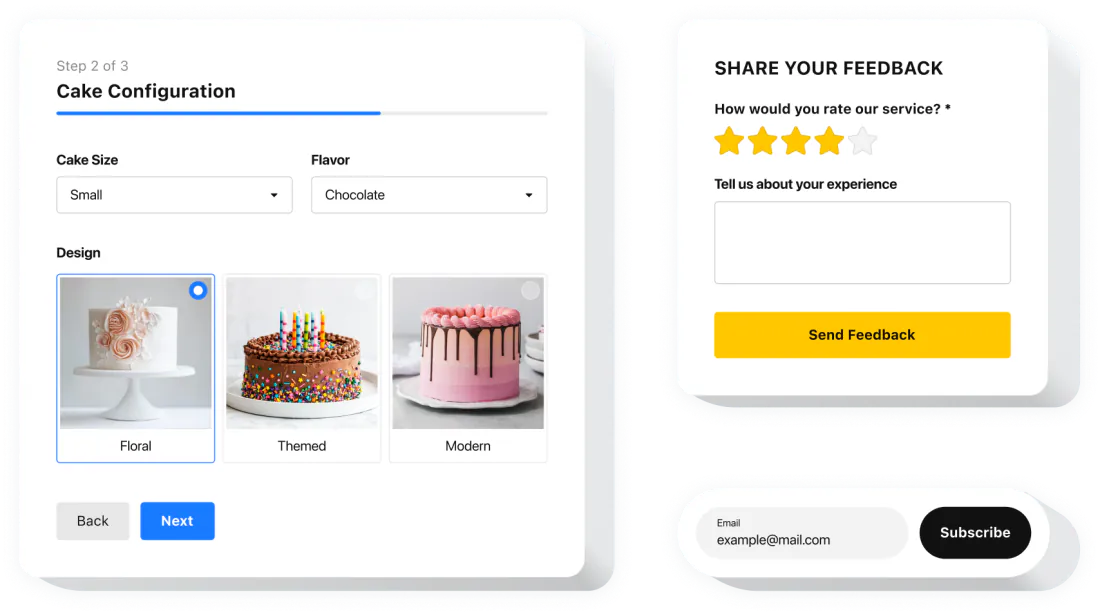
Build forms that match your website

Contact form, feedback, survey or booking — the Form Builder widget has everything to create the form you need, and it takes seconds to set up.
  • Contact, feedback, survey and booking forms

  • Forms that match your site’s design

  • No coding — works on any website

Google Form Embed Generator vs Google Forms’ Embed HTML

Google Forms gives you embed code if you can edit the form. The generator works from the public link, and helps with the part that usually goes wrong: the height.
Google Forms’ Embed HTML
This generator
Where you start
Open the form in the editor, then More → Embed HTML → Copy.
Paste the form’s public link. You don’t need editor access.
Short links
You copy the code from the editor, so short links don’t come into it.
Accepts forms.gle short links and finds the full form address.
Height
A fixed height you adjust by trial and error.
Suggests a height based on the number of questions in the form.
Width
A fixed width in pixels.
Full width of the container, so the form fits on phones.
Pre-filled answers
A separate step: More → Pre-fill form → Get link.
Optional pre-fill builder in the same place as the embed code.

Where you start

Google Forms’ Embed HTML

Open the form in the editor, then More → Embed HTML → Copy.

This generator

Paste the form’s public link. You don’t need editor access.

Short links

Google Forms’ Embed HTML

You copy the code from the editor, so short links don’t come into it.

This generator

Accepts forms.gle short links and finds the full form address.

Height

Google Forms’ Embed HTML

A fixed height you adjust by trial and error.

This generator

Suggests a height based on the number of questions in the form.

Width

Google Forms’ Embed HTML

A fixed width in pixels.

This generator

Full width of the container, so the form fits on phones.

Pre-filled answers

Google Forms’ Embed HTML

A separate step: More → Pre-fill form → Get link.

This generator

Optional pre-fill builder in the same place as the embed code.

Google Form embed options

What goes into the embed code and what each setting changes.
Option
What it does
Values
Notes
Form link
The form to show on your page.
A docs.google.com/forms/…/viewform link or a forms.gle short link
The form must be published and open to the people who will see your page.
embedded=true
Tells Google Forms the form is shown inside another page.
Added to the viewform address
Added automatically; you don’t need to edit the link.
Height
How tall the frame is, in pixels.
A suggested number you can change
The frame can’t grow with the form. If it’s too short, the form scrolls inside its own box. Check it after you add questions.
Width
How wide the frame is.
100% or a number of pixels
100% fits the column on any screen.
Pre-filled answers
Fills in some answers before the visitor starts.
One value per question
Useful for things you already know, such as the page or the event. Visitors can still change the answers.
title
Labels the frame for screen readers.
Short text, e.g. “Contact form”
Describe the form briefly so people using assistive technology know what it is.

Form link

What it does

The form to show on your page.

Values

A docs.google.com/forms/…/viewform link or a forms.gle short link

Notes

The form must be published and open to the people who will see your page.

embedded=true

What it does

Tells Google Forms the form is shown inside another page.

Values

Added to the viewform address

Notes

Added automatically; you don’t need to edit the link.

Height

What it does

How tall the frame is, in pixels.

Values

A suggested number you can change

Notes

The frame can’t grow with the form. If it’s too short, the form scrolls inside its own box. Check it after you add questions.

Width

What it does

How wide the frame is.

Values

100% or a number of pixels

Notes

100% fits the column on any screen.

Pre-filled answers

What it does

Fills in some answers before the visitor starts.

Values

One value per question

Notes

Useful for things you already know, such as the page or the event. Visitors can still change the answers.

title

What it does

Labels the frame for screen readers.

Values

Short text, e.g. “Contact form”

Notes

Describe the form briefly so people using assistive technology know what it is.

Google Docs Editors Help: Publish & share your form ↗

Common Google Form embed problems

The form is cut off or scrolls inside the page.

An iframe has a fixed height and can’t resize itself to the form. Start with the suggested height, then open the page on a phone and a computer: if there’s a scrollbar inside the form, increase the height; if there’s a large empty space below the Submit button, reduce it. Forms with several sections or long answers may need a bit more. Recheck after you edit the form.

The form asks visitors to sign in to Google.

Some settings require a Google Account. Check them in your form: Limit to 1 response (Settings → Responses), Collect email addresses set to Verified, and any File upload question. Turn these off, or set email collection to Responder input, if you want anyone to answer without signing in.

Visitors see “You need permission” or “You need access”.

Forms created with a work or school account are, by default, only open to people in that organization, who must sign in. Change who can respond in the form’s publish and sharing settings.

The form says it’s no longer accepting responses.

The form owner has stopped accepting responses. If it’s your form, turn responses back on in Google Forms.

Pre-filled answers don’t appear.

Each pre-filled answer is tied to a specific question. If you deleted and recreated a question, or changed its choices, build the pre-filled link again.

The form disappears after you save the page.

Some editors remove iframes from regular text blocks. Paste the code into a custom HTML or embed block.

How to embed a Google Form

  1. Copy the form link

    In Google Forms, click Send, choose the link icon and copy the link.

  2. Set the size

    Paste the link and choose the width and height.

  3. Add it to your site

    Paste the code into an HTML block on your page.

Frequently asked questions

More Embed Code Generators

iFrame Generator

Build a responsive iframe for any page, form or app.iFrame Generator